Choosing flight sim panels & instruments comes down to one immediate trade-off: do you want a ready-to-use control surface for several cockpit functions, or a single gauge for a focused home-cockpit build? The Meza Ignition Panel USB and Home cockpit Aquila A210 3D-Printed Instruments serve different roles. Choose Meza for a dedicated aircraft-switch panel, or choose Aquila when the named A210 gauge is the part your build calls for.
Quick verdict
Meza Ignition Panel USB is the clearer match for shoppers assembling an aircraft switch panel with several cockpit functions in one unit. Home cockpit Aquila A210 3D-Printed Instruments is the focused route for a gauge-led build. Decide by the part you need first: a control panel or an instrument gauge.
Listed comparison
| Criteria | Meza Ignition Panel USB | Home cockpit Aquila A210 3D-Printed Instruments |
|---|---|---|
| Listed price | USD 209.99 | USD 20.00 |
| Stated format | USB ignition panel | 3D-printed instrument gauge |
| Named simulator or setup | MSFS2020 and X-Plane; PC | Aquila A210; X-Plane via Simvim plugin; PC |
| Hardware detail | USB cable and ignition key included | Gauge only; other hardware not included |
The listed prices create a USD 189.99 spread between a multi-control panel and a single gauge, making intended role more important than a simple price comparison.
Where each product wins
Meza Ignition Panel USB wins for physical cockpit controls
Pick Meza when the goal is a dedicated aircraft switch panel. The keyed ignition, aircraft-style toggle switches, and named master, lighting, fuel pump, pitot heat, and avionics controls give the Ignition Panel title a specific purpose. The USB connection and PC compatibility also match a desktop simulator setup.
Aquila A210 wins for a gauge-centered build
Aquila is the more direct choice when your cockpit project names the A210 instrument itself. Its listed dimensions are 56 mm by 56 mm, with a 54.8 mm base OD and ±0.2 mm tolerance. Those measurements give a builder concrete sizing information without implying that one number is better than another. It is a defined gauge component rather than a bank of switches.
Product notes
Meza Ignition Panel USB
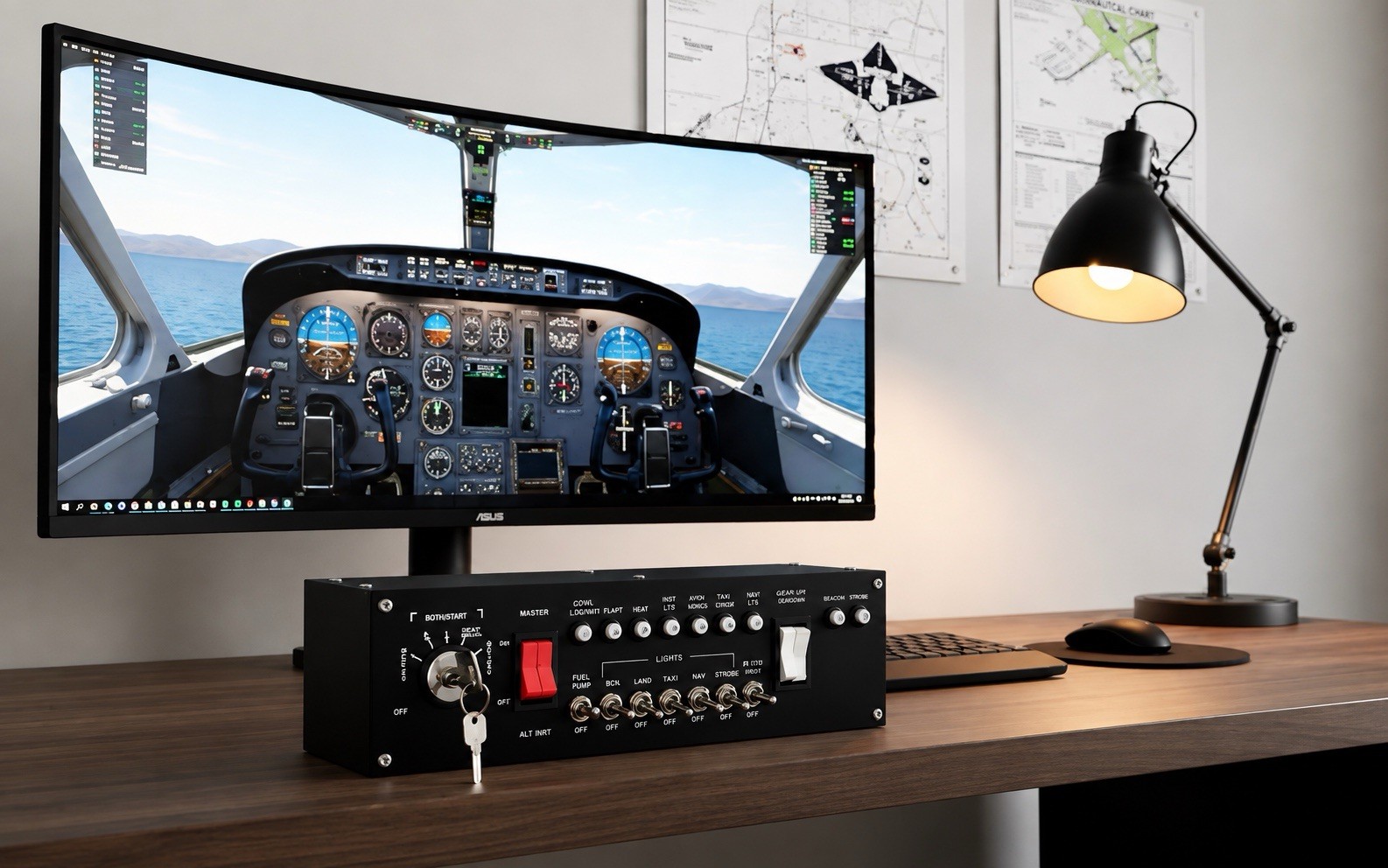
Meza Ignition Panel USB makes sense for a desktop simulator or full home cockpit that needs a dedicated control surface. USB plug-and-play is specified, and the package includes a USB cable and ignition key. It is named for MSFS2020 and X-Plane, while the PC compatibility attribute keeps the intended platform clear. The aircraft-style design adds a keyed ignition and metal construction, with black as the listed color. The concrete limitation is its role: the controls are concentrated on ignition, master, lighting, fuel pump, pitot heat, and avionics, so it is less aligned with a build seeking the Aquila A210 instrument gauge format. Choose it when the Ignition Panel USB wording matches your next cockpit addition.
Home cockpit Aquila A210 3D-Printed Instruments
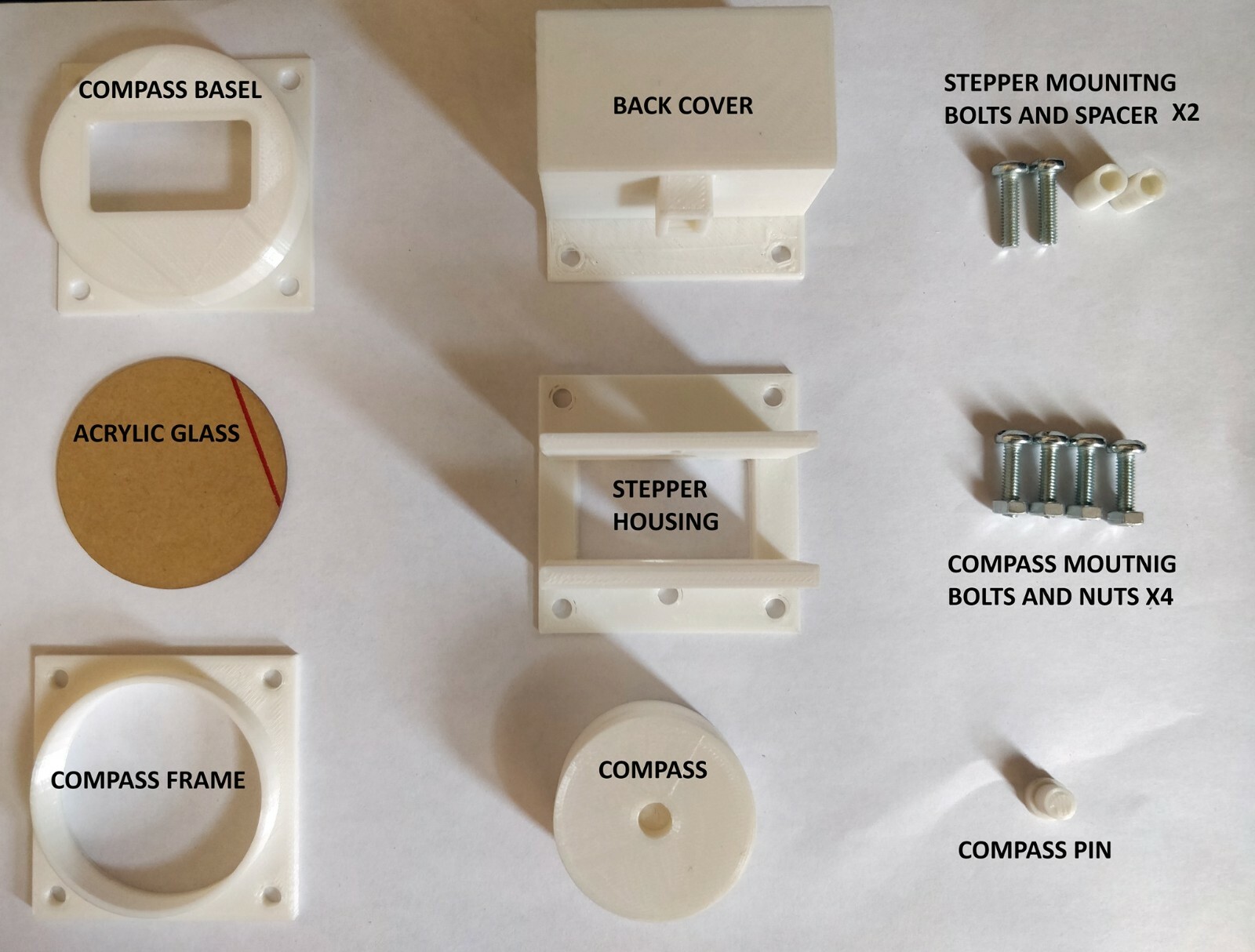
Home cockpit Aquila A210 3D-Printed Instruments is aimed at a gauge-focused project. The material is listed as PLA and/or ABS, and the named tested setup is X-Plane through the Simvim plugin. It may also work with simulators supported by Air Manager or other third-party software, although that use is not tested; that distinction matters if your setup is outside the named configuration. The practical limitation is explicit: the item includes only the gauge, with no other hardware included. An Arduino Mega or Uno is recommended for connection, but neither is included. Optional LED lighting is specified at 12V. Choose Aquila when the A210 gauge wording matches the part you are building around.
Final choice by use case
- Choose Meza Ignition Panel USB for the ready-made control-panel route.
- Choose Home cockpit Aquila A210 3D-Printed Instruments for an A210 gauge-led build.
- If cost is decisive, the USD 189.99 spread makes the role difference the deciding factor: compare the cockpit component you need to add before choosing.
