Choosing flight sim panels & instruments comes down to one practical question: do you need a broader cockpit structure for instruments and yokes, or a focused aircraft switch panel for ignition and simulator controls? The Complete Flight Simulator Cockpit and the Meza Ignition Panel take noticeably different approaches. The first centers on a cockpit panel with named Logitech, Saitek, and Honeycomb compatibility; the second concentrates on ignition, lighting, fuel, pitot heat, and avionics controls.
Quick verdict
Choose the Complete Flight Simulator Cockpit if your build is organized around a wider cockpit panel, pre-cut instrument positions, and compatibility with specific yokes and panels. Choose the Meza Ignition Panel USB if your priority is hands-on aircraft-style switching for Microsoft Flight Simulator 2020 or X-Plane. Both use USB with PC setups, so the deciding difference is the physical role each one plays in a home cockpit.
Compact comparison
| Comparison | Complete Flight Simulator Cockpit | Meza Ignition Panel USB |
|---|---|---|
| Listed price | USD 255.86 | USD 209.99 |
| Main emphasis | Cockpit panel with instrument positions | Ignition and aircraft-style controls |
| Connection and platform | USB, PC | USB, PC |
| Listed color and condition | Black, new | Black, new |
Where each choice wins
Choose Complete Flight Simulator Cockpit for a broader build
The Complete Flight Simulator Cockpit is the more fitting direction when your setup includes a Honeycomb Alpha, Logitech or Saitek flight yoke. Its description also names compatibility with select Logitech and Saitek switch and throttle panels. Pre-cut positions for instruments such as radios and speed indicators make its layout relevant to shoppers planning around several cockpit components rather than one dedicated control group.
Choose Meza Ignition Panel USB for dedicated aircraft controls
The Meza Ignition Panel USB is the clearer match for MSFS2020 and X-Plane users who specifically want a physical ignition and switch experience. Its named controls include a keyed ignition, master switches, lighting controls, fuel pump, pitot heat, and avionics functions. That focused list gives it a straightforward role in a desktop simulator setup or a more extensive home cockpit.
Product notes
Complete Flight Simulator Cockpit
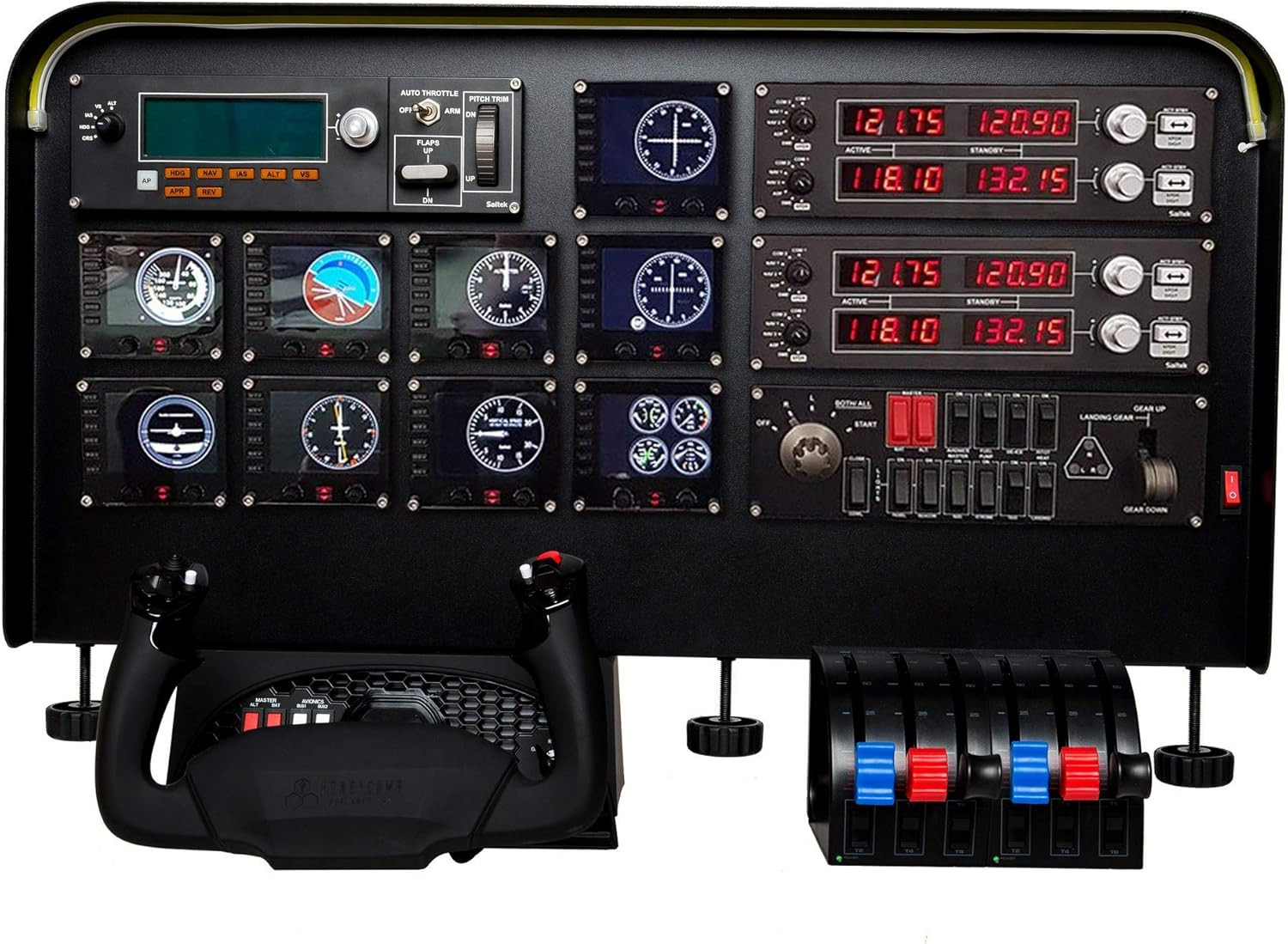
One concrete reason to choose the Complete Flight Simulator Cockpit is its adjustable light bar: the brightness of the light strip can be changed through a knob. That adds a dedicated lighting adjustment to a cockpit-oriented setup, rather than limiting the panel to instrument placement alone. The hand-pressed, pre-cut panel preparation also supports a build where instruments need defined positions. Its limitation is focus: the title and description frame it as a complete cockpit compatible with named yoke and panel families, not as a dedicated ignition control. If a keyed ignition and aircraft-style toggles are the main goal, the Meza's stated control set is more directly relevant.
Meza Ignition Panel USB
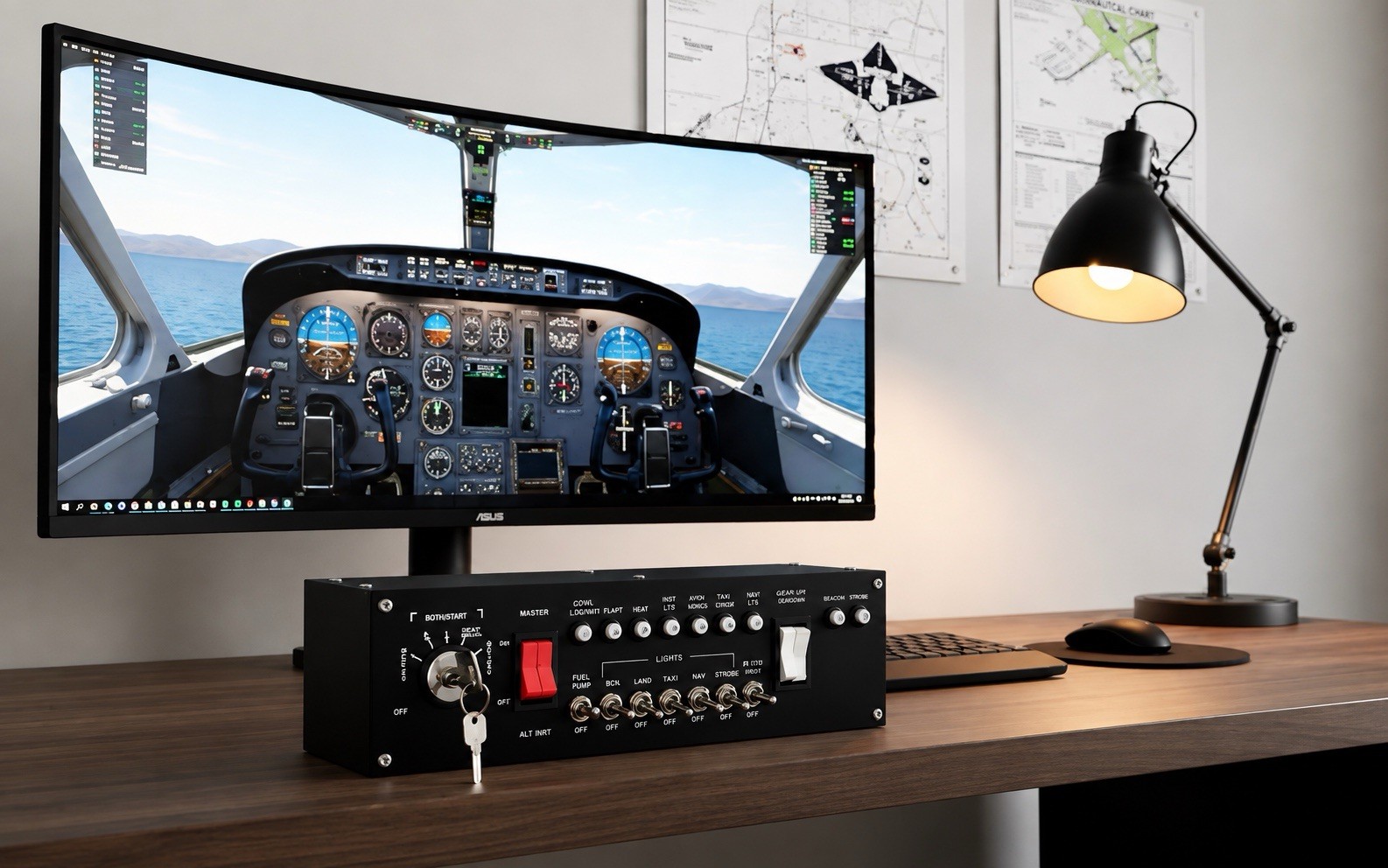
The Meza Ignition Panel USB offers a concrete reason to choose it through its included control details: a realistic keyed ignition switch, metal construction, aircraft-style toggle switches, an ignition key, and a USB cable. Those details suit a shopper who wants a compact control surface centered on aircraft procedures. The limitation is its narrower role compared with a cockpit panel built around instrument positions and named yoke compatibility. Its title and description emphasize ignition functions, so it is less aligned with a buyer whose main brief is arranging a broader Logitech, Saitek, or Honeycomb cockpit structure.
Final choice by use case
For a cockpit-first build using the named Honeycomb, Logitech, or Saitek equipment and pre-cut instrument positions, choose Complete Flight Simulator Cockpit at USD 255.86. For MSFS2020 or X-Plane users who want dedicated ignition, master-switch, lighting, fuel-pump, pitot-heat, and avionics controls, choose Meza Ignition Panel USB at USD 209.99. The listed prices are separated by USD 45.87, so the better choice depends more on cockpit structure versus dedicated aircraft controls than on USB connectivity.
