Choosing flight sim panels & instruments comes down to one practical question: do you need a focused instrument panel, or are you building a broader cockpit around a yoke and additional controls? The Logitech G Saitek Pro Flight Instrument Panel keeps the purchase narrowly focused, while the Complete Flight Simulator Cockpit takes a more expansive approach with a cockpit kit, adjustable light bar, and stated yoke compatibility.
Quick verdict
Choose the Logitech G Saitek Pro Flight Instrument Panel for a dedicated instrument-panel addition with named compatibility for Prepar3D 2.2, X-Plane 10, Flight Simulator X, and PC. Choose the Complete Flight Simulator Cockpit when the goal is a wider cockpit setup involving a yoke, switch or throttle panels, and adjustable lighting. The key difference is scope: one is an instrument panel, while the other is a complete cockpit kit.
At-a-glance comparison
| Product | Listed price | Format and controls | Connection and compatibility |
|---|---|---|---|
| Logitech G Saitek Pro Flight Instrument Panel | USD 115.00 | Instrument panel; black; 14.1 ounces | Wired USB; 5.9ft cable; Prepar3D 2.2, X-Plane 10, Flight Simulator X, PC |
| Complete Flight Simulator Cockpit - Compatible with Logitech Saitek Honeycomb | USD 304.61 | Complete cockpit kit; joystick and yoke controller type | USB; PC; compatible with Logitech, Saitek, and Honeycomb flight yokes; adjustable light bar |
The listed prices differ by $189.61. That spread reflects two different purchase scopes rather than a simple like-for-like panel swap.
Where each product wins
Logitech G Saitek Pro Flight Instrument Panel
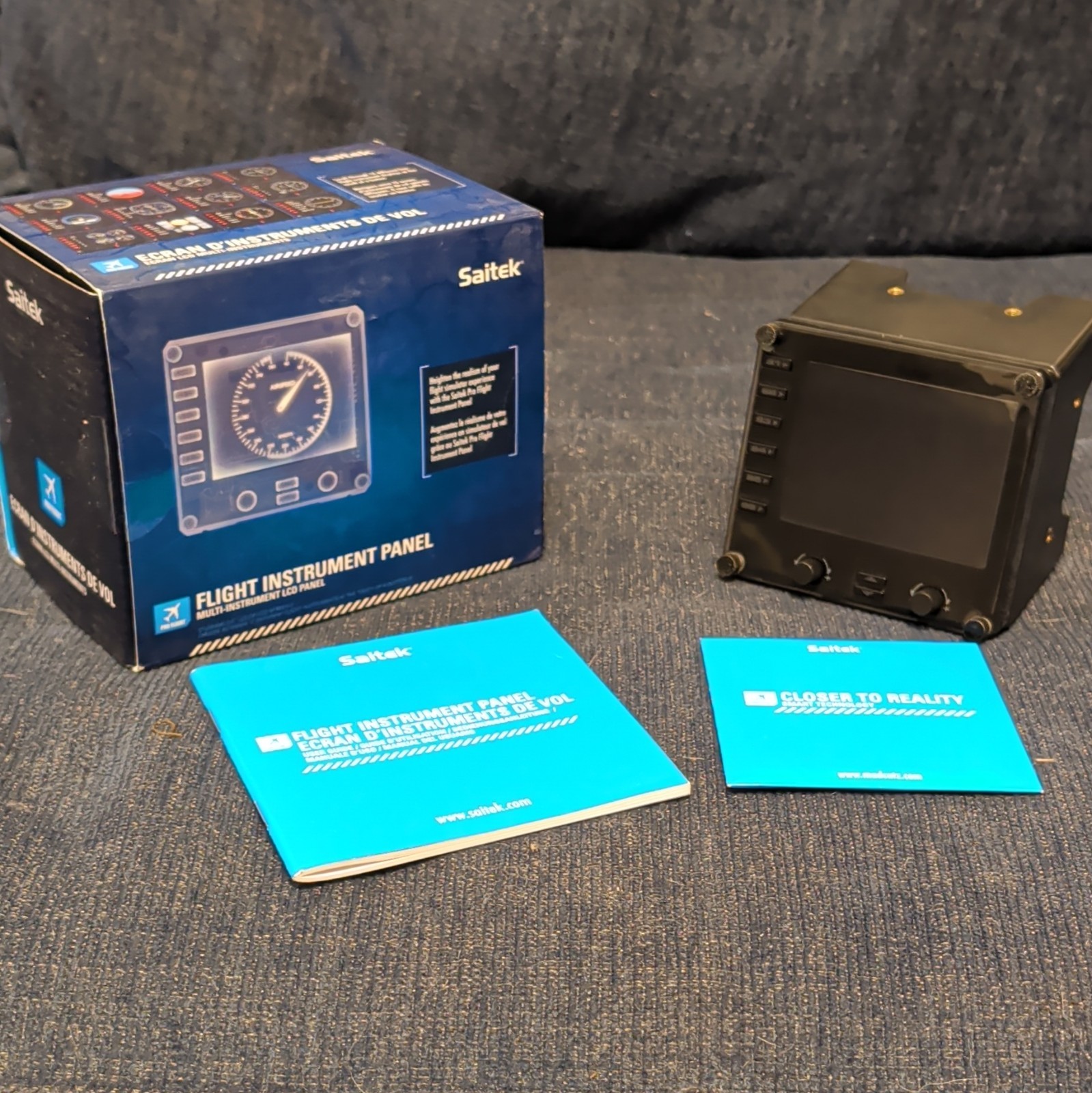
This is the more direct match for a shopper searching specifically for a flight sim instrument panel. Its named simulator compatibility covers Prepar3D 2.2, X-Plane 10, and Flight Simulator X, and the wired USB connection is clearly suited to PC use. The 5.9ft cable also gives the panel a defined connection length without adding a larger cockpit structure to the decision.
Complete Flight Simulator Cockpit
The cockpit kit is the stronger fit for a multi-control home cockpit direction. Its listed controller type includes joystick and yoke, while compatibility extends to Logitech, Saitek, and Honeycomb flight yokes plus select switch and throttle panels. An adjustable light bar, controlled through a knob, adds another cockpit-oriented feature that the standalone instrument-panel format does not claim.
Product notes
Logitech G Saitek Pro Flight Instrument Panel
At USD 115.00, the Logitech G Saitek Pro Flight Instrument Panel offers a focused way to add a dedicated instrument display to a PC flight simulation setup. The named compatibility with Prepar3D 2.2, X-Plane 10, and Flight Simulator X makes it the clearer choice for shoppers already using one of those simulators. Its wired USB design, black finish, 5.9ft cable, and 14.1-ounce listed weight keep the format specific and easy to understand. The concrete limitation is its open-box condition, so shoppers who specifically want a new item will find that condition does not match their preference.
Complete Flight Simulator Cockpit - Compatible with Logitech Saitek Honeycomb
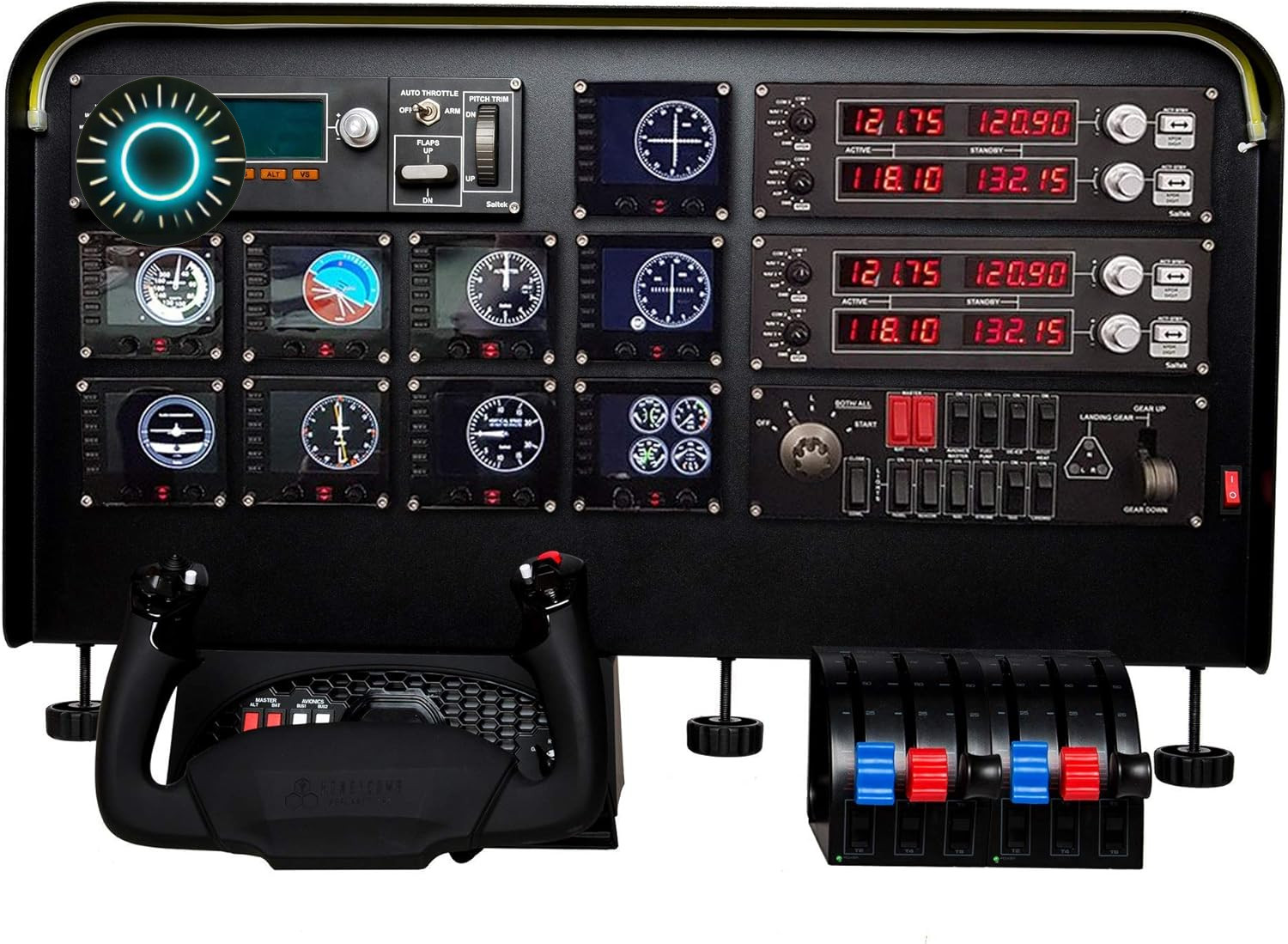
The Complete Flight Simulator Cockpit is listed at USD 304.61 and is identified as the Meza Flight Simulator Cockpit Kit. Its reason to choose is breadth: the kit is described around PC use, USB connectivity, joystick and yoke controls, and compatibility with Logitech, Saitek, and Honeycomb flight yokes. The adjustable light bar, with brightness controlled by a knob, further supports a cockpit-focused setup. Its limitation is scope: the title identifies a complete cockpit rather than a single instrument panel, making it a less direct fit for shoppers who only want one compact instrument-focused addition.
Final choice by use case
- For one dedicated flight sim instrument panel: Choose the Logitech G Saitek Pro Flight Instrument Panel because its title, wired USB format, and named simulator compatibility are tightly aligned with that need.
- For a broader cockpit build: Choose the Complete Flight Simulator Cockpit because it names a cockpit kit and includes joystick-and-yoke control support.
- For adjustable cockpit lighting: Choose the Complete Flight Simulator Cockpit, whose light bar brightness is adjusted through a knob.
- For the lower listed price: Choose the Logitech G Saitek Pro Flight Instrument Panel; the comparison table shows the $189.61 difference.
