Choosing between two flight sim panels & instruments comes down to scope: do you want a broader cockpit setup that works with yokes and supporting panels, or a dedicated USB control surface built around ignition and aircraft-style switches? The Complete Flight Simulator Cockpit and Meza Ignition Panel serve different parts of a home cockpit, so the right choice depends on how you want to fly.
Quick verdict
Choose the Complete Flight Simulator Cockpit - Compatible with Logitech Saitek Honeycomb if you want a cockpit-centered setup with an adjustable light bar and compatibility for PC, joystick, and yoke use. Choose the Meza Ignition Panel USB for MSFS2020 X-Plane Home Cockpit Flight Simulator if your priority is direct access to ignition, master, lighting, fuel pump, pitot heat, and avionics controls. The cockpit kit covers a broader physical setup, while the ignition panel takes a more focused approach at a lower listed price.
At-a-glance comparison
| Product | Listed price | Listed focus |
|---|---|---|
| Complete Flight Simulator Cockpit | USD 304.61 | Cockpit kit, adjustable light bar, PC/USB, joystick and yoke controller type |
| Meza Ignition Panel | USD 209.99 | USB ignition panel, black finish, PC compatibility |
Where each choice wins
Complete Flight Simulator Cockpit wins for cockpit expansion
The Complete Flight Simulator Cockpit is the stronger fit for a shopper assembling a wider flight sim environment around a yoke or joystick. Its description calls out Logitech, Saitek, and Honeycomb-oriented yoke compatibility, along with selected switch and throttle panels. The adjustable light bar adds a cockpit-focused lighting control that is not the central purpose of the Meza panel. If your plan involves combining several flight sim instruments, radios, or speed indicators, the cockpit-kit format is the more natural starting point.
Meza Ignition Panel wins for dedicated aircraft controls
The Meza Ignition Panel makes more sense when the desired upgrade is a concentrated set of aircraft-style switches rather than a broader cockpit structure. Its listed controls include a realistic keyed ignition, master switches, lighting, fuel pump, pitot heat, and avionics functions. USB connectivity and support for Microsoft Flight Simulator 2020 and X-Plane also make its purpose clear for PC simulator use. It is the more direct choice for a desktop setup where ignition and systems control matter more than adding a full cockpit frame.
Product notes
Complete Flight Simulator Cockpit - Compatible with Logitech Saitek Honeycomb
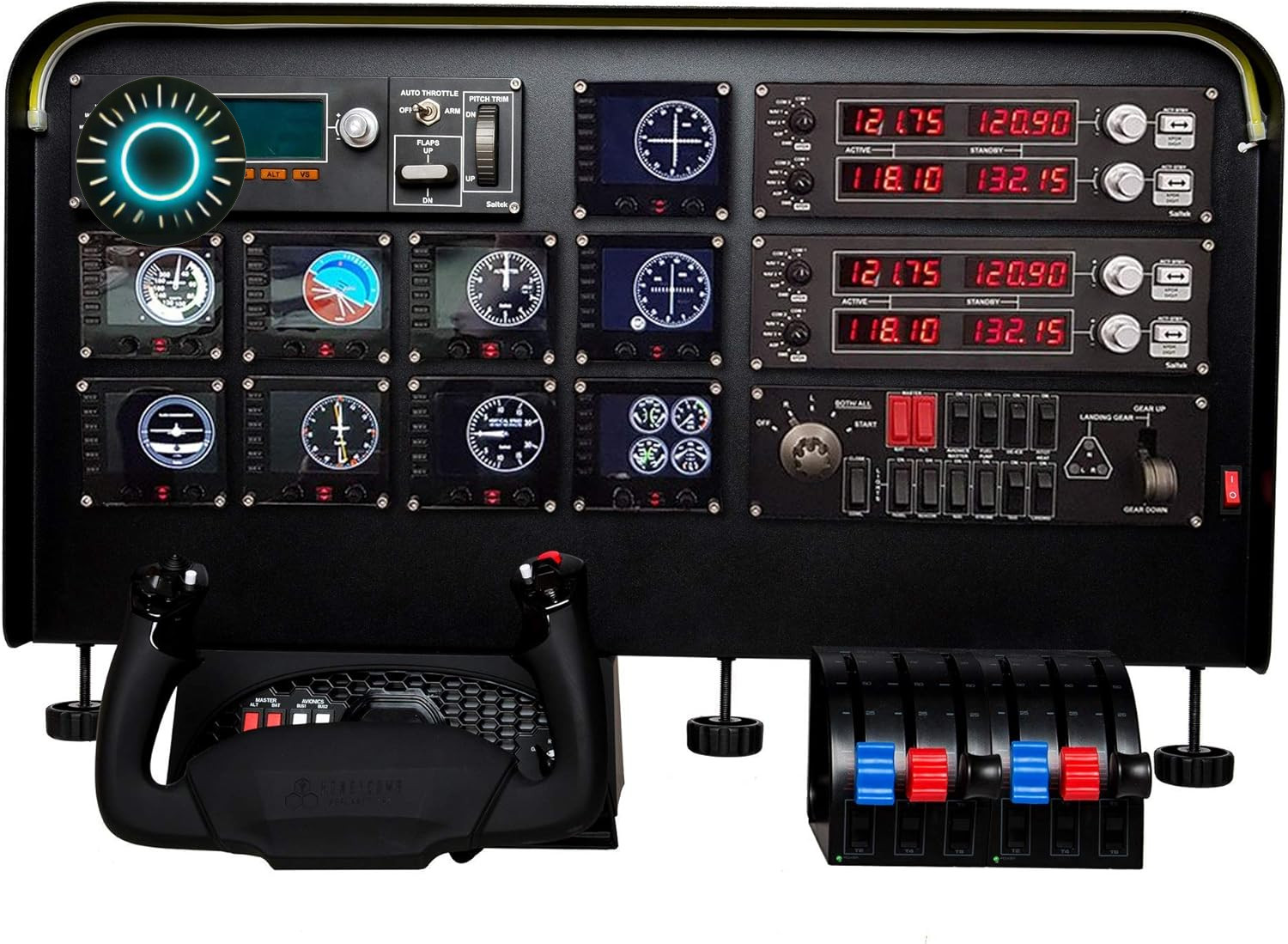
The Complete Flight Simulator Cockpit is a sensible pick when the goal is to build around a broader cockpit kit instead of adding only one control cluster. The adjustable light bar, with brightness controlled through a knob, gives the setup a defined cockpit feature, while the listed PC compatibility and joystick-and-yoke controller type support its wider flight-sim orientation. The description also names fit with Logitech, Saitek, and Honeycomb flight yokes and selected switch and throttle panels. Its main limitation is the USD 304.61 listed price, which is higher than the Meza Ignition Panel. Shoppers specifically seeking a keyed ignition and aircraft-style toggle controls may find its cockpit emphasis less targeted.
Meza Ignition Panel USB for MSFS2020 X-Plane Home Cockpit Flight Simulator
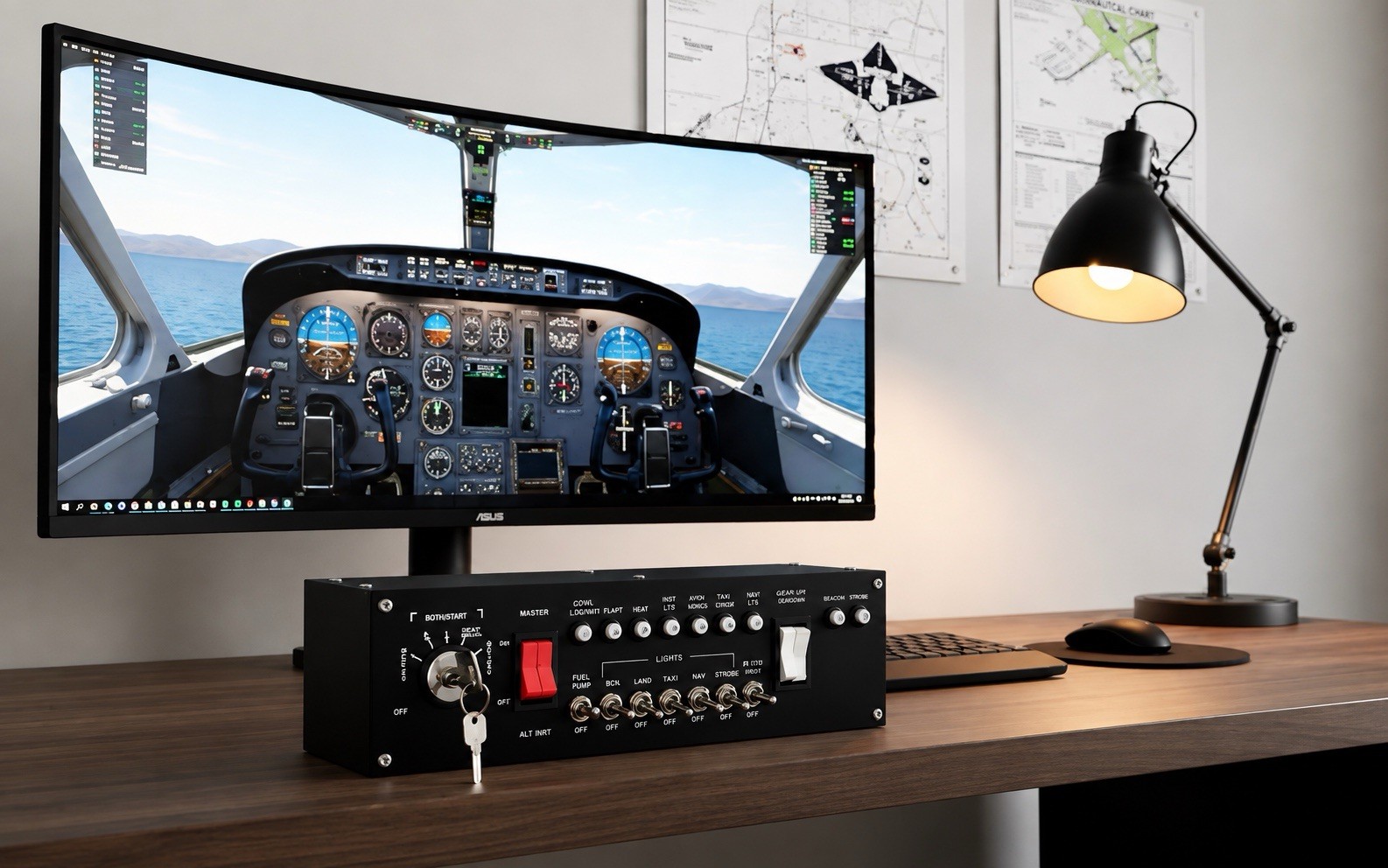
The Meza Ignition Panel is the focused choice for adding hands-on aircraft systems control to a desktop or home cockpit. It combines USB connectivity with a keyed ignition switch, aircraft-style toggle switches, and controls for master power, lighting, fuel pump, pitot heat, and avionics. The description also identifies Microsoft Flight Simulator 2020 and X-Plane support, while the included USB cable and ignition key make the package's intended role clear. Its limitation is scope: the title positions it as an ignition panel, so it is less suited to someone seeking the broader cockpit-kit format. At USD 209.99, it is the lower-priced route to dedicated systems controls.
Final choice by use case
- Choose the Complete Flight Simulator Cockpit for a wider cockpit-building project, especially when Logitech, Saitek, or Honeycomb yoke compatibility and adjustable cockpit lighting are priorities.
- Choose the Meza Ignition Panel for Microsoft Flight Simulator 2020 or X-Plane users who want a dedicated keyed ignition and aircraft-switch interface.
- If both appeal: decide whether your next upgrade is a cockpit foundation or a specific systems-control panel. That distinction separates these two choices more clearly than price alone.
