Choosing flight sim panels & instruments comes down to one practical fork: do you need a broader cockpit foundation for yokes and add-on panels, or a focused control surface for ignition and aircraft-style switches? Meza's Cockpit Panel Kit and Ignition Panel serve different parts of a home setup, so the right choice depends more on your build than on the price alone.
Quick verdict
Choose the Meza Flight Simulator Cockpit Panel Kit if your setup revolves around Logitech or Honeycomb yokes and you want panel slots, desk clamping, and integrated lighting around them. Choose the Meza Ignition Panel USB if your priority is hands-on control of ignition, master switches, lighting, fuel pump, pitot heat, and avionics functions for MSFS2020 or X-Plane.
The price difference is meaningful, but it reflects the different roles. The kit is a cockpit-structure purchase, while the ignition panel is a dedicated aircraft-style control purchase.
At a glance
| Comparison | Meza Flight Simulator Cockpit Panel Kit | Meza Ignition Panel USB |
|---|---|---|
| Listed price | USD 326.11 | USD 209.99 |
| Main role | Cockpit panel kit for Logitech Honeycomb yokes | USB ignition and aircraft-style switch panel |
| Platform and connection | PC; USB | PC; USB |
| Notable controls or setup features | Pre-cut panel slots, adjustable LED light bar, desk clamps | Keyed ignition, master, lighting, fuel pump, pitot heat, and avionics controls |
Where each product wins
- Cockpit structure and expansion: The Meza Flight Simulator Cockpit Panel Kit is the stronger fit for a yoke-centered arrangement with room for switch, radio, and throttle panels. Its pre-cut slots and rubberized desk clamps address the physical organization of the setup.
- Direct aircraft-style controls: The Meza Ignition Panel USB is the clearer match for switch interaction. Its listed functions cover ignition and several aircraft systems, while its MSFS2020 and X-Plane compatibility gives it a specific software focus.
- Lower listed price: The Meza Ignition Panel USB is listed at USD 209.99, compared with USD 326.11 for the Cockpit Panel Kit. That makes it the less expensive entry when the goal is a focused control panel rather than a broader cockpit framework.
Product notes
Meza Flight Simulator Cockpit Panel Kit for Logitech Honeycomb Yokes
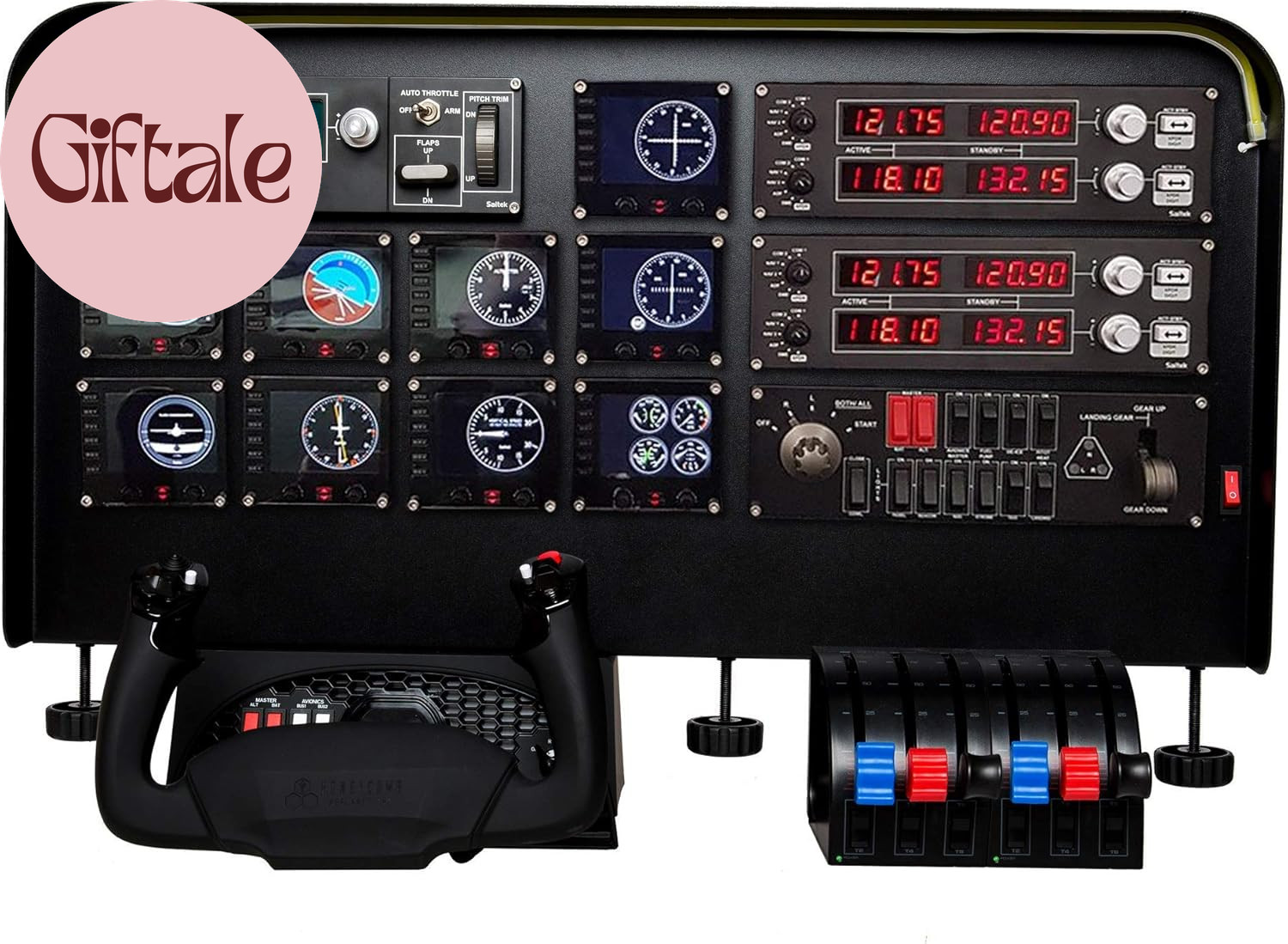
The Meza Flight Simulator Cockpit Panel Kit suits a shopper building around a Logitech or Honeycomb yoke and wanting the surrounding hardware to feel more organized. Its description includes compatibility with Honeycomb Alpha, Logitech, and Saitek yokes, along with support for switch, radio, and throttle panels. Pre-cut instrument-panel slots, an adjustable LED light bar, aluminum-alloy construction, and rubberized desk clamps give the kit several concrete setup functions beyond a standalone control panel. The limitation is its scope: this is centered on cockpit structure and panel integration, not a dedicated ignition-control layout. If the main need is keyed ignition and aircraft-system toggles, the kit requires a different kind of decision than the focused Meza panel.
Meza Ignition Panel USB for MSFS2020 X-Plane Home Cockpit Flight Simulator
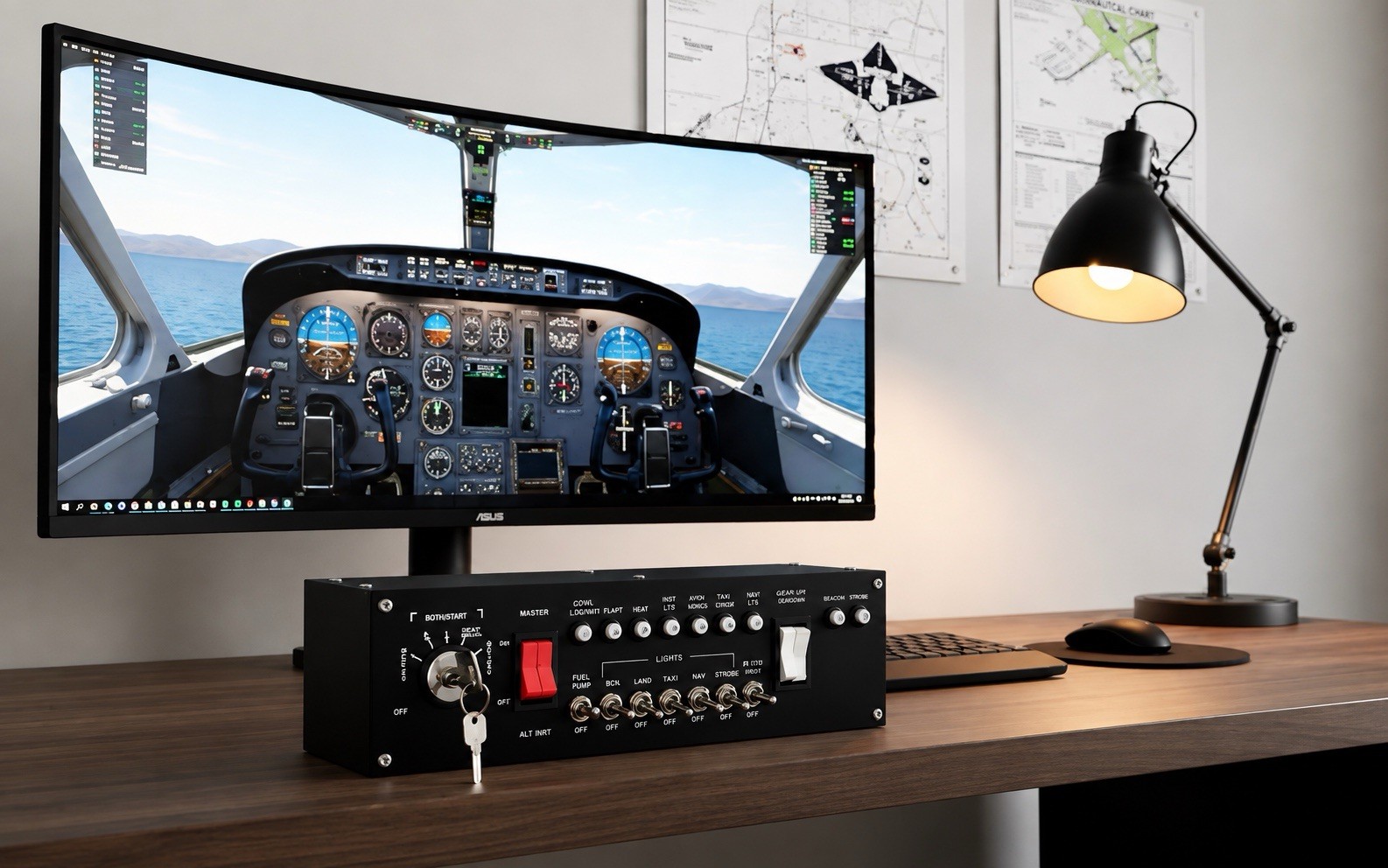
The Meza Ignition Panel USB is aimed at adding aircraft-style switch interaction to a desktop simulator or larger home cockpit. It lists a keyed ignition switch, master switches, lighting controls, fuel pump, pitot heat, and avionics functions, plus a USB cable and ignition key. Compatibility with Microsoft Flight Simulator 2020 and X-Plane makes the intended software pairing clear. Its concrete limitation is the narrower brief: the product centers on ignition and system switches rather than a yoke-supporting frame, pre-cut panel slots, or an integrated desk light. That makes it a sensible pick for targeted control additions, but not the natural choice when the physical cockpit structure is the primary requirement.
Final choice by use case
- Choose the Meza Flight Simulator Cockpit Panel Kit for a Logitech or Honeycomb yoke-centered cockpit, especially when pre-cut panel slots, desk clamps, and an LED light bar matter.
- Choose the Meza Ignition Panel USB for MSFS2020 or X-Plane users who specifically want keyed ignition and aircraft-style system switches.
- Choose the Meza Ignition Panel USB for the lower listed price, at USD 209.99 versus USD 326.11 for the Cockpit Panel Kit.
In short, the Cockpit Panel Kit is the more relevant purchase for arranging a broader yoke-based station; the Ignition Panel USB is the more focused route to aircraft-style controls.
