For flight sim panels & instruments, the first decision is structural: are you building around a complete cockpit kit, or adding a specific aircraft gauge? These choices suit different stages of a home cockpit. The Complete Flight Simulator Cockpit is the broader-format option, while Home cockpit Aquila A210 3D-printed instruments for flight simulator enthusiasts is a focused component. Match the format to the job before weighing individual features.
Quick verdict
Choose Complete Flight Simulator Cockpit - Compatible with Logitech Saitek Honeycomb when the project calls for a cockpit-centered setup with multiple instrument and control elements. Choose Home cockpit Aquila A210 3d printed instruments for flight simulator enthusiasts when the goal is an Aquila A210 gauge and you are comfortable assembling the surrounding hardware yourself.
At-a-glance comparison
| Decision point | Complete Flight Simulator Cockpit | Aquila A210 3D-printed instruments |
|---|---|---|
| Price | USD 304.61 | USD 20.00 |
| Platform and connection details | PC; USB; joystick and yoke controller type | PC; Arduino Mega or Uno recommended for connection |
| Main format | Complete cockpit kit | Gauge-only 3D-printed instrument |
| Stated build focus | Radios, speed indicators, yokes, and select switch or throttle panels | Aquila A210 cockpit gauge |
Where each one wins
The Complete Flight Simulator Cockpit wins for cockpit-first planning. Its description calls out a light bar with knob-adjustable brightness, plus a fit for radios and speed indicators. The stated compatibility with Honeycomb Alpha, Logitech, and Saitek yokes also gives it a wider cockpit brief than a gauge-only component.
The Aquila A210 3D-printed instruments win for a gauge-first build. The named aircraft focus, 3D-printed format, and specified dimensions define a more targeted physical component. It is the clearer match when the rest of the cockpit and electronics are being assembled separately.
Complete Flight Simulator Cockpit
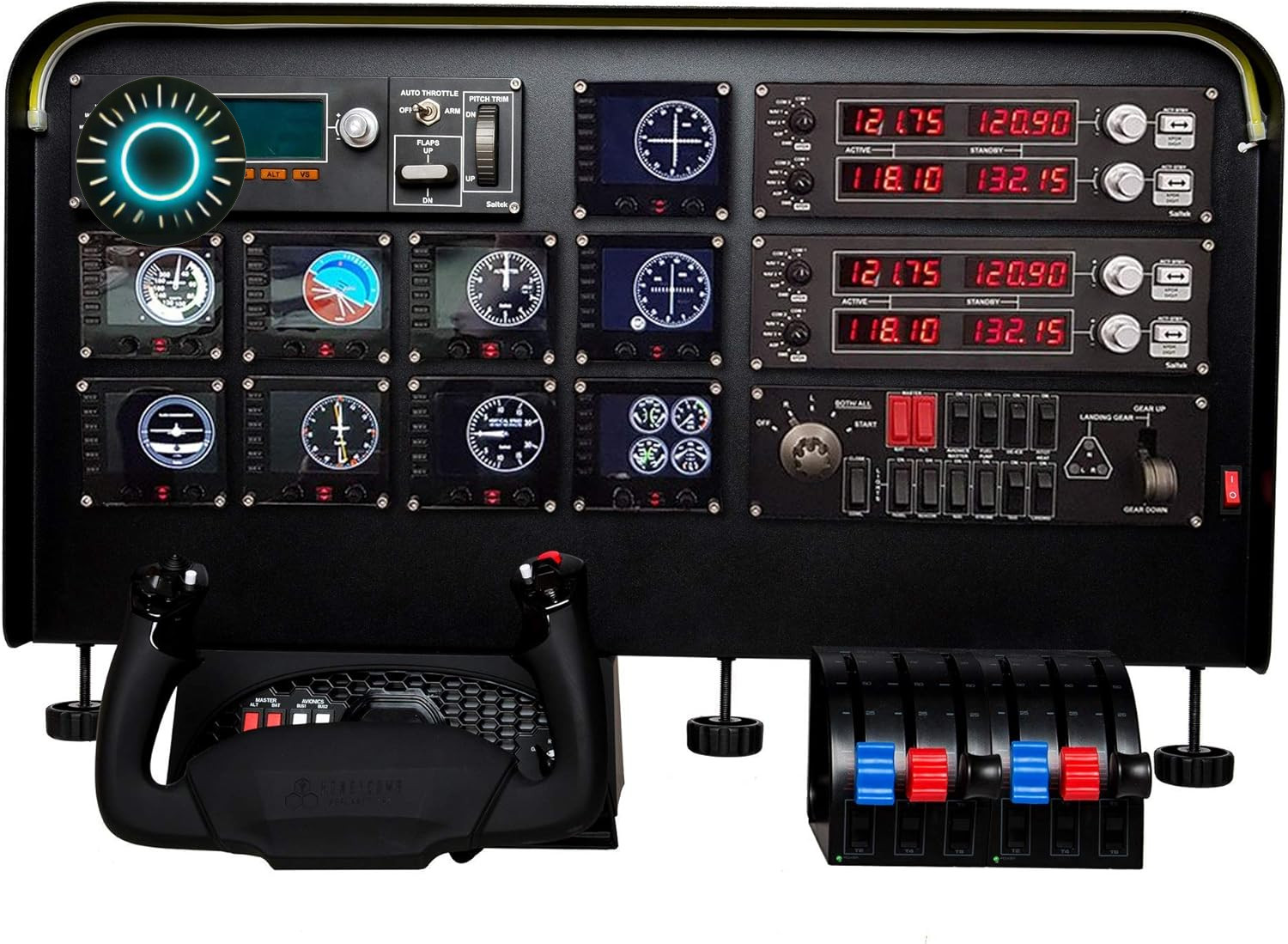
This kit makes sense when the build needs more than one instrument. The description calls out a light bar whose brightness adjusts through a knob, a fit for radios and speed indicators, and compatibility with Honeycomb Alpha plus Logitech and Saitek yokes. It also names select Logitech and Saitek switch and throttle panels, so the stated use reaches beyond a standalone gauge. The concrete limitation is scope: at USD 304.61, it is a complete-cockpit purchase rather than a small component, and its controller details are centered on joystick and yoke use. Choose it when those cockpit elements match your plan; a gauge-only project may not need that broader format.
Home cockpit Aquila A210 3D-printed instruments
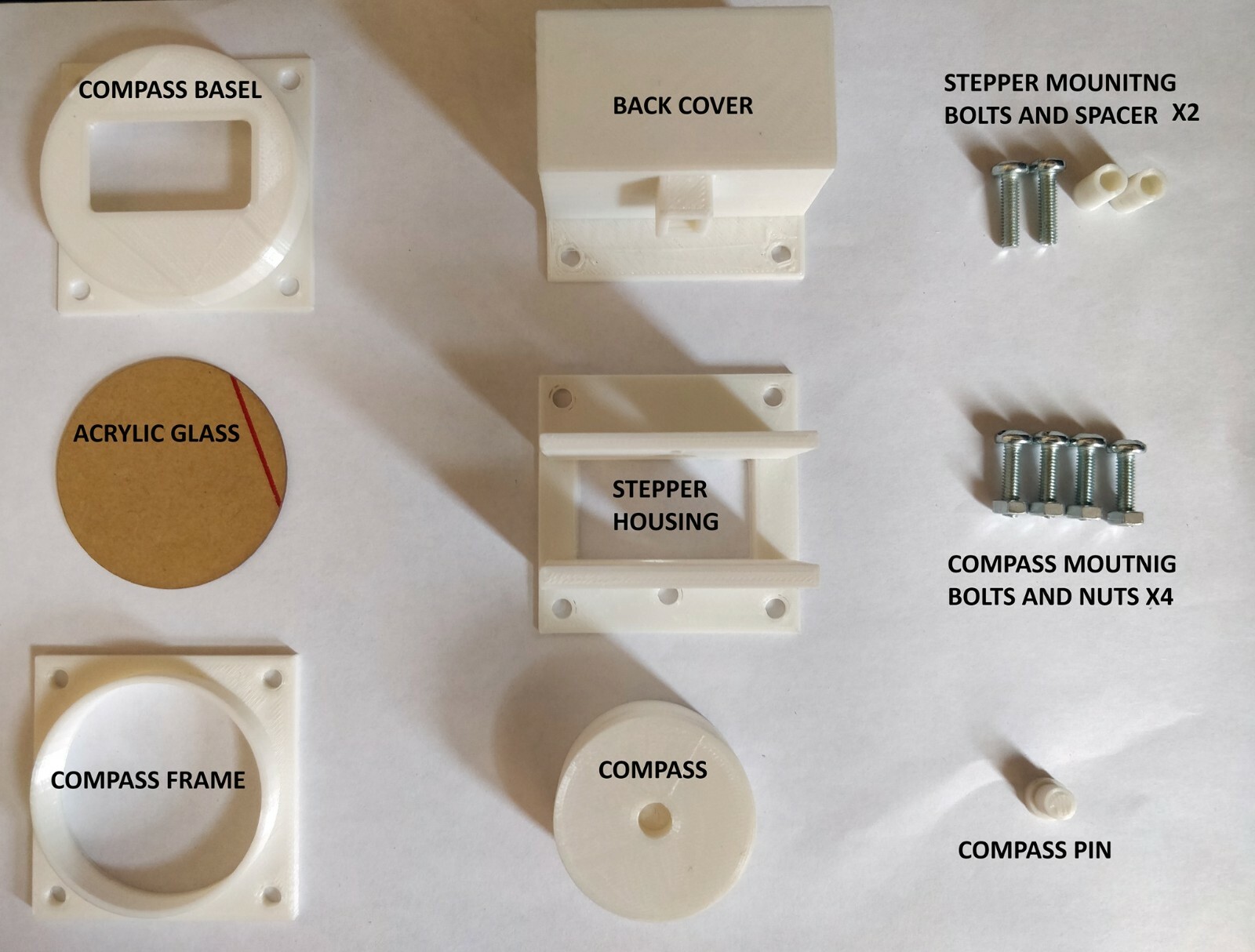
This option suits a build centered on the named Aquila A210. Its description specifies PLA and/or ABS and dimensions of L 56 mm x W 56 mm with a 54.8 mm base outside diameter, while also naming X-Plane use through the Simvim plugin. The USD 20.00 price pairs with a focused gauge format rather than a complete cockpit kit. The limitation is explicit: the sale includes only the gauge, with no other hardware included. The recommended Arduino Mega or Uno is not included either, and the optional LED-light voltage is 12V. Choose it when assembling those surrounding pieces is part of the project.
Final choice by use case
- Choose Complete Flight Simulator Cockpit for a cockpit-first setup built around the complete-kit format, especially if the listed yoke and switch or throttle-panel compatibility aligns with your controls.
- Choose Home cockpit Aquila A210 3d printed instruments for an Aquila A210-focused instrument build where a gauge-only purchase and separately assembled electronics fit the plan.
In short, the first choice organizes a wider cockpit setup; the second targets one defined gauge. The product names point to the decision: complete cockpit versus Aquila A210 instrument.
