Choosing flight sim panels & instruments comes down to scope: do you want a broader cockpit panel for several controls, or a focused gauge for a custom home-cockpit project? The Complete Flight Simulator Cockpit and the Home cockpit Aquila A210 3d printed instruments serve different purposes, so the better choice depends on how much of the setup you want in one purchase.
Quick verdict
Choose the Complete Flight Simulator Cockpit - Compatible with Logitech Saitek Honeycomb for a cockpit-centered PC setup involving yokes, switch panels, and throttle panels. Choose Home cockpit Aquila A210 3d printed instruments for flight simulator enthusiasts when the goal is an Aquila A210-oriented gauge and you are prepared to handle the supporting electronics separately.
Listed-price and feature comparison
| Product | Listed price | Best fit | Deciding detail |
|---|---|---|---|
| Complete Flight Simulator Cockpit - Compatible with Logitech Saitek Honeycomb | USD 255.86 | Broader cockpit setup | PC-compatible, with USB connectivity listed and named yoke and panel compatibility |
| Home cockpit Aquila A210 3d printed instruments for flight simulator enthusiasts | USD 20.00 | Focused custom instrument build | 3D-printed gauge for an Aquila A210-oriented cockpit; tested on X-Plane through SimVim |
Where each product wins
- Broader cockpit expansion: The Complete Flight Simulator Cockpit is the more natural match when the project centers on a cockpit panel rather than one standalone instrument. Its description names Honeycomb Alpha, Logitech, and Saitek flight yokes, along with select Logitech and Saitek switch and throttle panels.
- Focused instrument work: The Home cockpit Aquila A210 gauge is the better fit for a narrowly defined build. Its description centers on an individual 3D-printed gauge, with dimensions and an Aquila A210 application spelled out.
- A specific simulator path: The Aquila A210 description identifies testing on X-Plane through the SimVim plugin. That gives shoppers targeting that combination a more specific starting point than a general cockpit-panel purchase.
Product notes
Complete Flight Simulator Cockpit - Compatible with Logitech Saitek Honeycomb
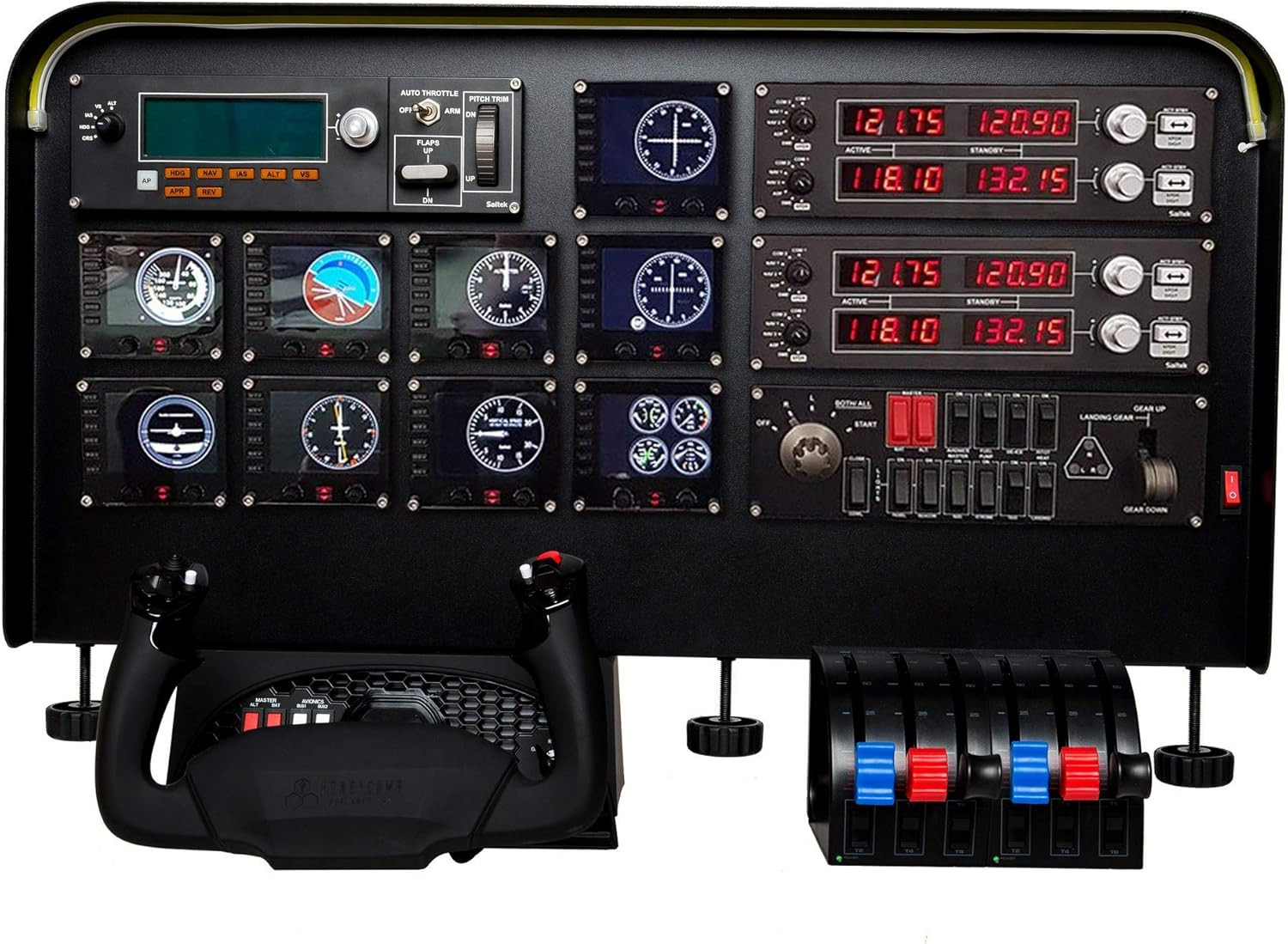
The Complete Flight Simulator Cockpit makes the stronger case for a broader home-cockpit setup. Its description names Honeycomb Alpha, Logitech, and Saitek flight yokes, plus select Logitech and Saitek switch and throttle panels, while the title positions it as a complete cockpit rather than a single instrument. A pre-cut panel and an adjustable light-bar brightness knob add a clear setup-oriented angle, and PC plus USB connectivity are listed. The limitation is scope and price: at USD 255.86, it is a substantial commitment if the goal is one gauge rather than a cockpit panel. The listed one-button detail also means shoppers should not expect that figure alone to represent a large bank of controls.
Home cockpit Aquila A210 3d printed instruments for flight simulator enthusiasts
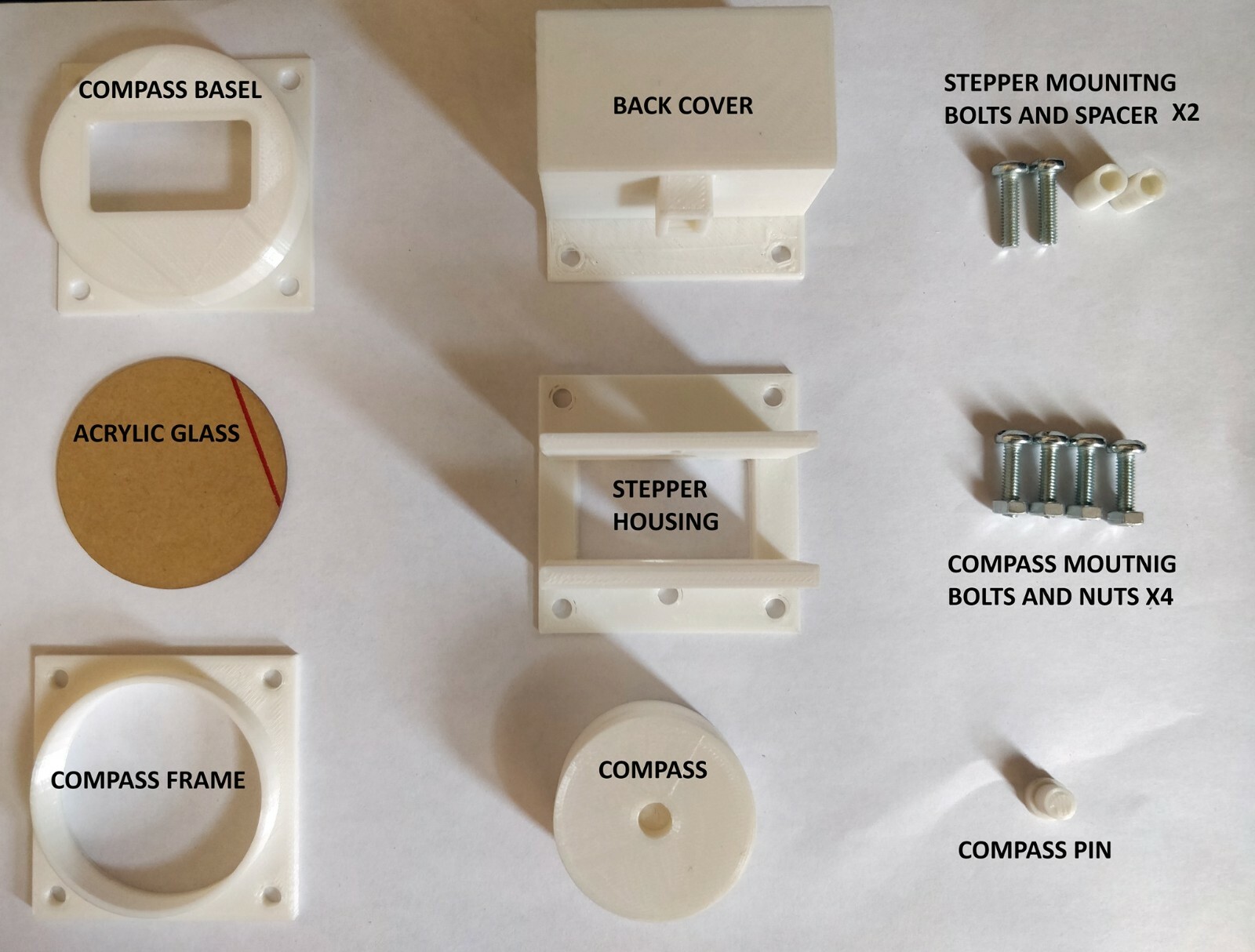
Home cockpit Aquila A210 3d printed instruments for flight simulator enthusiasts is the focused route for a custom instrument build. The description identifies a 3D-printed gauge for an Aquila A210 cockpit, says it was tested on X-Plane through the SimVim plugin, and gives PLA and/or ABS as the material. At USD 20.00, the listed price fits a narrowly defined add-on better than a complete cockpit purchase. The trade-off is explicit scope: only the gauge is sold, with no other hardware included. The optional 12V LED and recommended Arduino Mega or Uno are separate considerations, and the description says other simulator or third-party software support is not tested. Choose it when the instrument itself is the priority, not an all-in-one panel.
Final choice by use case
For a full cockpit panel around PC flight controls, choose Complete Flight Simulator Cockpit - Compatible with Logitech Saitek Honeycomb. Its cockpit framing, named yoke and panel compatibility, pre-cut layout, and light-bar adjustment match a build that needs more than one gauge.
For an Aquila A210-focused instrument project or an X-Plane and SimVim setup, choose Home cockpit Aquila A210 3d printed instruments for flight simulator enthusiasts. The deciding question is simple: are you building around a broader cockpit structure or selecting a specific instrument? Pick according to that scope rather than treating the two listings as interchangeable.
