Choosing among flight sim cockpits, mounts & VR is less about adding the most hardware and more about matching the frame to your controls and seat. The XRhinorth Flight Simulator Stand Frame (No Seat) is a focused option for sim pilots who already have a compatible seat and one of the supported Logitech or Thrustmaster setups.
Quick verdict
At USD 234.38, the XRhinorth frame makes the most sense when you want a black stand frame rather than a complete cockpit package. It does not include a seat or simulator hardware, and its fit is limited to specified control models and seat-slide-rail dimensions. That narrow scope is the key decision point.
XRhinorth Flight Simulator Stand Frame (No Seat)
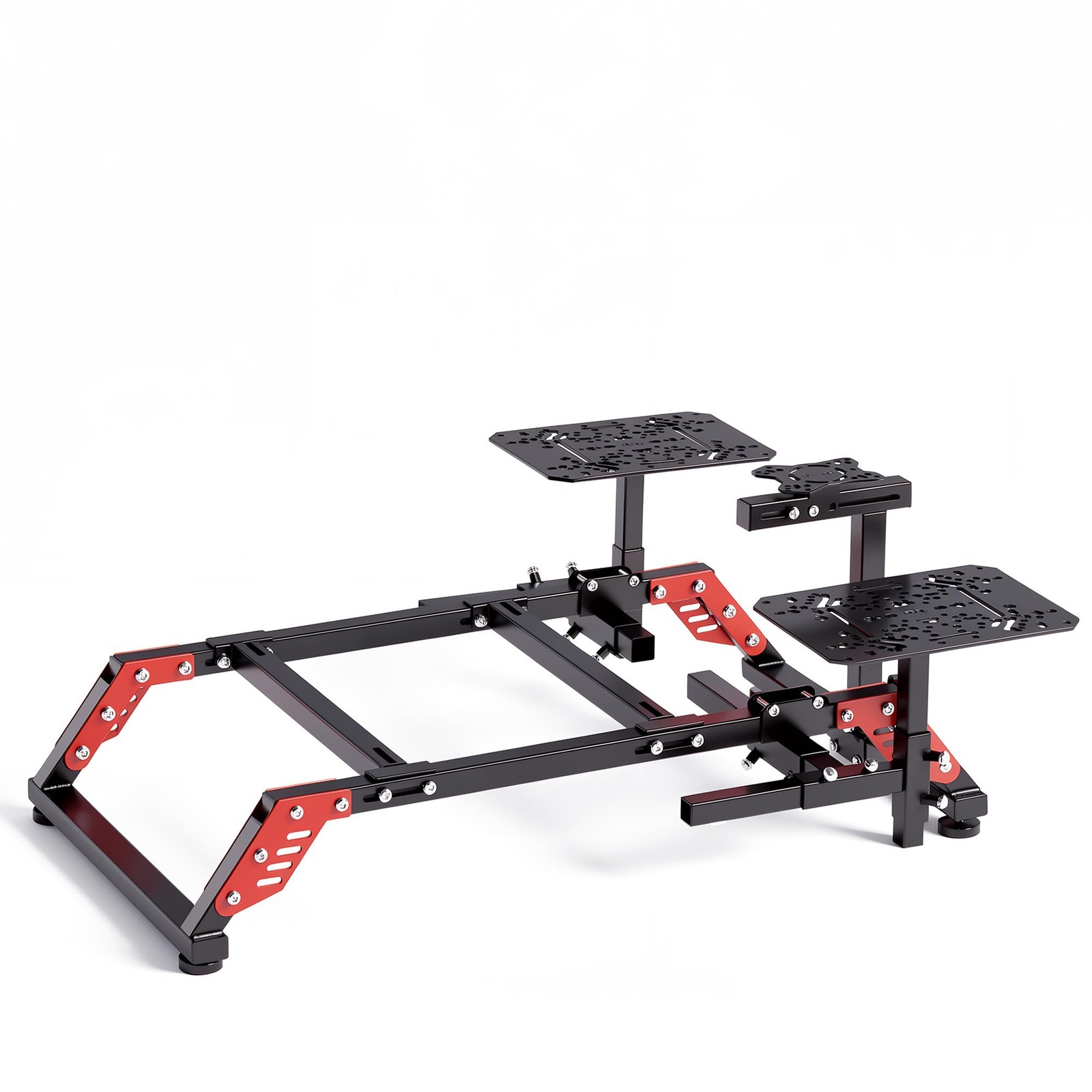
The main reason to choose this flight simulator mount is its stated support for the Logitech X52, X52 PRO, X55, and X56, along with the Thrustmaster T.16000M, TWCS, TQS, and TCA Series. For someone using one of those controls, the frame is designed around a clearly defined setup rather than a broad, unspecified range of equipment.
The limitation is equally concrete: the package excludes both the seat and simulators. Seat installation also depends on the seat's length and width falling within the specified range shown for the seat slide rail. If your seat does not meet that fit requirement, installation is not possible according to the product description.
Who it suits
This home cockpit frame is best for a shopper who already owns a seat and uses one of the listed Logitech or Thrustmaster controls. It may also fit a setup plan where the frame itself is the next component, while the seat and simulator hardware are purchased or owned separately.
It is not a straightforward choice for someone seeking an all-in-one cockpit. The no-seat design means the USD 234.38 price covers the stand frame itself, not a ready-to-use seating and control bundle. The supported-model list should also guide the decision before purchase.
What stands out from the listed details
The control compatibility is unusually specific: Logitech X52-family models and several Thrustmaster series are named directly. That gives the frame a clear use case for owners of those systems. The black color is also explicitly identified, which may matter if you are coordinating the frame with an existing setup.
Assembly is part of the ownership experience. The frame is not pre-installed, and the estimated assembly time is 1.5 to 2 hours with the included instructions. Plan for that setup step rather than expecting a ready-assembled mount.
Meaningful trade-offs
The biggest trade-off is flexibility versus defined fit. The named simulator support helps identify the intended setup, but the description also says other simulators are not supported. The seat requirement adds another practical constraint, since both seat dimensions and the slide-rail range affect whether installation can happen.
Bottom line
Choose the XRhinorth Flight Simulator Stand Frame if you need a black, no-seat frame for a listed Logitech or Thrustmaster control setup and already have a seat that meets the stated fit range. Look elsewhere within flight sim cockpits, mounts & VR if you need the seat included or use controls outside the named models.
