Choosing gear for a home flight simulator is less about collecting every accessory and more about placing the right hardware at the right height. Do you need a flight sim desk mount for HOTAS controls, a home cockpit frame for pedals, or a flight sim monitor stand for one or several displays? These four choices divide cleanly along that line, so start with your mounting point before comparing materials, compatibility, and price.
Quick take
The two SimFab choices focus on monitor support, the Marada model takes the cockpit-frame route, and the HOTAS mount keeps flight controls at a desk. That makes the main decision straightforward: build around screens, pedals and cockpit hardware, or a desktop control position.
Listed-price comparison
| Product | Listed price | Price bar |
|---|---|---|
| SimFab Triple Monitor Stand | USD 129.00 | |
| SimFab Monitor Mount Floor Stand | USD 229.00 | |
| Marada Racing Flight Sim Cockpit Stand | USD 149.99 | |
| 2 Set Desk Mount for Flight Sim Joystick, Throttle & HOTAS Systems | USD 75.08 |
The listed prices span a $153.92 spread from the lowest to the highest choice. The bars show the relative position of each listed price without treating the gap as a discount or sale.
Decision matrix
Use this quick route to narrow the field:
- Desk mounting: Choose the 2 Set Desk Mount for Flight Sim Joystick, Throttle & HOTAS Systems when controls need to stay attached to a desktop.
- Free-standing display support: The SimFab Monitor Mount Floor Stand is the relevant route for a single monitor on a floor stand.
- Multiple displays: The SimFab Triple Monitor Stand is the purpose-matched choice for a three-screen arrangement.
- Cockpit controls and pedals: The Marada Racing Flight Sim Cockpit Stand Square Tube Fit Logitech X52 Thrustmaster centers on a cockpit frame with pedal positioning.
- Compatibility focus: The desk mount names PC and Windows devices including Turtle Beach, Winwing, X56, T.16000M, and VKB hardware, while the Marada title calls out Logitech X52 and Thrustmaster.
Product notes
SimFab Triple Monitor Stand for Sim Racing and Flight Simulation, 24" to 55
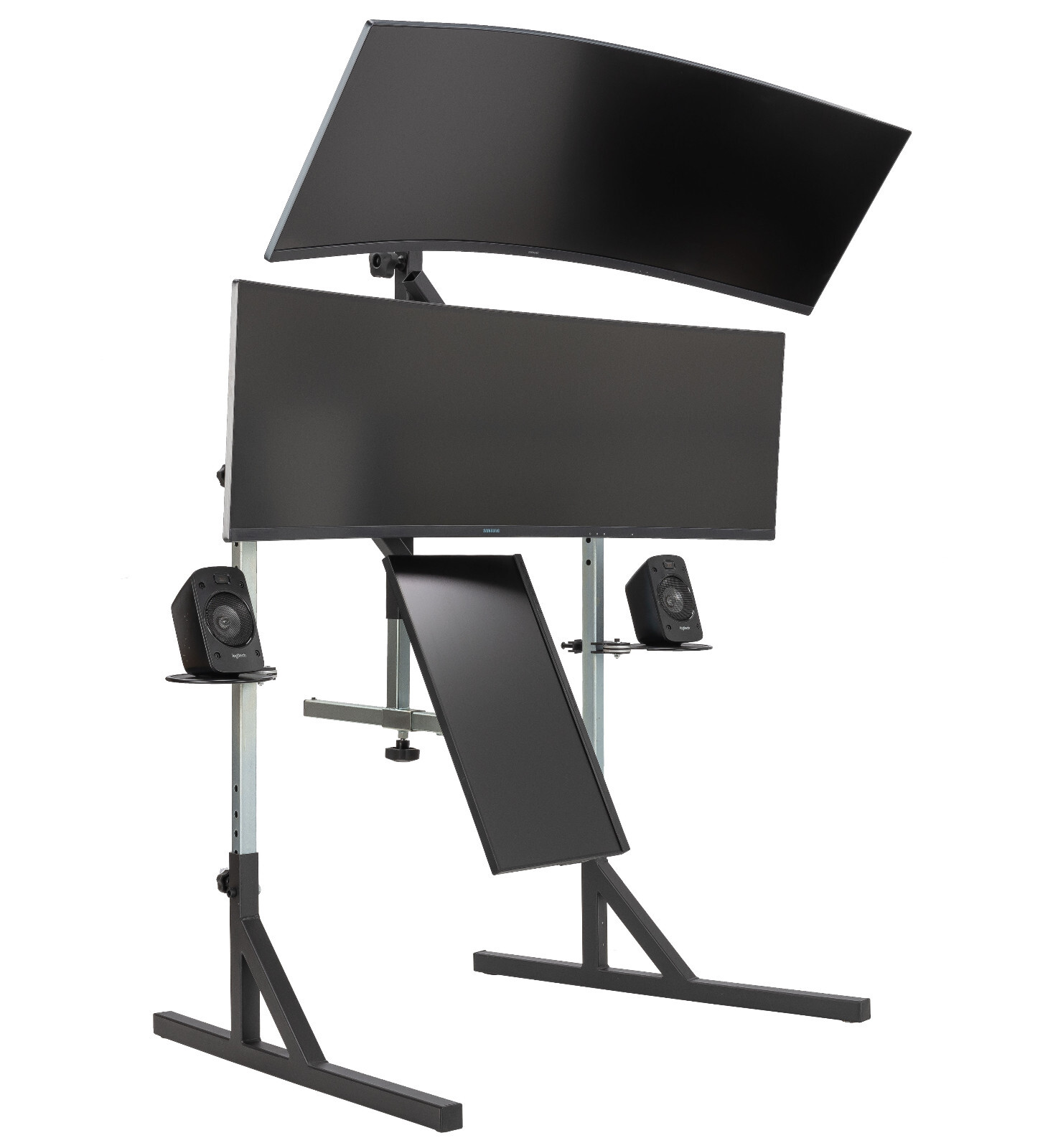
If your simulator calls for a multi-screen layout, the SimFab Triple Monitor Stand is the direct match. Its description covers triple-monitor use for flight simulation, steel construction, 75x75mm and 100x100mm VESA patterns in the LD variation, and screen sizes from 24 to 55 inches across the stand's variations. That makes it useful when the visual field is the main build decision. The limitation is equally clear: it is designed around three displays, so it is not the natural fit for a single-screen plan. The stated screen range also keeps the choice tied to the sizes identified in the title and description.
SimFab Monitor Mount Floor Stand for Racing And Flight Simulators
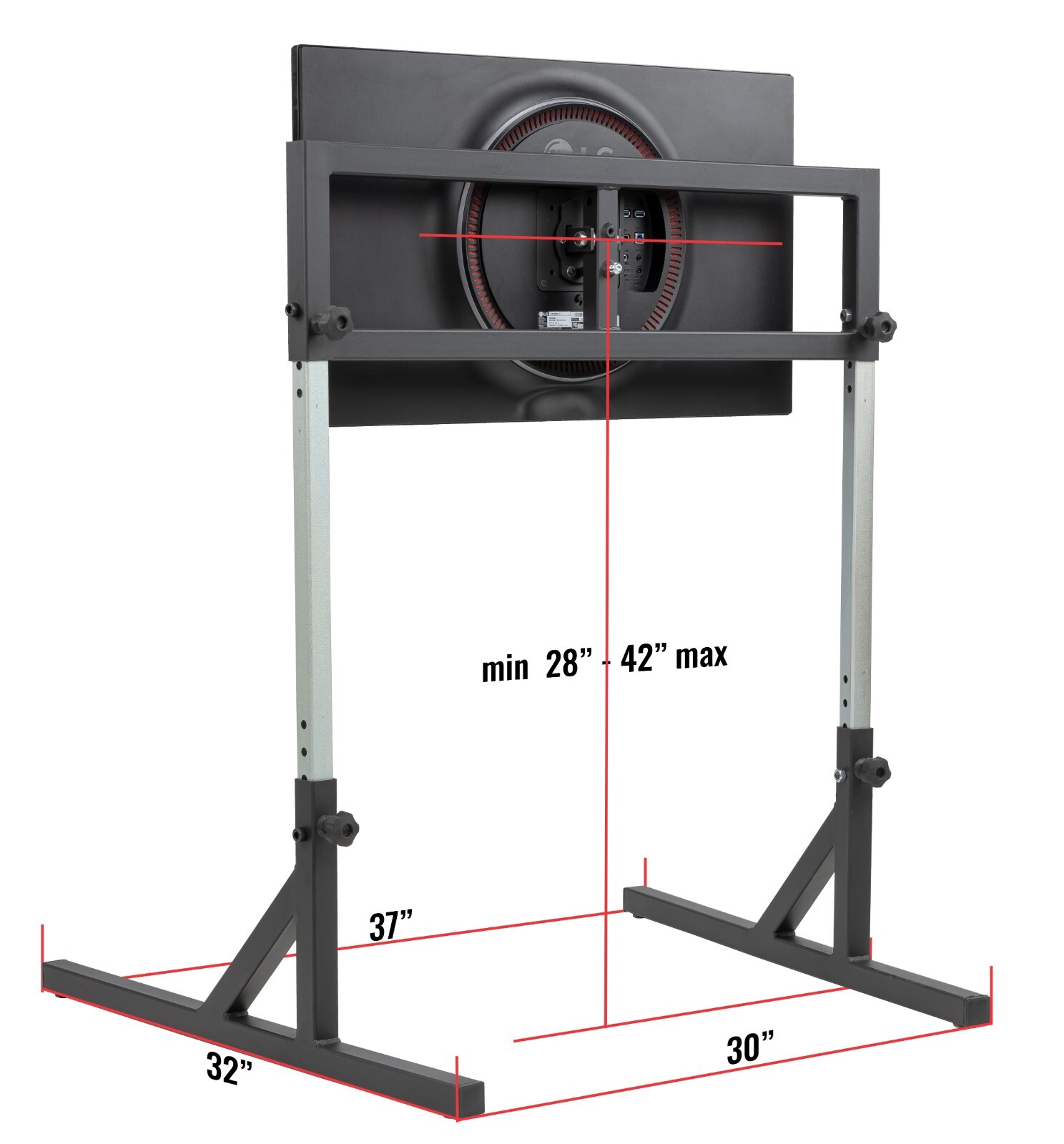
For a single-monitor flight sim monitor stand, the SimFab Monitor Mount Floor Stand is the clearest match. The description identifies a free-standing floor design and gives an LD mounting plate for 75x75mm or 100x100mm VESA patterns, while the HD version covers several larger mounting patterns. That makes it relevant when a desk-free screen position is the goal. Its limitation is the single-monitor format: it does not address a triple-display plan in the way the SimFab Triple Monitor Stand does. The LD bracket detail is also specific to monitors up to a 100x100mm VESA pattern, so bracket style is a central part of the choice.
Marada Racing Flight Sim Cockpit Stand Square Tube Fit Logitech X52 Thrustmaster
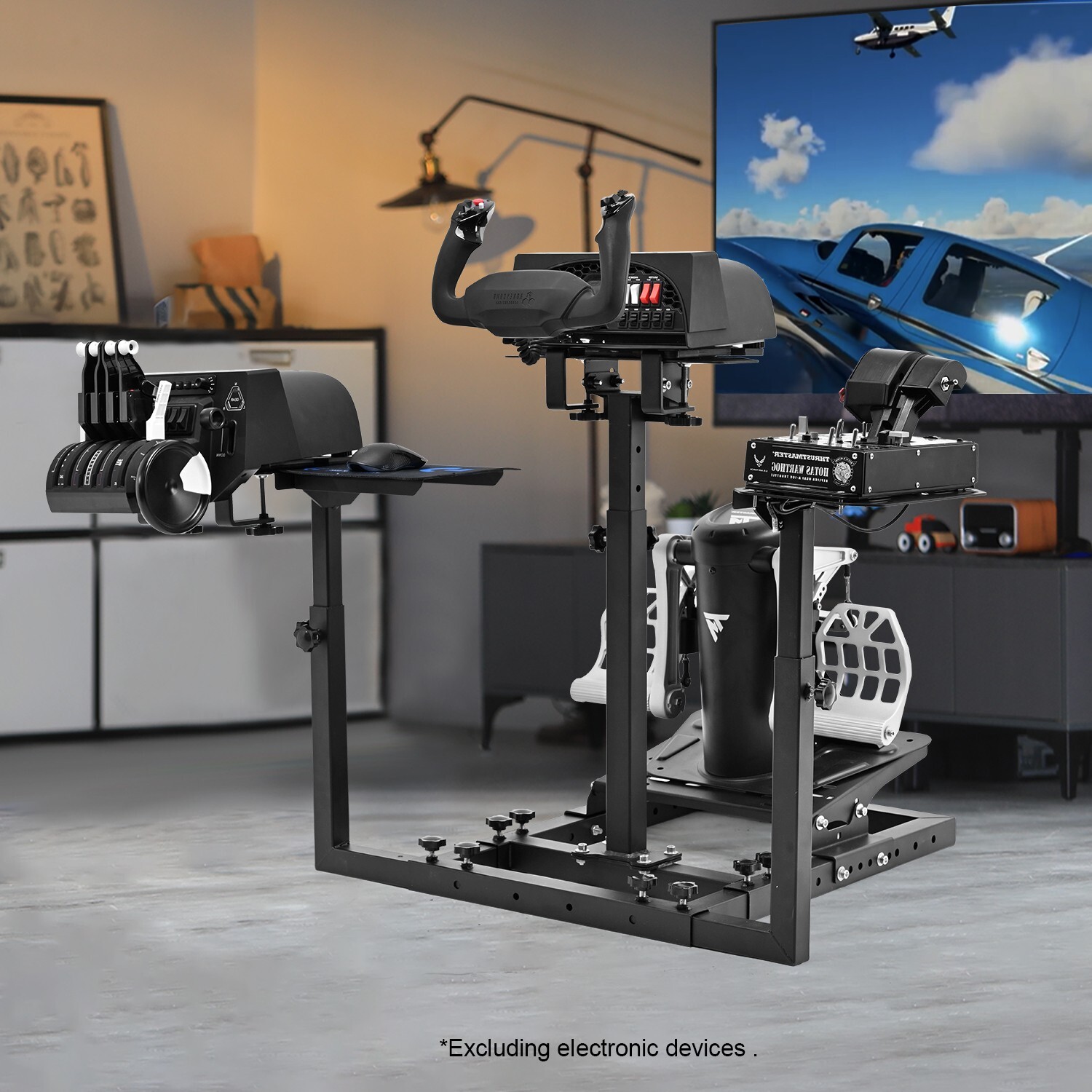
If a home cockpit frame needs to handle both steering-style hardware and flight pedals, the Marada Racing Flight Sim Cockpit Stand has the relevant hardware focus. Its U-shaped front base uses four square tubes, and the integrated pedal plate works with the adjustable Z-shaped brackets and porous base positions described for front/back and multi-angle adjustment. Wheels are also listed. The limitation is role: the title identifies a cockpit stand, not dedicated monitor support or a desk mount. Its 40.7-pound listed weight is another practical consideration for a setup that may be moved, even with the listed wheels.
2 Set Desk Mount for Flight Sim Joystick, Throttle & HOTAS Systems
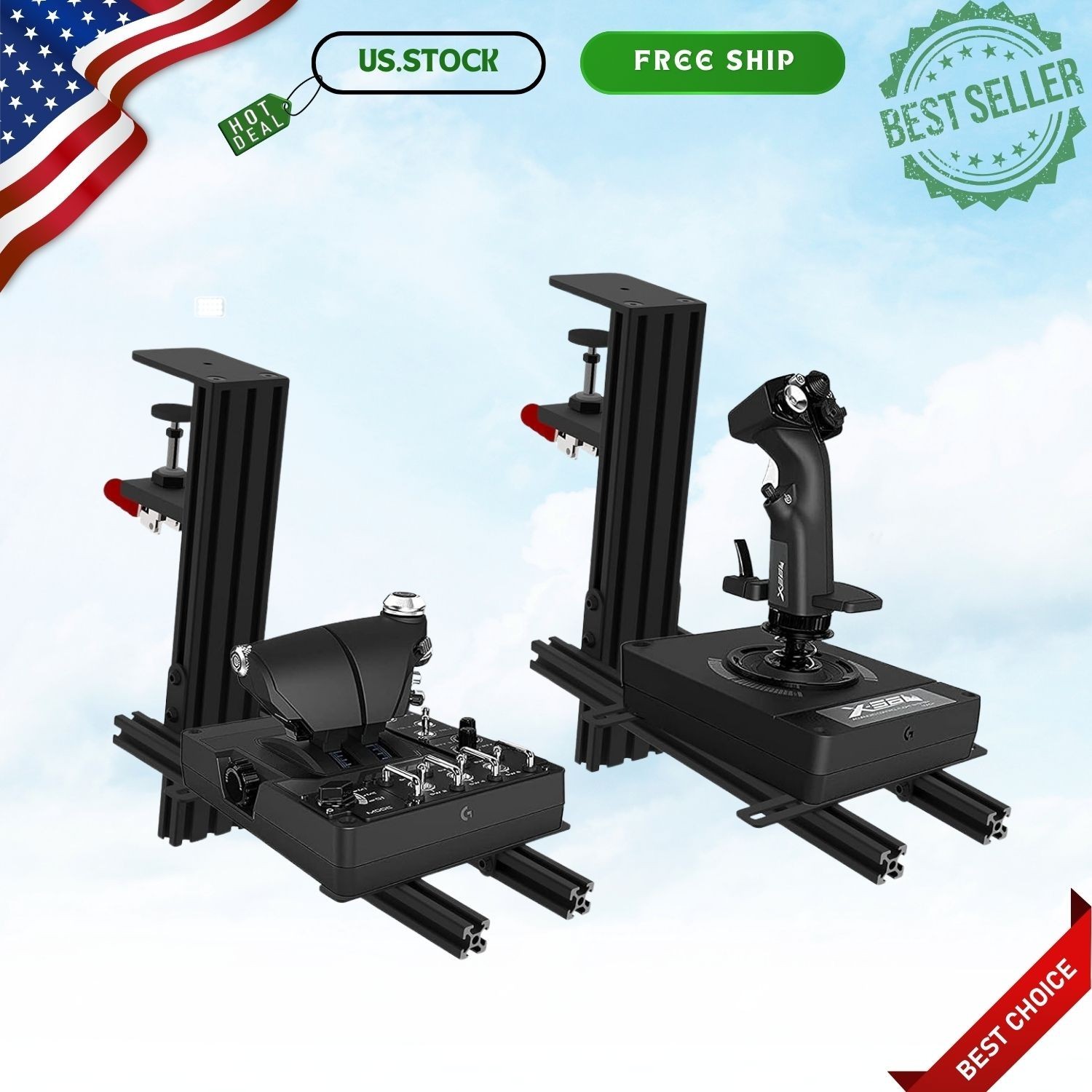
For a desk-first control layout, the 2 Set Desk Mount for Flight Sim Joystick, Throttle & HOTAS Systems puts the emphasis on the joystick and throttle rather than a frame or screen. The description names devices such as Turtle Beach VelocityOne Flightstick, Winwing Orion, X56, X52 Pro, T.16000M, and VKB Gladiator, plus height adjustment from -175mm to +175mm and forward/back positioning from 80mm to 300mm. The concrete limitation is that installation depends on device dimensions, and the format is a desk mount rather than a free-standing cockpit. Its PC and Windows compatibility also keeps the stated platform focus specific.
Final recommendation by use case
- For a multi-display simulator: Choose the SimFab Triple Monitor Stand because its title and description are centered on triple-monitor flight simulation.
- For one free-standing screen: Choose the SimFab Monitor Mount Floor Stand, whose stated design is a single-monitor floor stand with LD and HD bracket variants.
- For a cockpit with pedals: Choose the Marada stand for its integrated pedal plate, adjustable bracket positions, wheels, and named Logitech X52 and Thrustmaster fit.
- For desktop HOTAS controls: Choose the desk mount for its PC and Windows focus, named controller compatibility, and adjustable positioning.
The right purchase follows the physical layout you already want. Screen-focused builds should compare the two SimFab stands; control-focused builds should decide between Marada's cockpit format and the desk-mounted HOTAS approach.
