Shopping for sim racing displays & mods can lead to a surprisingly different choice: do you want more information in front of you, or a dedicated pedal upgrade underfoot? UT Pedals and Simplayer solve separate cockpit needs, so the right pick depends less on a general winner and more on the part of your setup you want to change.
Quick verdict
Choose Simplayer Sim Racing Dashboard if your priority is visible race information, including a tachometer, gear display, LED shift indication, speed, mileage, and function buttons. Choose UT Pedals if you specifically want PC hydraulic pedal hardware with a pressure sensor/load cell HE design. Simplayer is the lower-priced option in this comparison, while UT Pedals is the more relevant choice for replacing or expanding the pedal side of a rig.
At a glance
| Product | Listed price | Listed type | Main listed focus |
|---|---|---|---|
| UT Pedals Hydraulic Pedals | USD 239.99 | Hydraulic Pedal | PC pedal hardware with pressure sensor/load cell HE |
| Simplayer Dashboard | USD 210.90 | Sim Racing Dashboard | Tachometer, gear display, shift indication, speed and mileage |
Where each one wins
UT Pedals wins for pedal hardware
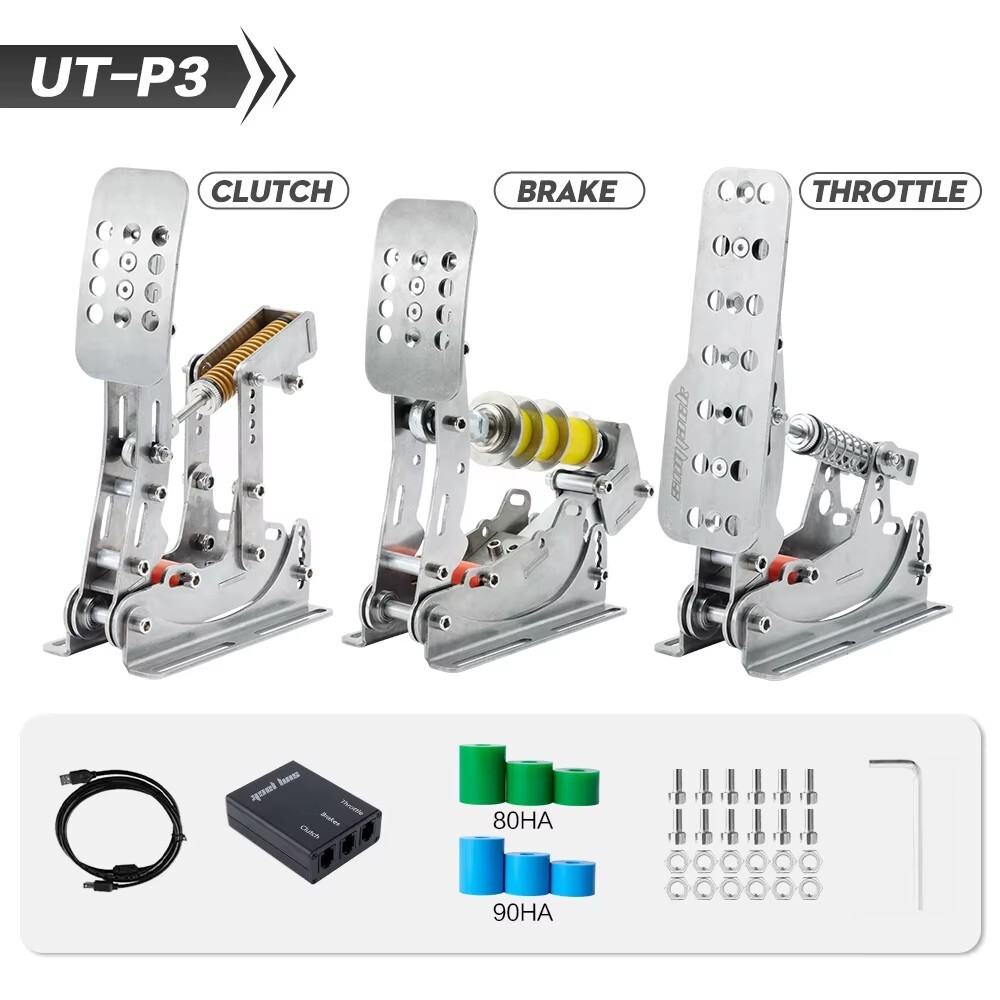
UT Pedals has the clearer fit when your upgrade plan centers on foot controls. The listed platform is PC, and the type is Hydraulic Pedal; the description also identifies pressure sensor/load cell HE hardware and stainless steel material. Its description names compatible models including Logitech G27, G29, Thrustmaster T300RS/GT, and T500. Those details give it a focused role in a sim setup, rather than making it a general dashboard accessory.
Simplayer wins for cockpit readouts
Simplayer is the better match when you want information and controls at the front of the cockpit. Its dashboard includes a tachometer with LED shift indication, a gear display module, a speed display that also shows mileage, and function buttons for adjustments such as tachometer backlight color, shift-indicator buzzer sound, and mileage reset. The listed 280MPH meter is a specific display specification, not a performance claim. For drivers who want shift feedback and dashboard information in one accessory, its function list is the deciding difference.
Product notes
UT Pedals Hydraulic Pedals
UT Pedals is the focused choice when the missing piece in a rig is pedal hardware. Its title and attributes identify a PC hydraulic pedal with a pressure sensor/load cell HE, while the description lists stainless steel construction and 2-piece/3-pedal quantities. That makes its role clear: it is aimed at the pedal side of a sim setup, not at adding dashboard readouts. The trade-off is equally clear in a head-to-head with Simplayer: it does not list a tachometer, gear display, LED shift indication, speedometer, mileage display, or function buttons. At USD 239.99, it is the higher-priced entry in this pair. Pick UT Pedals when hydraulic pedal hardware is the specific upgrade; pass on it when your priority is shift information in front of you.
Simplayer Dashboard
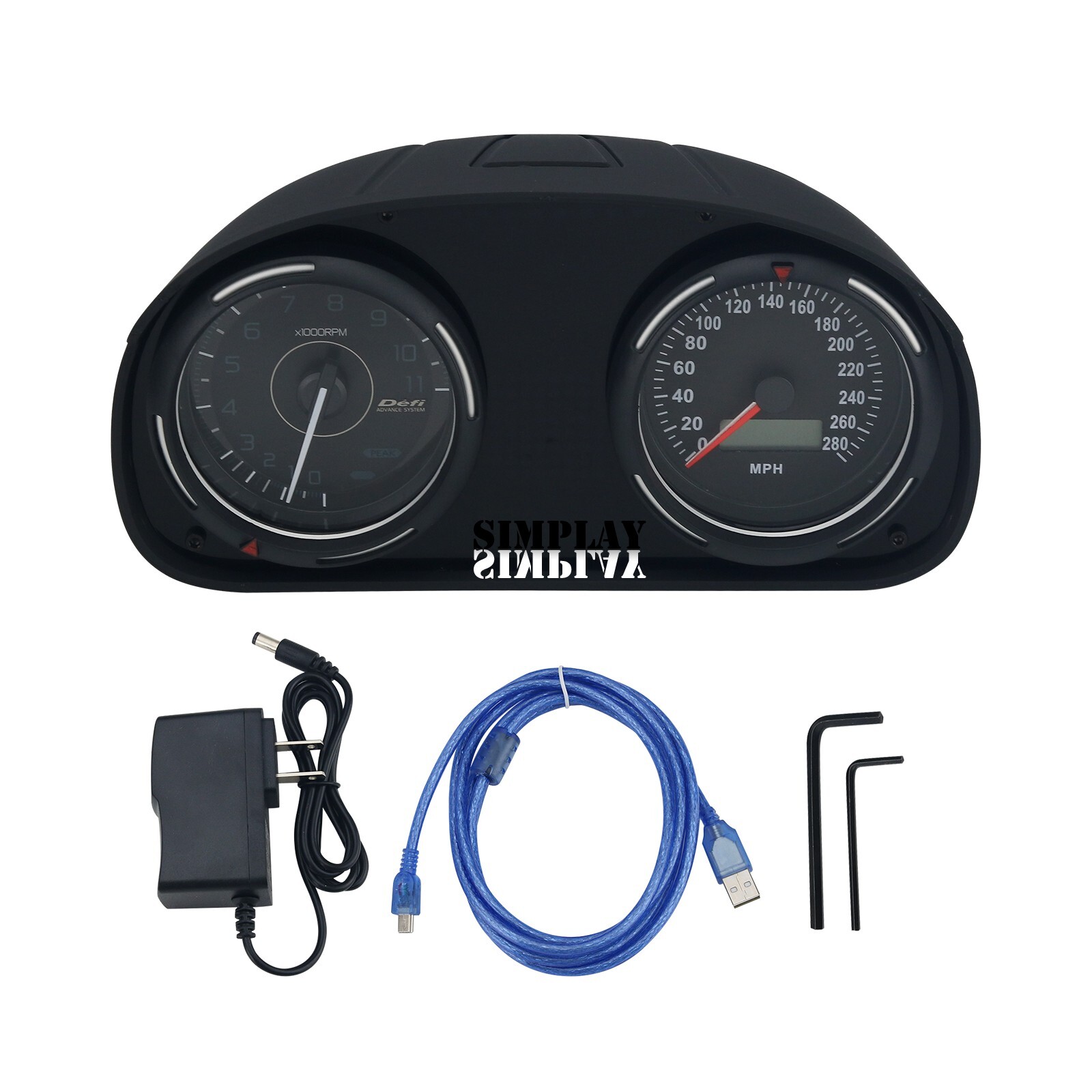
Simplayer is the more direct choice when the goal is a dedicated dashboard display rather than pedal hardware. The listed type is Sim Racing Dashboard, and its feature description covers a tachometer, gear display, LED shift indication, speed and mileage readouts, plus buttons for several display settings. That combination gives the accessory a clear information-and-controls role during racing games. Its limitation is category fit: it is not described as pressure-sensor, load-cell, or hydraulic pedal hardware, so it cannot answer a request specifically for a pedal upgrade. At USD 210.90, it also sits below UT Pedals in the listed price comparison. Choose Simplayer for dashboard feedback; choose UT Pedals when foot-control hardware matters more.
Final choice by use case
- For dashboard information and shift feedback: Choose Simplayer Sim Racing Dashboard, especially if its tachometer, gear display, LED indication, speed, mileage, and function buttons match what your cockpit lacks.
- For a PC hydraulic pedal upgrade: Choose UT Pedals, whose listed type and description point to pressure sensor/load cell HE pedal hardware.
- If you are undecided: Start with the part of the rig you want to improve. These are not interchangeable upgrades: Simplayer addresses dashboard readouts, while UT Pedals addresses pedal input hardware.
