Choosing among sim racing displays & mods starts with a practical question: do you need better pedal input, or more race information in your sightline? UT Pedals is pedal hardware, while the SIMPUSH RACELOGIC dashboard is a dedicated display. They are not interchangeable, so the right choice depends on which part of the rig needs the upgrade.
Quick verdict
Choose UT Pedals Sim Racing Pedals for a pedal-first upgrade centered on pressure-sensing hardware and a PC setup. Choose SIMPUSH RACELOGIC dashboard simhub screen when the missing piece is a dashboard for race information. The first is a physical control upgrade; the second is a visual telemetry add-on.
Listed-price comparison
| Choice | Listed price | Distinct focus |
|---|---|---|
| UT Pedals Sim Racing Pedals | USD 239.99 | Hydraulic pedal |
| SIMPUSH RACELOGIC Dash Display | USD 159.90 | Sim racing dashboard |
The listed-price spread is $80.09, with the SIMPUSH display at the lower listed price.
Where each product wins
UT Pedals wins for pedal hardware
UT Pedals is the clearer match for a pedal-led build when the PC platform and named wheel compatibility line up with your setup. The description names Logitech G27, G29, and Thrustmaster T300RS/GT T500 among compatible models, giving shoppers concrete model names to compare with their existing wheel. Its role is physical pedal hardware, so it addresses a different part of the rig than a dashboard screen.
SIMPUSH RACELOGIC wins for race information
SIMPUSH is the stronger fit when at-a-glance race information matters more than changing pedal hardware. Its description lists an 800x480 pixel color display and five content sets covering lap time, speed, maximum speed, delta time, and number of laps. It also identifies two simulated LEDs. Those details make it the more direct choice for a display-led setup.
Product notes
UT Pedals Sim Racing Pedals PC Racing Simulator Pressure Sensor Load Cell HE
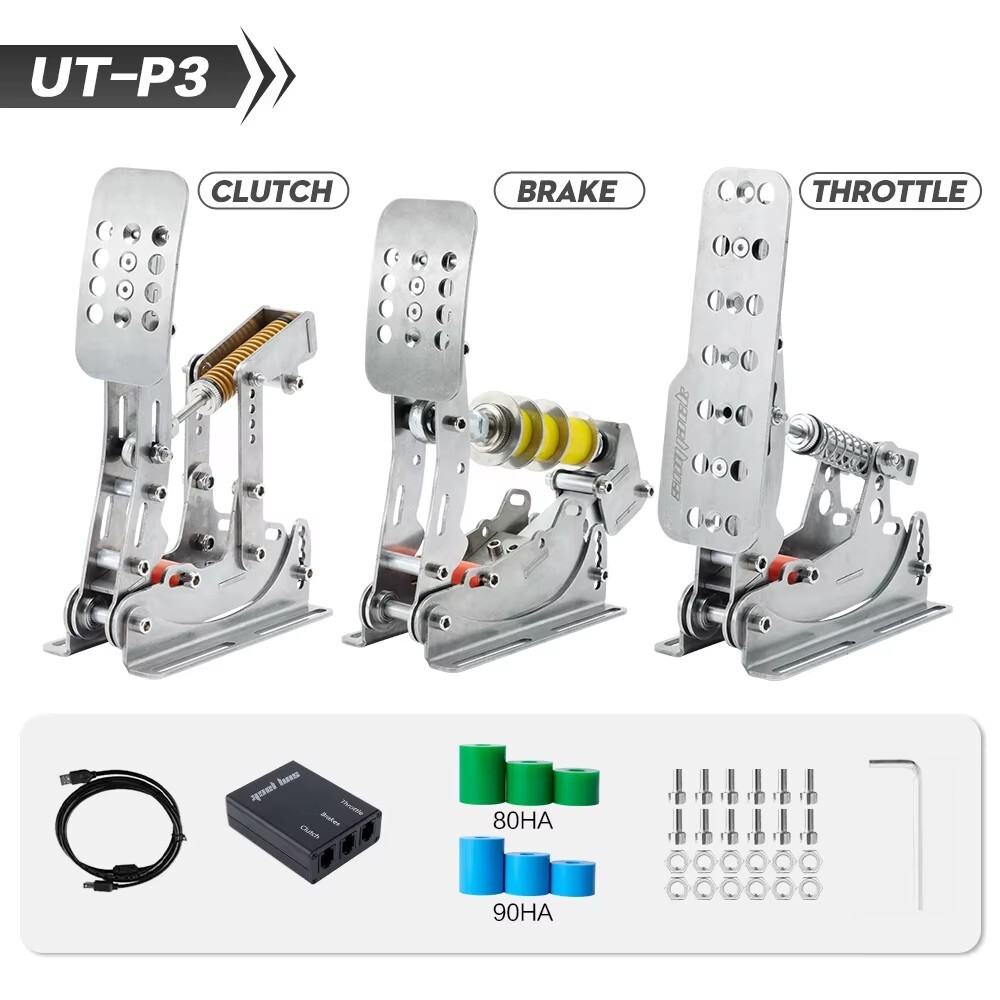
The UT Pedals Sim Racing Pedals PC Racing Simulator Pressure Sensor Load Cell HE is the more relevant choice when the upgrade target is pedal input. Its title and type identify a pressure-sensor, load-cell hydraulic pedal setup, which gives it a clearly defined role in a sim racing rig. The description frames it for simulator use on PC and names supported wheel families separately. The limitation is scope: a pedal-focused item does not add the dashboard readouts offered by the SIMPUSH RACELOGIC display. The title also frames it as a simulator pedal rather than a screen, so it is not the right route for someone specifically seeking visual telemetry. Choose it for pedal hardware, not dashboard information.
SIMPUSH RACELOGIC dashboard simhub screen Sim Racing Dash Display
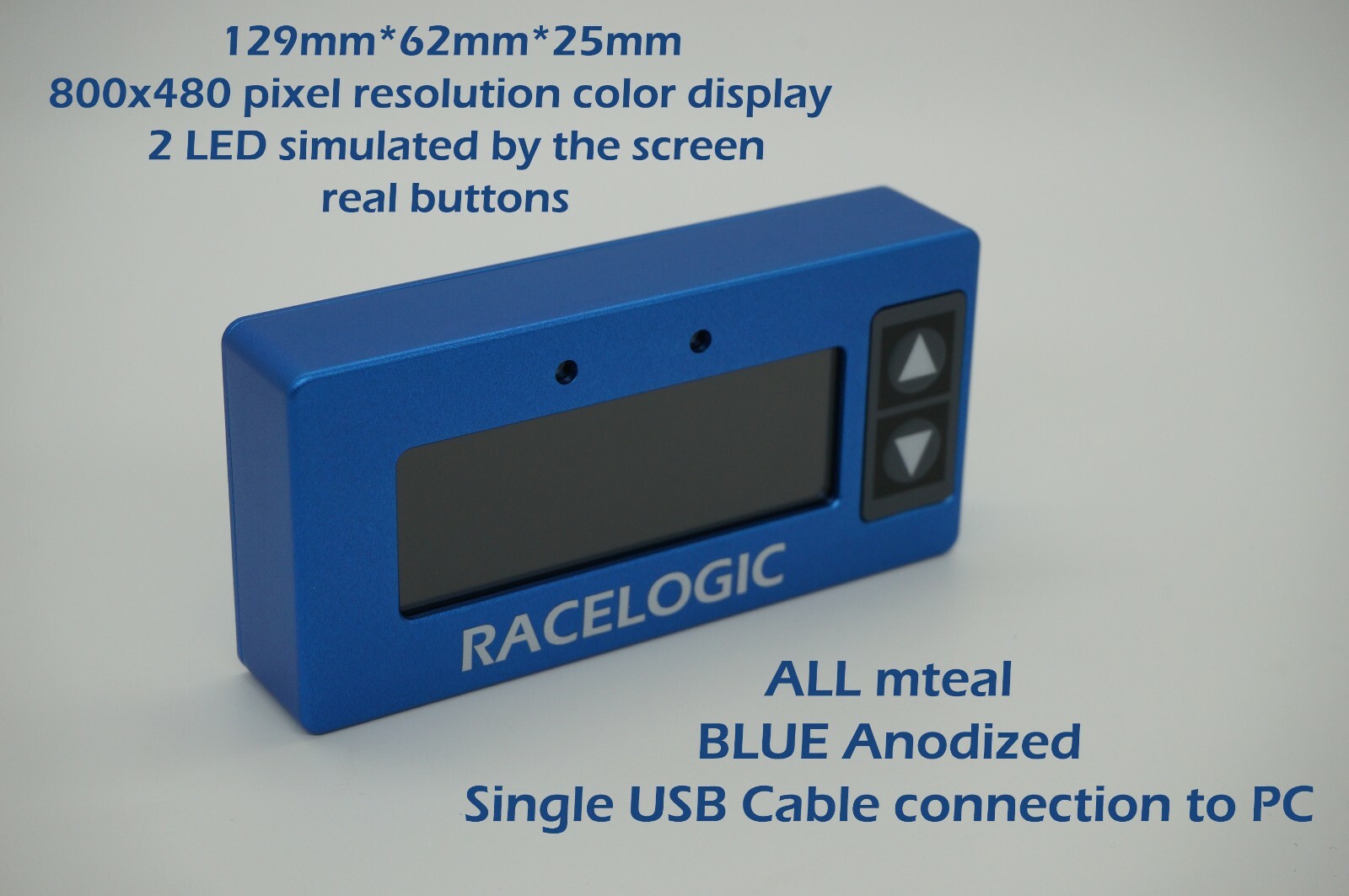
The SIMPUSH RACELOGIC dashboard simhub screen Sim Racing Dash Display is the clearer fit when the main goal is an extra race-information screen. Its description specifies a single LEMO USB connection to PC and a dashboard built for SimHub, making the intended workflow explicit. The limitation is setup dependence: buyers are told to know how to use SimHub before buying. That makes the display less suitable for someone seeking a pedal-input change, since its listed function is dashboard information rather than pressure or load-cell control. The RACELOGIC and SimHub wording also points to a specific dashboard format, so select it for the display side of a sim racing setup rather than as a substitute for pedals.
Final choice by use case
- Choose UT Pedals when the priority is the pedal side of the rig and the PC setup matches the named Logitech or Thrustmaster models.
- Choose SIMPUSH RACELOGIC when the priority is a dedicated dashboard with the listed race-data views and SimHub workflow.
- If the decision is still close, identify the missing function first: the UT Pedals title points to pedal hardware, while the SIMPUSH title points to a dashboard display. This head-to-head has no universal winner because the two listings solve separate upgrade jobs.
