Choosing among sim racing displays & mods comes down to one fast decision: do you want the Simplayer's dedicated dashboard readouts, or the SIMDT's button-box controls? The first centers race information; the second centers physical inputs. For a clean choice, match the add-on to what you reach for most while driving.
Quick verdict
Choose Simplayer when a dashboard-first setup and visible race information matter most. Choose SIMDT when controller-style access to many commands matters more. The two listed prices are $134.90 apart, so the decision is also whether the dashboard-focused format justifies the wider spend for your setup.
| Product | Listed price | Listed type | Core role | Condition |
|---|---|---|---|---|
| Simplayer Dashboard | $210.90 | Sim Racing Dashboard | Dedicated dashboard | New |
| SIMDT Button Box | $76.00 | Controller | Physical control box | Open box |
Where each product wins
Where Simplayer wins
The Simplayer wins when your priority is information at a glance. It names a tachometer, LED shift indication, gear display, and speed display that also shows mileage. The 280MPH meter is a clearly stated specification, while function buttons handle backlight color, shift-indicator buzzer sound, and mileage reset. That mix gives it the more display-centered brief of this comparison; choose it when the goal is a dashboard that emphasizes shift timing and race readouts.
Where SIMDT wins
SIMDT wins for physical control density. It lists 16 button inputs, 6 encoders, 3 seesaw switches, and a start button, then adds a bracket, screws, USB cable, and fixing accessories in the package. The product is specifically positioned for Euro Truck Simulator and American Truck Simulator use, so it makes sense for a trucking-sim setup where many commands need dedicated access. Choose it when controller-style interaction, rather than dashboard readouts, is the deciding requirement.
Product notes
Simplayer Sim Racing Dashboard
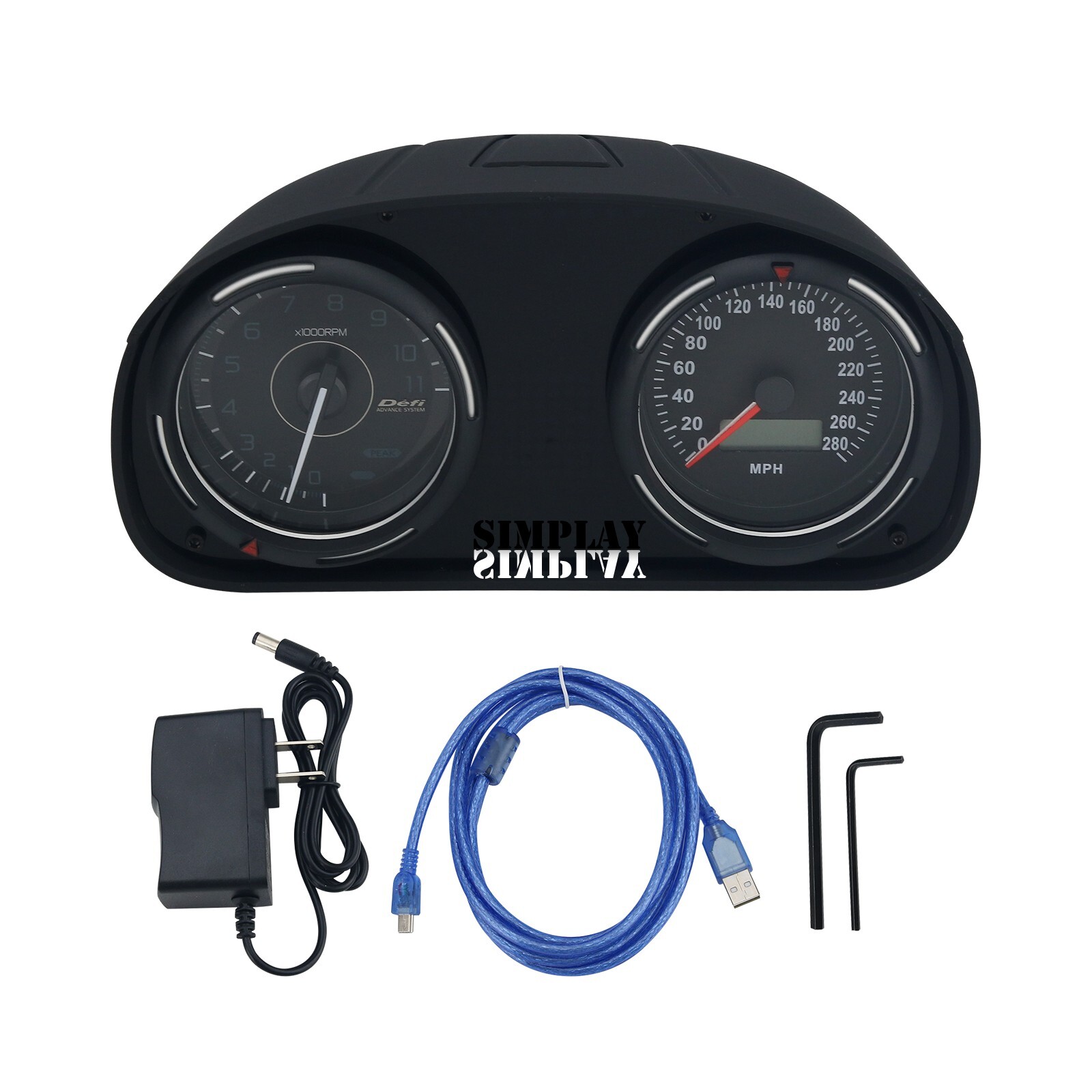
The Simplayer fits shoppers whose setup plan starts with the phrase sim racing dashboard. Its listed Type is Sim Racing Dashboard, and its feature set centers on dedicated readout functions. The reason to choose it is clear: it prioritizes visible race information and includes buttons for dashboard-related adjustments. The limitation is its price position-at $210.90, it is $134.90 above the SIMDT in this comparison. That gap makes it a focused purchase rather than the natural choice for someone mainly seeking a controller-style bank of inputs. If physical command access is the goal, its dashboard format is the mismatch.
SIMDT Button Box
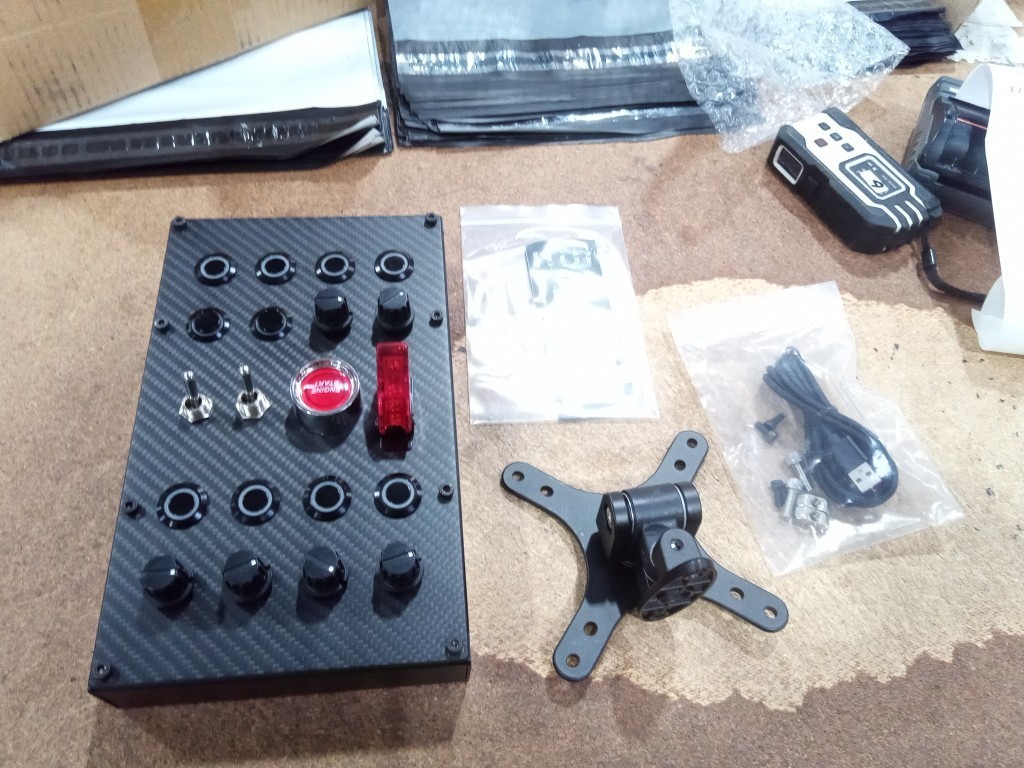
The SIMDT Button Box suits shoppers who want to add a dedicated control surface to a simulator. Its listed inputs are the concrete reason to choose it: 16 buttons, 6 encoders, 3 seesaw switches, and a start button. The carbon fiber panel and aluminum back shell are also specified, and the package includes a USB cable, bracket, screws, and fixing accessories. The limitation is fit for the display-first buyer: its Type is Controller, while its condition is Open box. Someone who specifically wants a dashboard unit with dedicated race readouts should choose the display-oriented option instead. It is matched to command access, especially for the Euro Truck Simulator and American Truck Simulator use named for it.
Final choice by use case
- Dashboard-first driving: Choose the Simplayer. The Sim Racing Dashboard type and dedicated readout role align with a setup where shift information and speed data are central.
- Command-heavy trucking simulation: Choose the SIMDT Button Box. Its Controller type, named Euro Truck Simulator and American Truck Simulator use, and physical-input focus align with a setup built around direct commands.
- If the choice is still close: Use the product titles as the simplest tie-breaker: choose the dashboard for information in view, or the button box for controls at hand. The meaningful difference is function.
