Choosing flight sim yokes & throttles means deciding whether you need broad platform support or a more expansive PC control bundle. The Turtle Beach VelocityOne targets PC and Xbox users and includes a Flight Management Display, while the Logitech G setup centers on PC and explicitly includes rudder pedals. The right choice depends less on raw specifications than on the simulator and controls you actually need.
Quick verdict
Choose the Turtle Beach VelocityOne Flight Yoke & Throttle if Xbox compatibility, PC flexibility, or the Flight Management Display is central to your setup. Choose the Logitech G Flight Yoke, Throttle and Pedals if you fly on PC and want a yoke, throttle quadrant, and rudder pedals in one named bundle. Turtle Beach has the broader platform remit; Logitech has the lower listed price and a more extensive control package for PC.
Compact comparison
| Setup | Listed price | Platform fit | Key package detail |
|---|---|---|---|
| Turtle Beach VelocityOne Flight Yoke & Throttle | USD 340.00 | PC; Xbox One; Xbox Series X|S | Flight Management Display; wired USB and USB-C |
| Logitech G Flight Yoke, Throttle & Pedals | USD 200.00 | PC | Yoke system, throttle quadrant, rudder pedals, and USB cables |
Where each setup wins
- Turtle Beach wins for platform flexibility. Its compatibility includes PC, Xbox One, Xbox Series S, and Xbox Series X, making it the clear fit when console support is part of the brief.
- Logitech wins for PC control coverage. The included rudder pedals give its package a broader set of named flight controls, while the description specifically calls out Microsoft Flight Simulator, X-Plane, and Prepar3D.
- Turtle Beach wins for an integrated information feature. The Flight Management Display gives it a distinct role for shoppers who want that feature built into the yoke-and-throttle setup.
- Logitech wins on listed price. The USD 140 difference is significant when the buyer's priority is assembling a PC setup without paying for Xbox reach.
Product notes
Turtle Beach VelocityOne Flight Yoke & Throttle
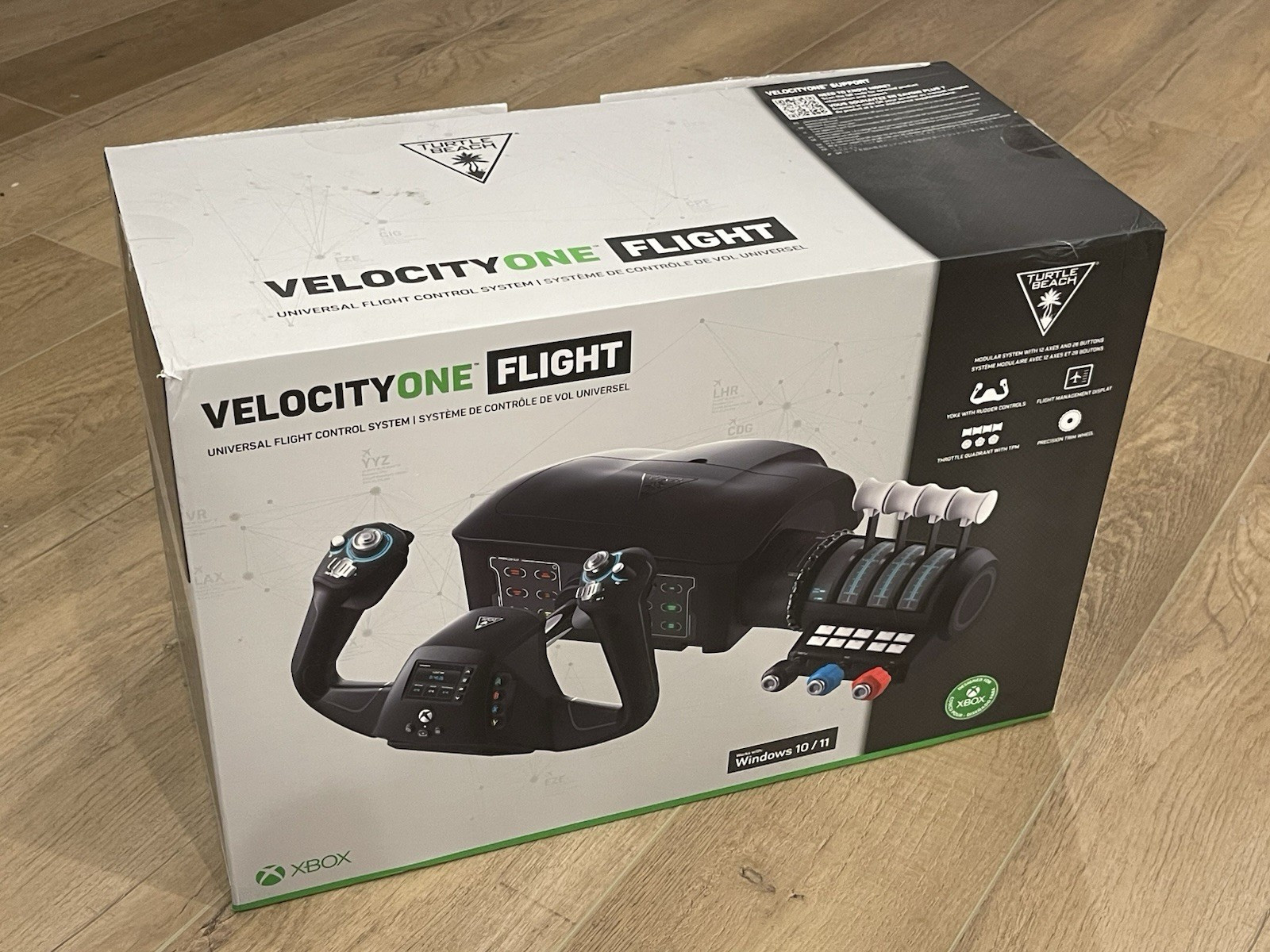
The Turtle Beach VelocityOne is the natural pick for a mixed PC-and-Xbox household. Its compatibility covers PC, Xbox One, Xbox Series S, and Xbox Series X, and the Flight Management Display gives the setup a clearly defined information feature. USB, wired, and USB-C connectivity are listed, so it is designed around a cable-connected setup rather than wireless use. The open-box condition is the main purchase caveat, even though the description states that the items remain in their original plastic bags and the protective film is still in place. A one-year manufacturer warranty is also listed. Choose the Turtle Beach when console reach or the display matters; for a PC-only setup, its broader scope may not be necessary.
Logitech G Flight Yoke, Throttle & Pedals
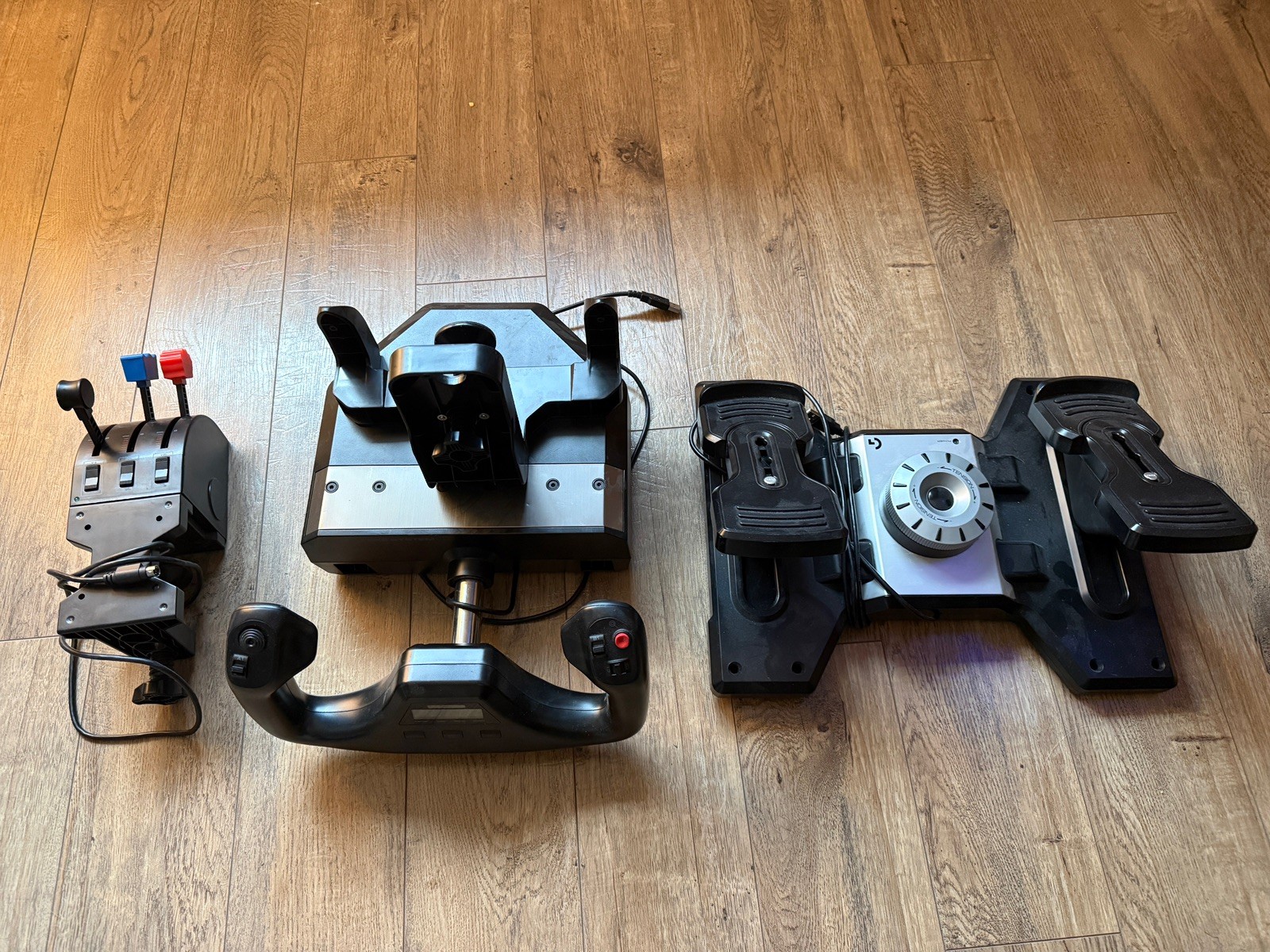
The Logitech G Flight package makes the strongest case for a PC pilot who wants more named controls in one purchase. It includes the Logitech G Flight Yoke System, Throttle Quadrant, Flight Rudder Pedals, and USB cables, with the description identifying Microsoft Flight Simulator, X-Plane, Prepar3D, and other flight-simulation platforms. Its 1.8m cable and wired connectivity are useful desk-planning details. The limitation is explicit PC-only compatibility, so it is not the match for an Xbox-based setup. The listed used condition is another caveat, while the Glossy feature describes the finish rather than promising a particular control feel. Choose Logitech when pedal inclusion and the lower listed price matter more than console reach.
Final choice by use case
- For Xbox flight simulation: Choose the Turtle Beach VelocityOne Flight Yoke & Throttle, because Xbox One and Xbox Series compatibility is explicitly listed.
- For a PC setup that needs rudder pedals: Choose the Logitech G Flight Yoke, Throttle and Pedals, whose package description names the pedals alongside the yoke and throttle quadrant.
- For a built-in flight-information display: Choose the Turtle Beach VelocityOne, which lists a Flight Management Display.
- For the lower-priced PC route: Choose the Logitech G setup at USD 200.00. The USD 140 gap versus Turtle Beach is a price difference, not proof of superior control performance.
For most console-and-PC shoppers, Turtle Beach is the clearer fit because of its broader compatibility. For PC-only simulation where rudder pedals are important, Logitech delivers the more relevant package at the lower listed price.
