Choosing flight sim yokes & throttles means deciding whether your setup should prioritize broader platform reach, a named cockpit feature, or a lower entry price. Turtle Beach VelocityOne Flight Yoke & Throttle and Logitech Flight Yoke System Professional Simulation Yoke and Throttle Quadrant both put yoke and throttle controls in one package, but they serve different buying priorities. Match the compatible platform and feature list to the way you plan to fly, then decide whether the price gap fits your setup.
Quick verdict
Turtle Beach fits mixed PC-and-Xbox households and shoppers who want its Flight Management Display. Logitech fits PC-focused shoppers who want the yoke-and-throttle-quadrant package with matte/anti-glare listed as a feature. The listed prices are $340.00 and $119.99, creating a $220.01 spread that makes the feature and compatibility differences important.
Compact comparison
| Detail | Turtle Beach VelocityOne | Logitech Flight Yoke System |
|---|---|---|
| Listed price | $340.00 | $119.99 |
| Cable length | 1.5m | 4ft. |
| Connectivity | USB, wired, USB-C | Wired USB |
Where each product wins
Where Turtle Beach wins
Choose Turtle Beach when the Flight Management Display is the deciding cockpit feature, or when the title's support for Xbox One, Xbox Series consoles, and PC matches your gaming setup. Those are concrete reasons to select it over a PC-focused alternative; the raw cable and connectivity numbers do not establish a performance winner.
Where Logitech wins
Logitech wins for a PC-centered build where the matte/anti-glare feature and the yoke-and-throttle-quadrant package are the priorities. Its $119.99 listed price also makes it the simpler choice when the $220.01 spread between the two setups matters more than Turtle Beach's display feature and console reach.
Product notes
Turtle Beach VelocityOne Flight Yoke & Throttle
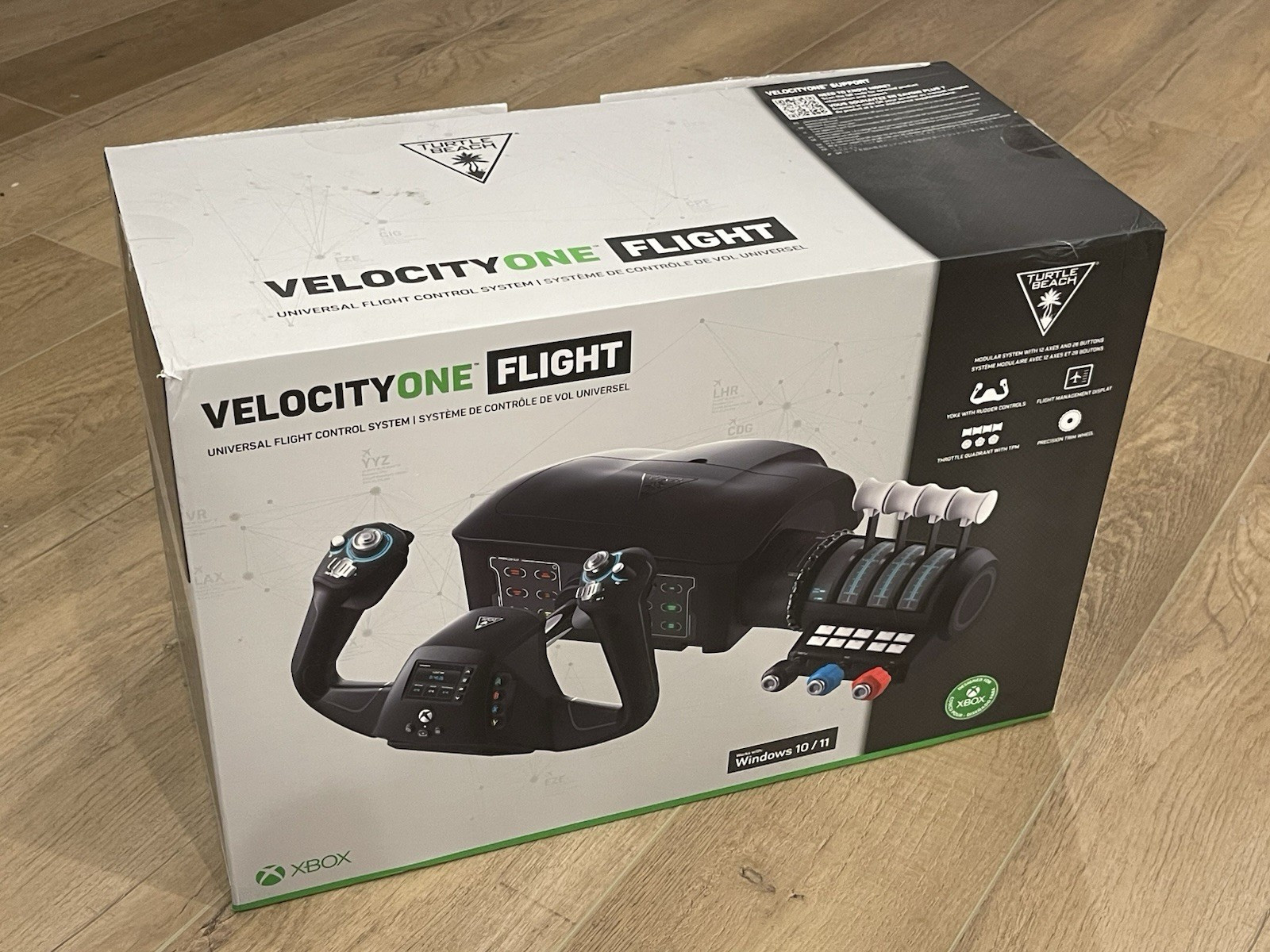
The Turtle Beach VelocityOne Flight Yoke & Throttle is the natural pick when a Flight Management Display is part of the desired cockpit layout. That named feature is a concrete reason to choose it. Its 1.5m cable is the main desk-planning limitation, so placement deserves attention before choosing the setup. The product's $340.00 listed price also makes the decision more deliberate than Logitech's alternative. Choose Turtle Beach when the display and the stated Xbox-and-PC compatibility matter more than keeping the comparison's price difference small; the listed specifications alone do not establish a performance advantage.
Logitech Flight Yoke System
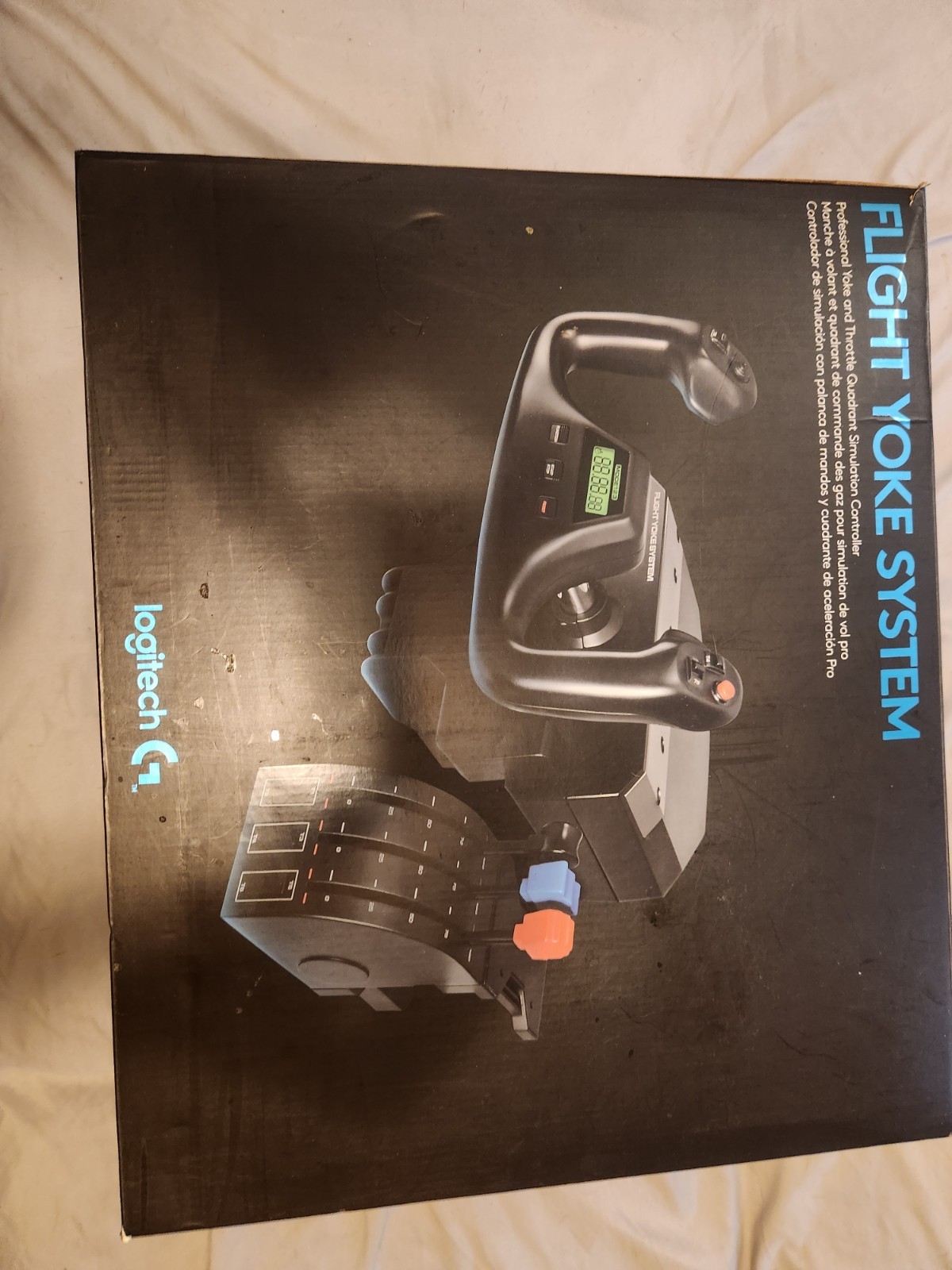
Logitech Flight Yoke System Professional Simulation Yoke and Throttle Quadrant is the direct choice for a PC-centered flight deck. Its named matte/anti-glare feature supplies a concrete reason to choose it, and the title's yoke-and-throttle-quadrant wording confirms the control pairing. The limitation is platform targeting: the compatible model is listed as PC, so Xbox-focused shoppers have a more clearly aligned fit with Turtle Beach. The 4ft. cable is another fixed setup detail to accommodate. Choose Logitech when PC use, the yoke-and-quadrant package, and the matte/anti-glare attribute align with your priorities.
Final choice by use case
- For Xbox One or Xbox Series plus PC: Choose Turtle Beach VelocityOne because its stated compatible platforms match that mixed-device setup.
- For a PC-focused flight simulator: Choose Logitech Flight Yoke System because PC is its listed compatible model and the package explicitly combines a yoke with a throttle quadrant.
- For a cockpit display feature: Choose Turtle Beach for the named Flight Management Display.
- For the lower listed-price route: Choose Logitech, provided its PC compatibility and matte/anti-glare feature fit your plan.
The decision is therefore less about declaring one universal winner and more about whether Turtle Beach's console reach and display feature justify its higher listed price for your particular flight simulator setup.
