Choosing flight sim yokes & throttles means balancing a lower-cost, straightforward controller against a more elaborate throttle layout. The Saitek focuses on a wired PC setup, while the Logitech adds a three-lever quadrant and several additional controls. The right pick depends on whether price, condition, or control features matter most.
Quick verdict
Saitek is the price-led route for a wired PC controller and throttle. Logitech costs USD 74.99 more and adds a three-lever throttle quadrant, LCD stopwatch/timer, programmable controls, and an integrated USB hub. Choose Saitek when the basic control format and lower listed price are the priority. Choose Logitech when the additional controls are central to your simulator setup. The choice also turns on the Saitek's used-condition caveats.
Listed-price comparison
| Product | Listed price |
|---|---|
| Saitek Pro Flight Yoke | USD 35.00 |
| Logitech G Pro Flight Yoke | USD 109.99 |
Where each product wins
Saitek wins for a focused PC setup
The Saitek's title and attributes center on a simulator controller and throttle for PC. That makes it the clearer fit when the goal is a direct yoke-and-throttle arrangement rather than a larger control feature set. Its lower listed price also makes the decision easier for shoppers who do not need an LCD display, programmable controls, or a built-in USB hub.
Logitech wins for expanded controls
The Logitech is the stronger match when a three-lever throttle quadrant, desk-mounting hardware, and extra control functions are important. Its named compatibility includes Microsoft Flight Simulator, X-Plane, and Prepar3D, giving shoppers a more specific simulator-use case to consider. The title and description also identify the unit as tested and working.
Product notes
Saitek Pro Flight Yoke System Simulator Controller Throttle
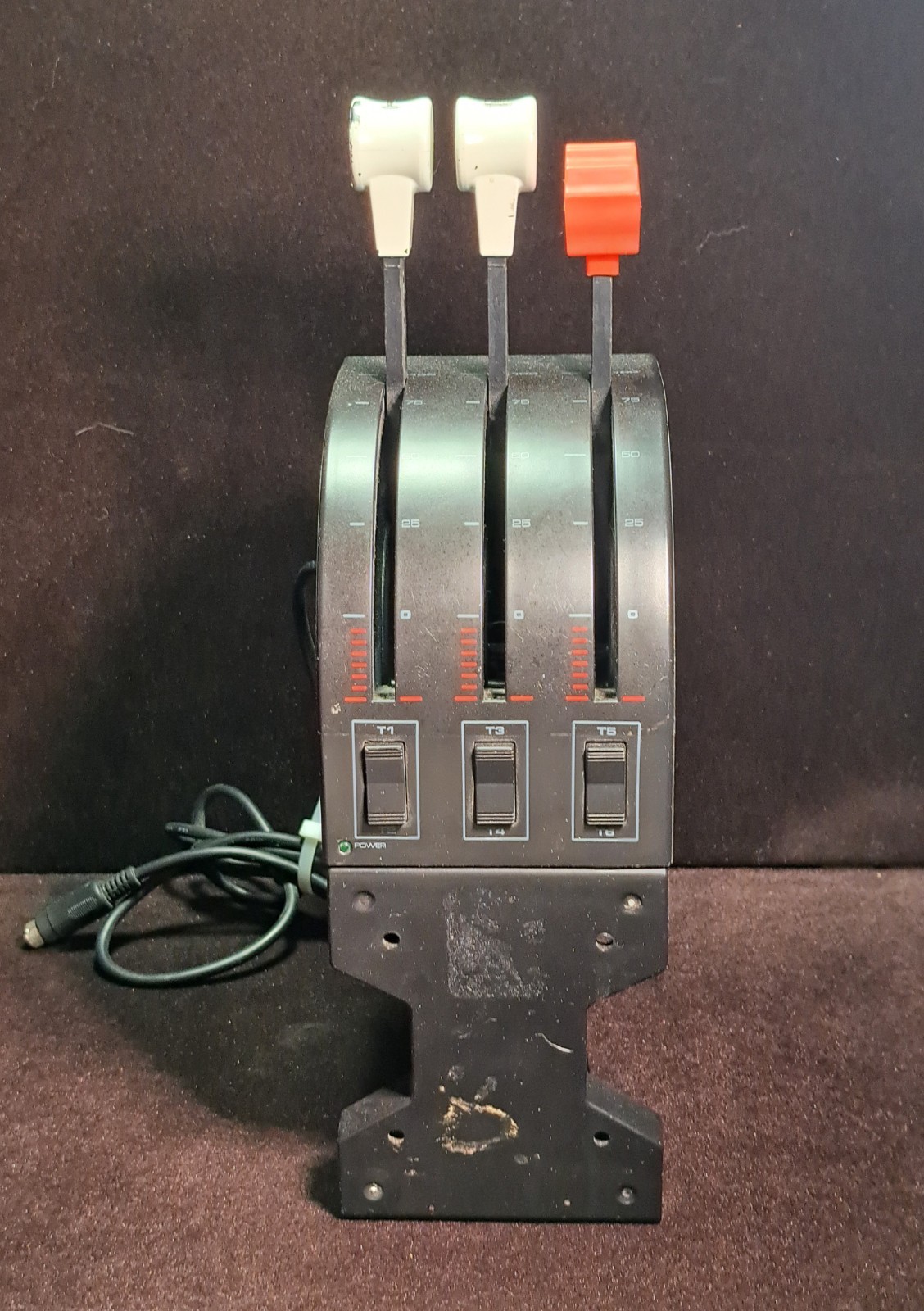
The Saitek Pro Flight Yoke System Simulator Controller Throttle suits a shopper who wants a wired PC control set with a clearly stated yoke-and-throttle focus. Its attributes identify a black plastic, used controller for PC, while the description presents it as a flight-simulation accessory for solo play. That makes it a fit when a straightforward, PC-focused arrangement is enough. The limitation is condition: the handles have chipped paint, and the pressure attachment screw and plate are missing. Those details matter if the physical finish or those attachment pieces are important to your setup. Choose Saitek when PC compatibility and the lower listed price lead the decision; choose differently when the missing pieces outweigh that advantage.
Logitech G Pro Flight Yoke System J-U0004 Throttle Quadrant PC Tested Working
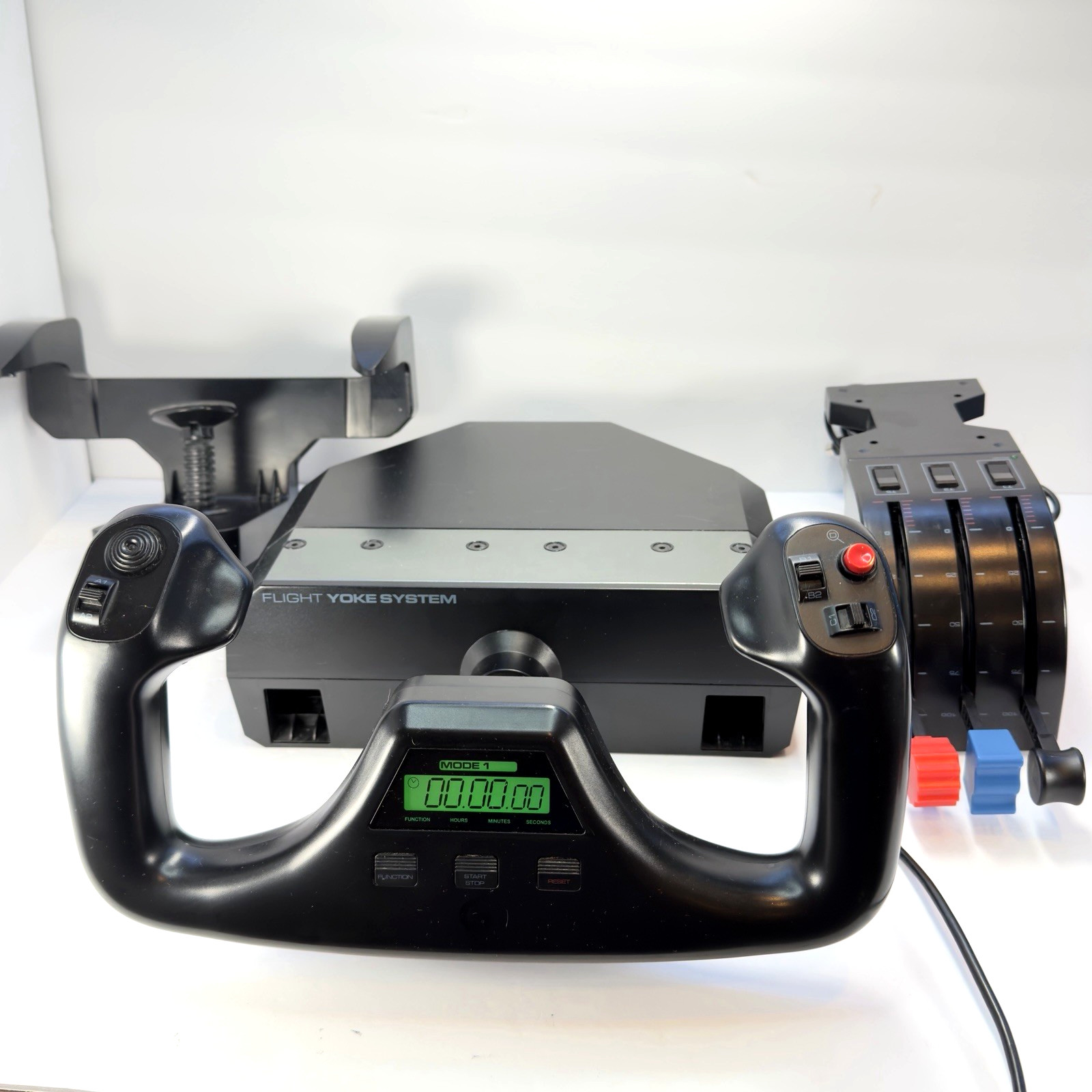
The Logitech G Pro Flight Yoke System J-U0004 Throttle Quadrant PC Tested Working suits shoppers who want a more specified flight-simulation setup. The description includes desk-mounting hardware and a wired USB connection for PC flight simulation, while compatibility is named for Microsoft Flight Simulator, X-Plane, Prepar3D, and more. The title and description also call the unit tested and working, a useful distinction when comparing its used condition. Its limitation is the higher listed price than Saitek's, so the added control hardware should be central to the purchase. Pick Logitech when named simulator support and the fuller setup align with your use; otherwise, Saitek keeps the decision narrower.
Final choice by use case
Choose the Saitek Pro Flight Yoke System Simulator Controller Throttle for a wired PC arrangement centered on a straightforward yoke-and-throttle format, provided its chipped handles and missing pressure-attachment pieces are acceptable.
Choose the Logitech G Pro Flight Yoke System J-U0004 Throttle Quadrant PC Tested Working when the three-lever layout, tested-working wording, named simulator compatibility, and additional controls matter more than the higher listed price. The $74.99 spread is easiest to justify when those specific additions will be part of your setup.
