Choosing a retro legacy gaming setup often comes down to a practical question: do you want a self-contained console that carries a built-in library, or a compact stick that turns your TV into a retro hub? The two options here answer that question in opposite ways. Your TV input and your preferred way to play with other people will drive the decision. There is no single correct answer, but the differences are clear enough to make picking a matter of matching the device to your screen.
Quick verdict
Go with the Retro Gaming Console when you want a library in a single box. Go with the G36PRO when you want a slim TV stick with two wireless controllers for instant two-player sessions.
At a glance
Listed prices set the practical boundary. From there, the real difference is connection style and how much library you want built in. One product leans on a preloaded collection; the other leans on storage you can use your way.
| Product | Listed price | Price bar |
|---|---|---|
| Retro Gaming Console with 620 Built-in Games | USD 30.00 | |
| G36PRO TV Video Game Stick | USD 88.99 |
Where each product wins
The Retro Gaming Console wins on the game library that is already inside and the classic connection path. The G36PRO wins on the modern TV connection and the amount of onboard storage, which changes how much content you can keep on the stick.
Product notes
Retro Gaming Console with 620 Built-in Games
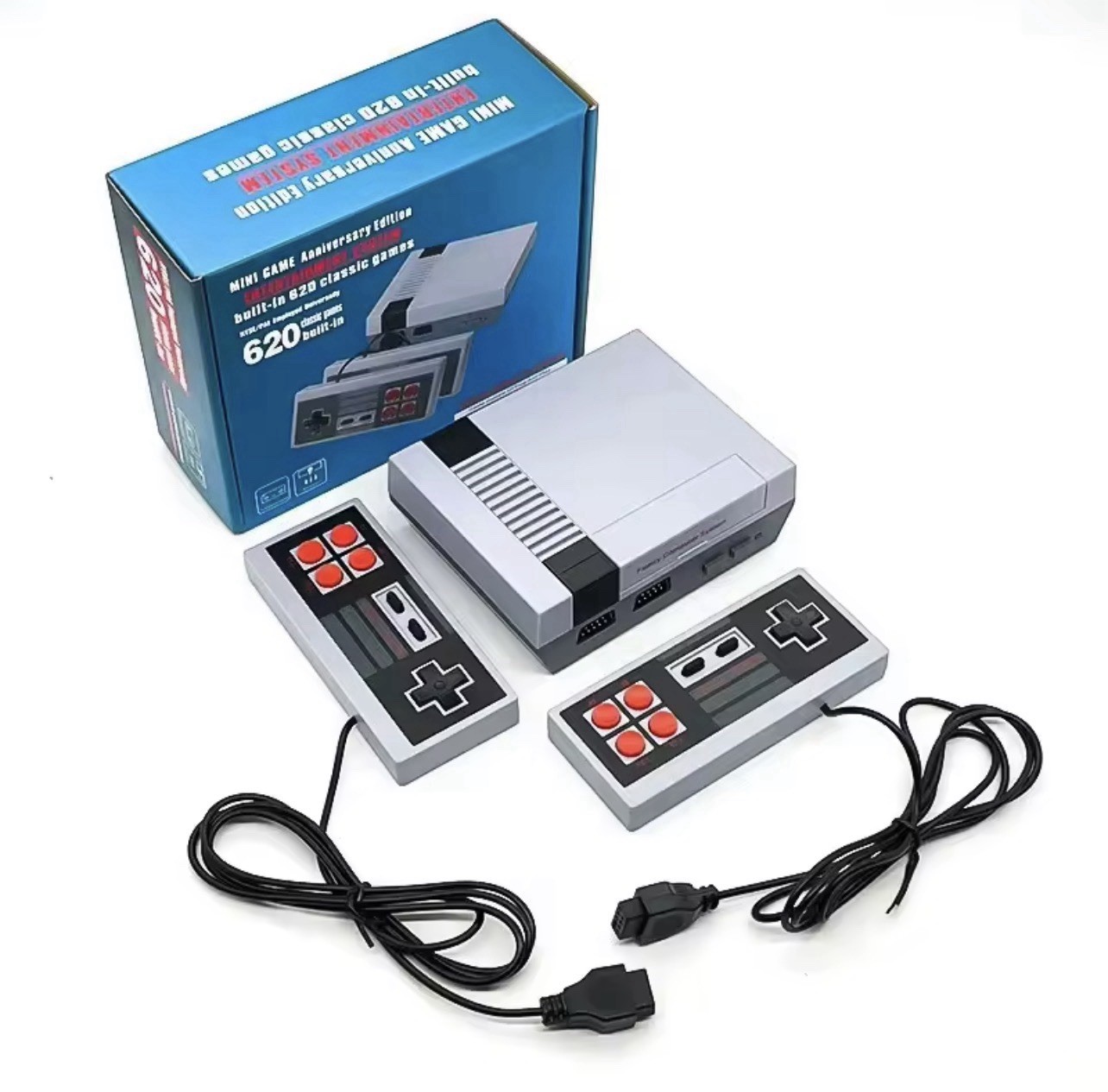
The headline here is 620 built-in games, which means the library is already in the box before you plug anything in. No cartridge sorting, no downloads, and no extra storage to manage-just power on and pick a title. The console uses Component RCA connectivity and 480p output, so it is aimed at displays that accept that kind of signal. A charger is included, and the gray shell gives it a classic console look. It is also marked Region Free, which removes that compatibility variable from the equation. The honest limitation is the video path: 480p over Component RCA is not an HDMI-style signal, so you need a display that can accept it. If your screen already works with RCA-style inputs, this is a compact, self-contained way to access a very large built-in roster.
G36PRO TV Video Game Stick
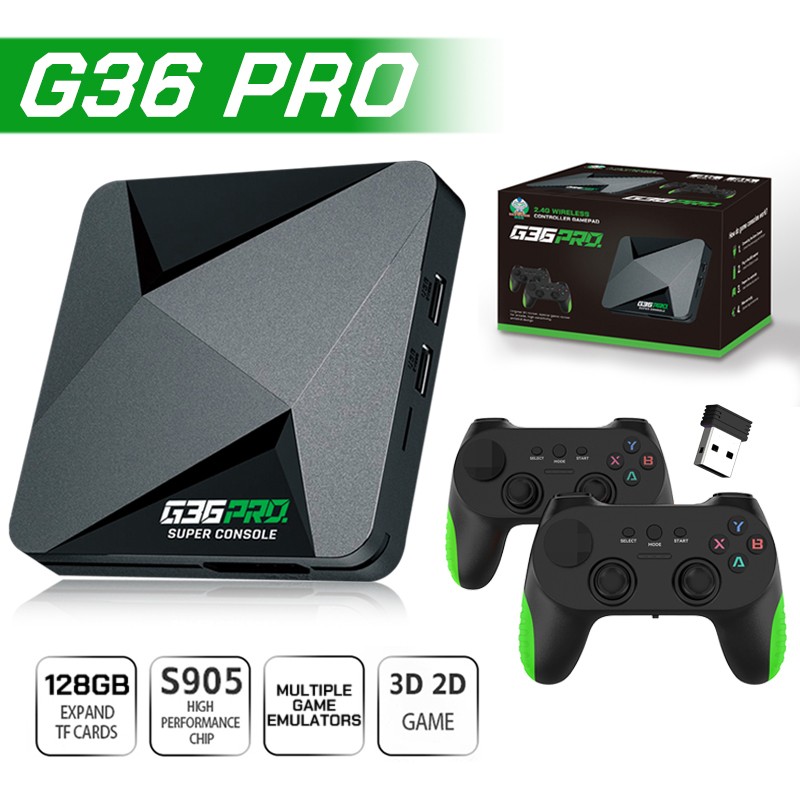
The G36PRO shifts the retro approach to a stick form with 128GB of storage, which is the clearest difference from the built-in-library console. It connects over HDMI, so it is designed for a TV that already has an HDMI input. The bundle includes two wireless controllers, which makes it easy for a second player to jump in without a wired controller nearby. The plug-and-play setup is aimed at people who want a straightforward path from power-on to gameplay. The limitation is the connection requirement: as an HDMI stick, it needs an HDMI-compatible TV. For a living room that is already HDMI-based, this is the route that matches that input.
Final choice by use case
Choose the Retro Gaming Console when you want a ready-made library and a classic RCA-style connection. Choose the G36PRO TV Video Game Stick when you want a storage-forward stick and a modern TV connection. Both are new retro-focused options, but they serve different screens and play styles.
