Choosing flight sim yokes & throttles comes down to a basic fork: do you need yoke-based control hardware, or are you arranging throttle equipment you already own? The Logitech Saitek Pro Flight Yoke System Throttle Simulator and the Dual 45 Degree Tilt Adapter For Saitek/Logitech Flight Sim Throttle Quadrant serve different jobs, so the lower price alone should not decide the purchase.
Quick verdict
Choose the Logitech Saitek system when a yoke is the priority. Choose the Dual 45 Degree Tilt Adapter when the goal is a dual-throttle layout built around existing quadrants. The listed prices differ by $39.46, but the more important difference is purpose: one is a yoke-system purchase, while the other is an adapter. The adapter does not replace the yoke system, and the yoke system is not a simple mounting accessory.
At a glance
| Product | Listed price | Main role |
|---|---|---|
| Logitech Saitek Pro Flight Yoke System Throttle Simulator | USD 74.95 | Yoke system with throttle simulator |
| Dual 45 Degree Tilt Adapter For Saitek/Logitech Flight Sim Throttle Quadrant | USD 35.49 | Tilt adapter for a flight sim throttle quadrant |
Where each product wins
- Logitech Saitek Pro Flight Yoke System Throttle Simulator: Best suited to a yoke-first rig. The product title directly identifies a yoke system and throttle simulator, making it the relevant choice when the missing piece is flight-control hardware rather than a mounting arrangement.
- Dual 45 Degree Tilt Adapter For Saitek/Logitech Flight Sim Throttle Quadrant: Better aligned with an existing throttle setup that needs repositioning. Its adapter format addresses cockpit layout, not the addition of a yoke or a standalone throttle control.
Product notes
Logitech Saitek Pro Flight Yoke System Throttle Simulator
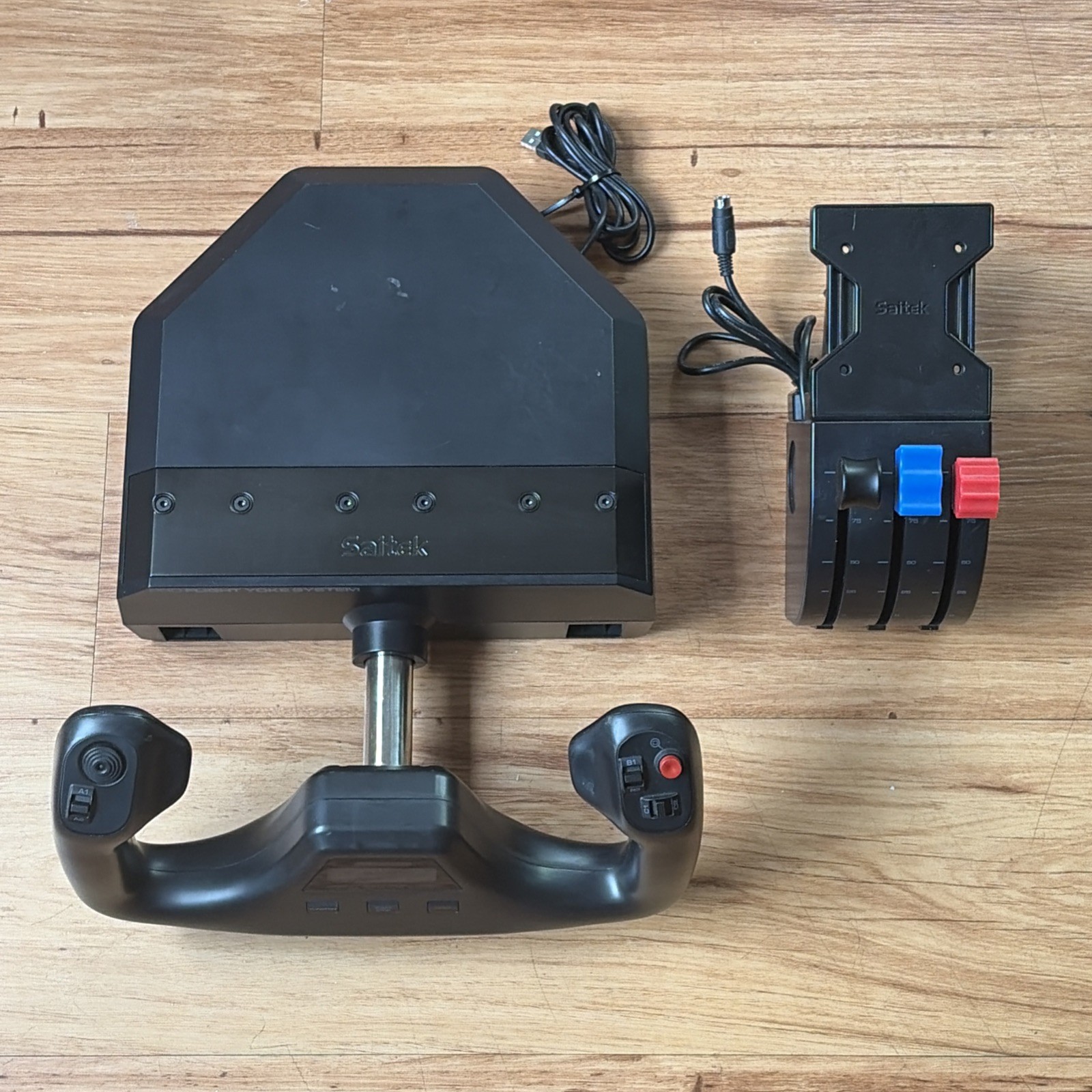
The Logitech Saitek Pro Flight Yoke System Throttle Simulator is the more direct match for a shopper who wants yoke-system hardware rather than a positioning accessory. It has a black, wired USB controller attachment and a 4ft cable, giving the setup a defined connection format. The important limitation is concrete: the item is listed as used and the title includes "Missing Yoke Clamp." That caveat matters for anyone planning to secure the yoke in a normal desktop arrangement. A matte/anti-glare feature is also specified, but it does not change the central choice: yoke hardware versus throttle-quadrant positioning. Pick it when the yoke phrase in the title matches the control you need and the used condition fits your plans.
Dual 45 Degree Tilt Adapter For Saitek/Logitech Flight Sim Throttle Quadrant
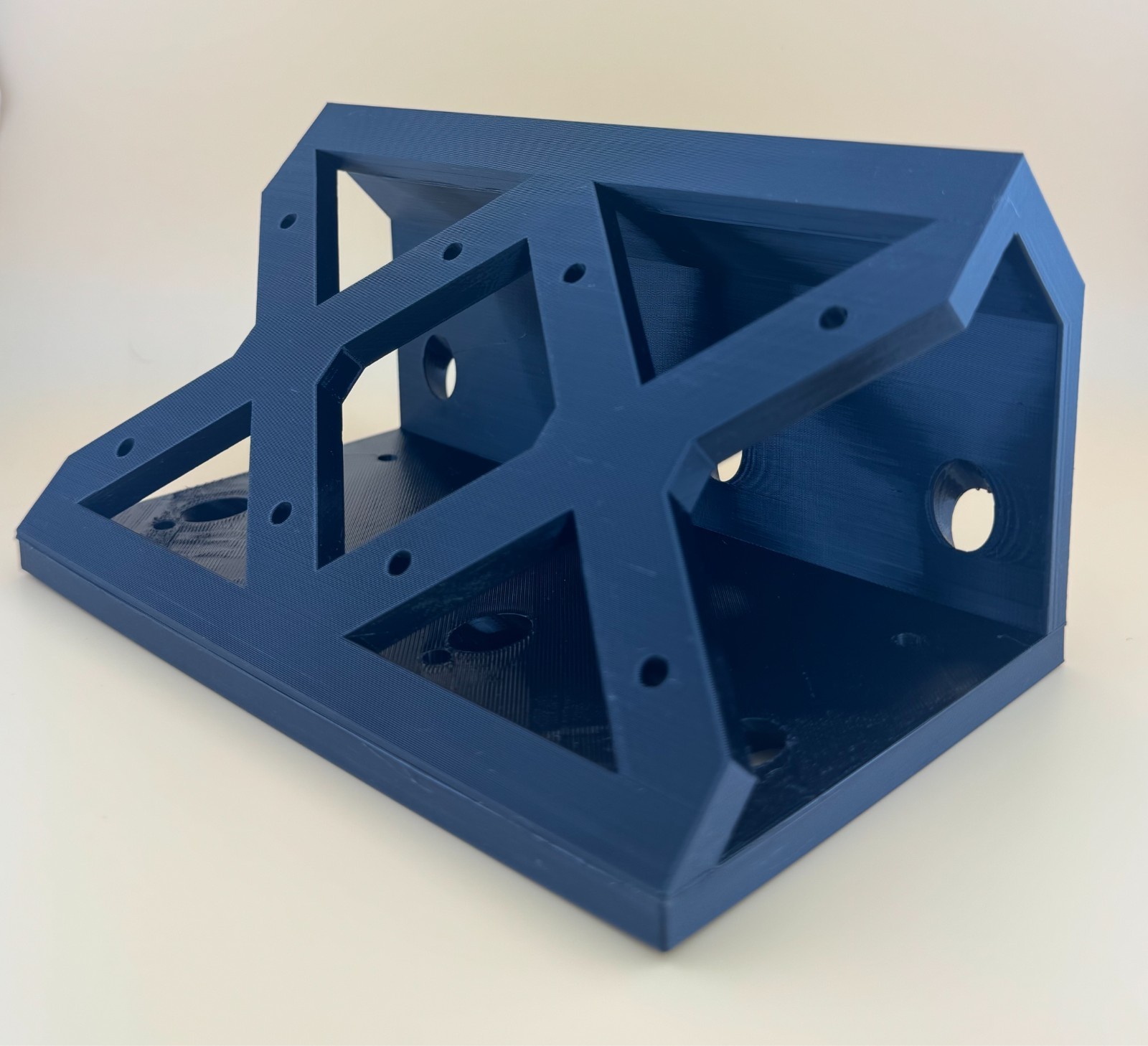
The Dual 45 Degree Tilt Adapter For Saitek/Logitech Flight Sim Throttle Quadrant is a focused way to alter the placement of two throttle quadrants. The description specifies a 45-degree angle to the original table mounts, while the attributes identify a new, black plastic controller attachment for PC. That makes the adapter relevant for a dual-quadrant arrangement, especially when existing hardware is already on hand. Its key limitation is that throttle quadrants and screws are not included, so the purchase covers the adapter rather than a complete throttle control set. It also serves a different role from the Logitech Saitek yoke system: positioning instead of yoke input. Choose it when layout is the priority and the omitted hardware is already available.
Final choice by use case
- For a yoke-first flight sim setup: Choose the Logitech Saitek Pro Flight Yoke System Throttle Simulator. Its title's yoke-system format directly matches that use case, with the used condition and missing clamp as important practical considerations.
- For arranging existing throttle controls: Choose the Dual 45 Degree Tilt Adapter For Saitek/Logitech Flight Sim Throttle Quadrant. The 45-degree dual-quadrant design targets positioning, while the separate-quadrant and screw requirement defines what else the setup needs.
These are not two versions of the same control. Match the Logitech Saitek system to a need for yoke hardware, and match the Dual 45 Degree Tilt Adapter to a need for throttle-quadrant placement.
