Choosing flight sim yokes & throttles is really a choice between two different control briefs. The Logitech Saitek Pro Flight Yoke System Throttle Simulator names a combined setup, while the FSW Flight Yoke emphasizes a dedicated yoke and specific simulator support. The buyer decision is simple: which description matches your simulator and the way you want to build your controls?
Quick verdict
Logitech is the clearer fit when a 4ft cable specification matters to your setup. FSW is the clearer fit when its Cessna-style handle and dedicated trim and button controls matter more. The comparison below separates shared USB connectivity from the details that actually change the choice.
Listed-price and attribute comparison
| Decision point | Logitech Saitek Pro Flight Yoke | FSW Flight Yoke |
|---|---|---|
| Listed price | USD 74.95 | USD 500.00 |
| Absolute spread | $425.05 to FSW | $425.05 from Logitech |
| Connectivity | Wired USB | Wired USB |
| Condition | Used | Used |
Where each product wins
Logitech Saitek Pro Flight Yoke
The Logitech wins when a specific physical detail is the tie-breaker. Its attributes identify a matte/anti-glare feature, giving shoppers a concrete finish detail to weigh. The 4ft cable is another clear point for anyone comparing cable specifications before choosing a setup. These are fit criteria, not claims that a particular cable length or finish improves flight performance. The title also names a throttle simulator, which makes Logitech relevant when the purchase brief includes more than a yoke alone.
FSW Flight Yoke
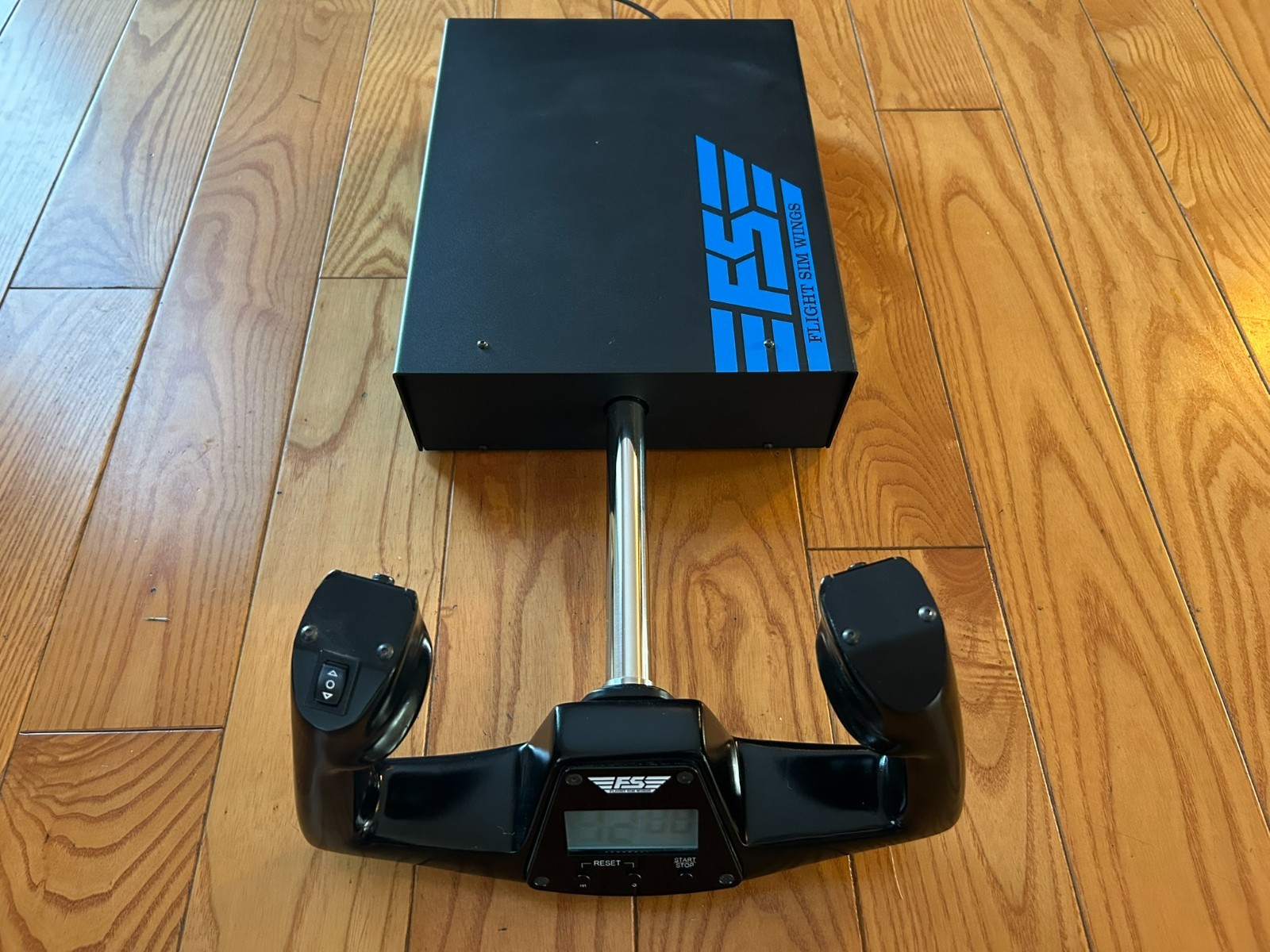
FSW wins when named simulator coverage is decisive. Its description lists X-Plane 10, 11, and 12; Microsoft Flight Simulator 2020 and 2024; and Prepar3D. It also says standard HID protocols communicate with the computer without drivers. That gives a direct choice for shoppers whose software appears in that list. The description further names contact-less sensors for pitch and roll, but the recommendation should rest on the specific controls and software you want.
Product notes
Logitech Saitek Pro Flight Yoke System
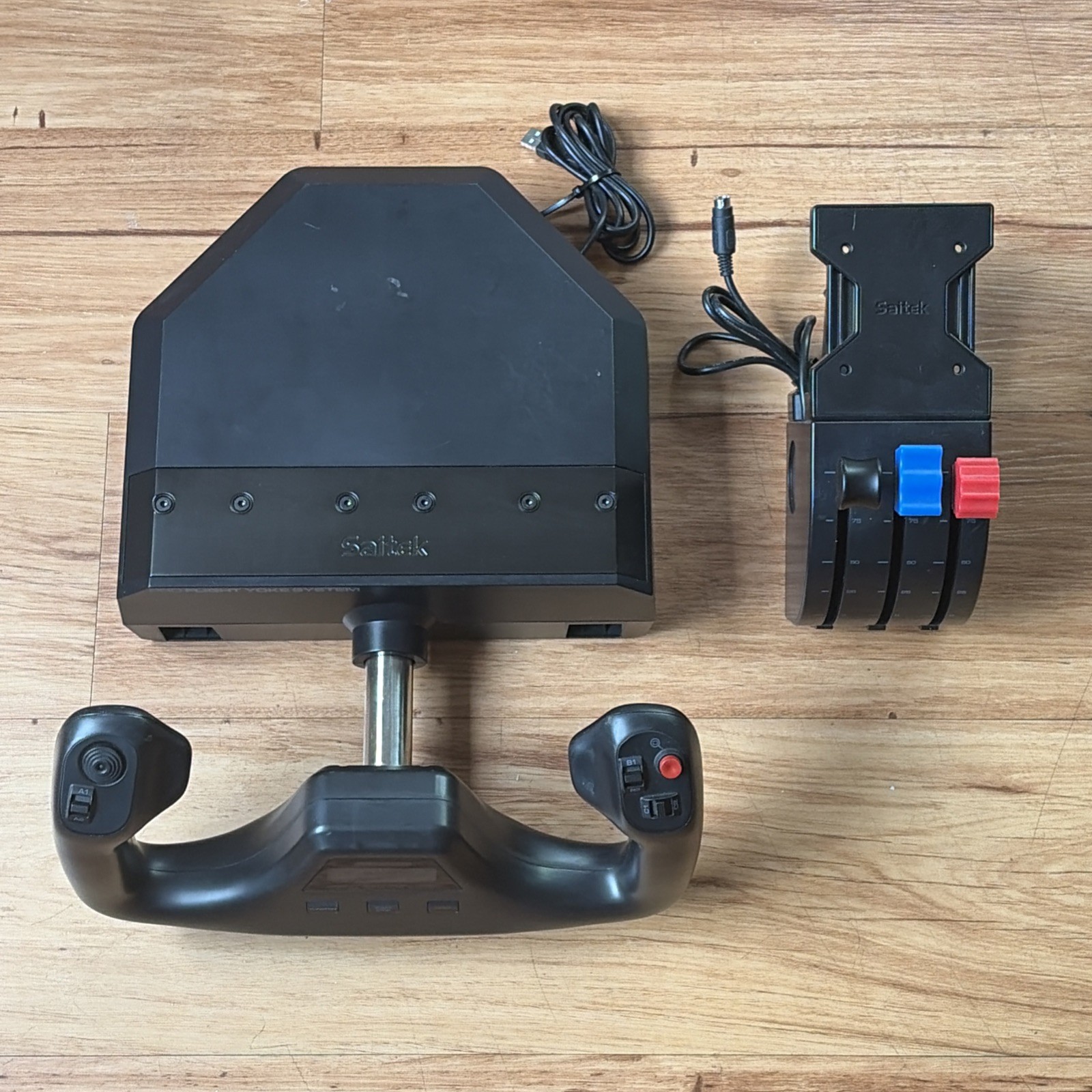
The Logitech Saitek Pro Flight Yoke System is a sensible choice for shoppers who care about the explicitly named matte/anti-glare feature. That gives the setup a concrete finish detail to weigh. The key limitation is printed in the title itself: "Missing Yoke Clamp." This makes the clamp issue central to the purchase decision rather than a minor footnote. Choose the Logitech when the finish detail suits your plan and the clamp limitation is acceptable; leave it out when that missing clamp is unacceptable for your intended setup. Its Used condition adds context to how this choice should be weighed.
FSW Flight Yoke
FSW Flight Yoke suits shoppers who want a Cessna-style yoke handle alongside clearly named controls: contact-less sensors for pitch and roll, an electric trim rocker switch, and two momentary push buttons. The USB-powered clock with timer is another specific part of the described control set, while standard USB HID operation and no required drivers support the stated plug-and-play approach. The practical limitation is fit to the brief: its title presents a flight yoke rather than the yoke-and-throttle wording used by Logitech. That distinction matters to anyone selecting a combined control package. Choose FSW when these named controls are the attraction; choose the Logitech system when the throttle wording is essential.
Final choice by use case
- Choose the Logitech Saitek Pro Flight Yoke System if you need a yoke-and-throttle format explicitly named in the title and can accept the "Missing Yoke Clamp" limitation.
- Choose the FSW Flight Yoke if your simulator is X-Plane 10, 11, or 12, Microsoft Flight Simulator 2020 or 2024, or Prepar3D, and the stated no-driver USB HID approach fits your setup.
The $425.05 spread is a useful tie-breaker after the functional fit. Because both are marked Used and Wired USB, those shared attributes do not decide between them. The final call is therefore straightforward: choose the combined control wording for Logitech, or the named software and no-driver approach for FSW.
