Choosing between flight sim yokes & throttles often comes down to a sharp tradeoff: do you want a focused PC controller attachment, or a yoke with explicitly named cockpit controls and simulator coverage? The Logitech J-U0004 and FSW Flight Yoke suit different setup priorities. The useful shortcut is to match the listed controls to the way you plan to fly.
Quick verdict
The Logitech J-U0004 is the better fit for a PC gamer who wants a focused controller attachment. FSW Flight Yoke is the stronger match for someone seeking a more elaborate cockpit-control layout. At $60 versus $500, the $440 difference needs to be justified by the FSW's additional listed controls and software references, not by the wired USB connection that both products share.
At-a-glance comparison
| Product | Listed price | Condition | Connectivity |
|---|---|---|---|
| Logitech J-U0004 Flight Yoke | USD 60.00 | Used | Wired, USB |
| FSW Flight Yoke | USD 500.00 | Used | Wired, USB |
Where each one wins
- Logitech J-U0004: It wins for a PC-first brief. The compatible model is listed as being for PC, the title specifies No Clamp, and the description gives a 1.8m cable length. Those details suit shoppers focused on a direct flight-yoke attachment rather than a larger collection of cockpit controls.
- FSW Flight Yoke: It wins on explicit simulator coverage and control detail. The title names X-Plane, Microsoft Flight Simulator 2020 and 2024, and Prepar3D. Its description also lists integrated USB HID with plug-and-play operation and says standard HID protocols require no drivers.
Product notes
Logitech J-U0004 Flight Yoke
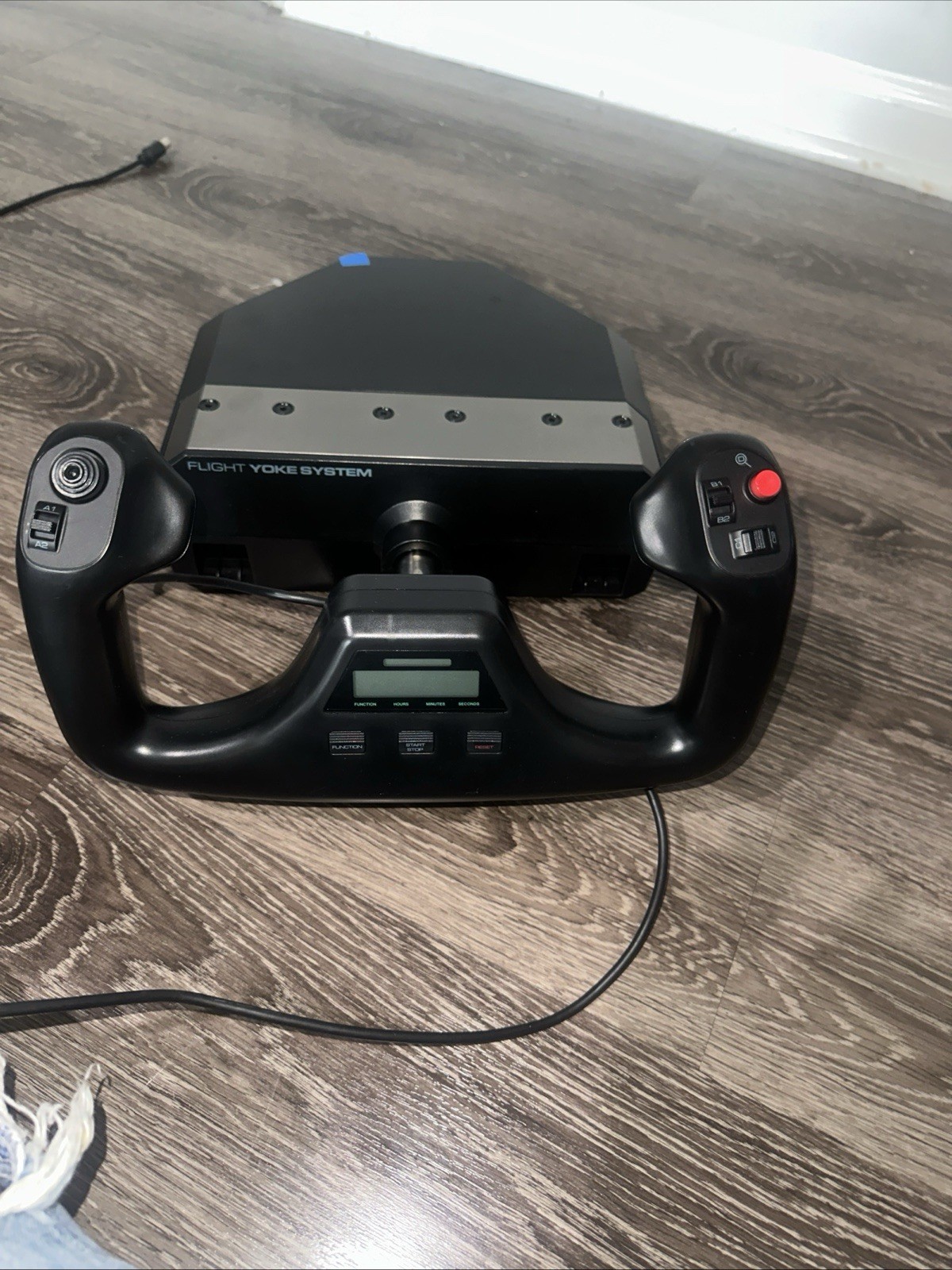
Logitech J-U0004 is the better fit for a shopper who wants the ergonomic, glossy controller attachment described for PC gaming. It also lists a 1.8m cable, giving the setup a concrete connection-length detail without adding another control system to the decision. The limitation is equally clear: the title says No Clamp. The description centers compatibility on PC gaming plus games and consoles, so it is not the natural pick for someone prioritizing the broader simulator coverage associated with FSW. Choose Logitech when the ergonomic PC attachment meets the brief and the focused feature set is preferable to extra cockpit controls.
FSW Flight Yoke - Flight Sim Wings
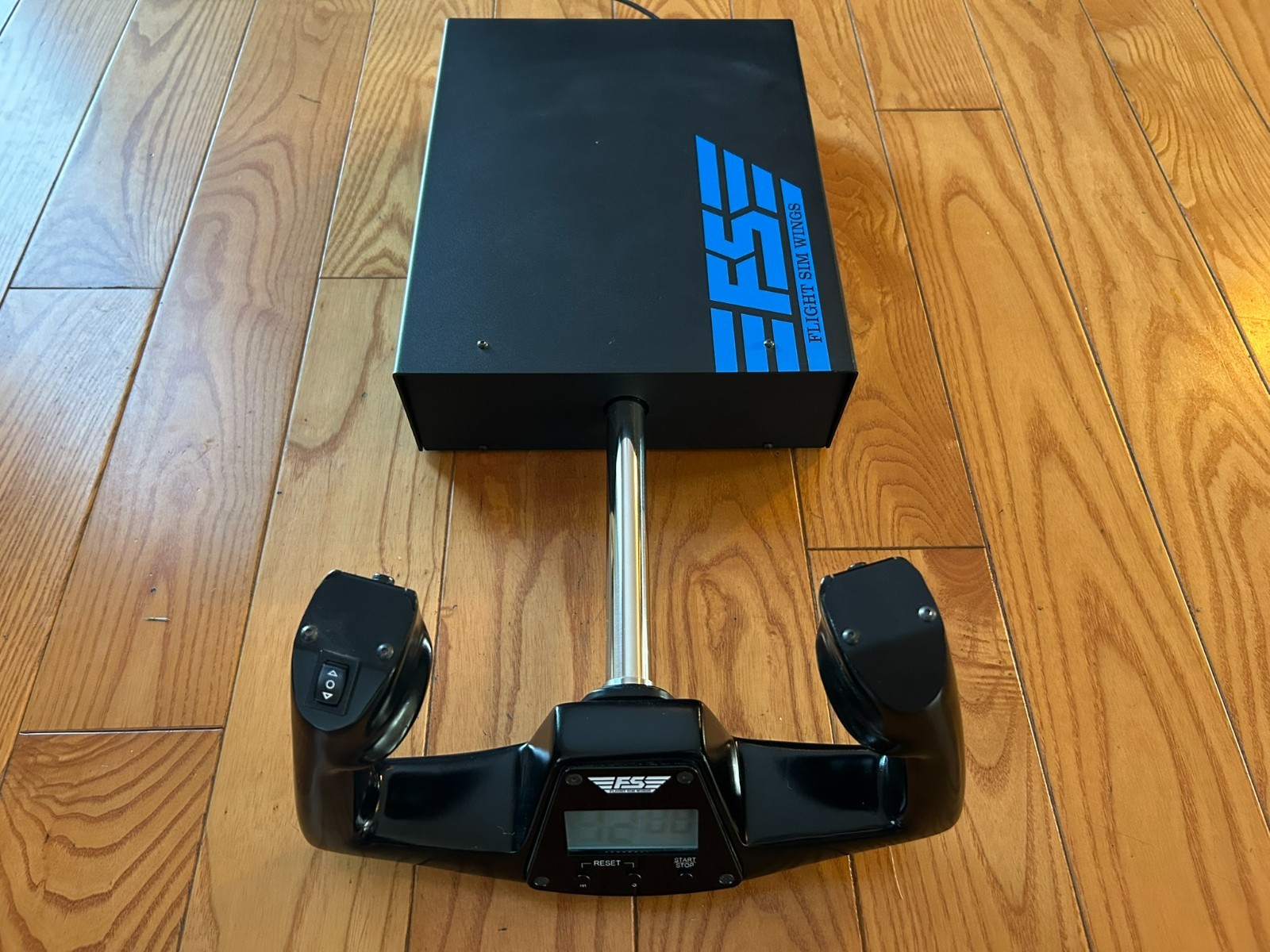
FSW Flight Yoke is for shoppers who want the control-focused side of this comparison spelled out in hardware terms. The description names a Cessna-style yoke handle, contact-less sensors for pitch and roll, an electric trim rocker, two momentary push buttons, and a USB-powered clock with timer. Those details create a clear cockpit-oriented use case for someone who will use more than the yoke's primary movement. The limitation is that its condition is listed as used. Choose FSW when the Cessna-style handle, trim control, extra buttons, and timer matter enough to outweigh the simpler Logitech approach.
Final choice by use case
Choose Logitech J-U0004 when the ergonomic, glossy controller attachment is the deciding detail. Choose FSW Flight Yoke when its Cessna-style handle, pitch-and-roll sensors, trim rocker, buttons, and clock/timer justify the larger feature set. For a shopper comparing flight sim yokes & throttles, this is ultimately a choice between Logitech's focused PC attachment and FSW's named cockpit controls.
