Choosing flight sim yokes & throttles comes down to a basic fork: do you need the actual control hardware for flying, or an angled mounting accessory for throttle quadrants you already own? The Logitech G Pro Flight Yoke System J-U0004 Throttle Quadrant PC Tested Working is a yoke-and-throttle setup for PC flight simulation. The Dual 45 Degree Tilt Adapter For Saitek/Logitech Flight Sim Throttle Quadrant is an attachment for positioning two quadrants. They solve different problems, so the right choice depends on what your cockpit already includes.
Quick verdict
Choose the Logitech system if you need a wired USB flight yoke and 3-lever throttle quadrant with programmable controls, an LCD stopwatch/timer, and an integrated USB hub. Choose the Lune Constructs adapter if two compatible throttle quadrants are already part of your setup and the useful change is a 45-degree mounting angle. The price spread is $75, reflecting the difference between a control system and an accessory that does not include the quadrants.
At a glance
| Product | Listed price | What it does | Best fit |
|---|---|---|---|
| Logitech G Pro Flight Yoke System J-U0004 Throttle Quadrant PC Tested Working | USD 109.99 | Yoke, 3-lever throttle quadrant, wired USB, programmable controls, LCD timer, integrated USB hub | PC flight simulation |
| Dual 45 Degree Tilt Adapter For Saitek/Logitech Flight Sim Throttle Quadrant | USD 34.99 | 45-degree mount for two throttle quadrants; quadrants not included | Angled arrangement of compatible quadrants |
Where each product wins
Logitech wins for an integrated control setup
The Logitech system is the clear fit when the goal is to add a yoke and throttle controls together. Its described compatibility includes Microsoft Flight Simulator, X-Plane, and Prepar3D, while the programmable buttons, LCD display, and USB hub add functions beyond the primary controls. The wired USB connection also gives it a defined role in PC flight simulation.
The Dual 45 Degree Tilt Adapter wins for cockpit positioning
The Dual 45 Degree Tilt Adapter makes more sense when the throttle hardware is already available. Its purpose is specific: mounting two Saitek/Logitech throttle quadrants at a 45-degree angle to the original table mounts. That makes it a positioning solution rather than a replacement for a yoke or throttle quadrant.
Product notes
Logitech G Pro Flight Yoke System J-U0004 Throttle Quadrant PC Tested Working
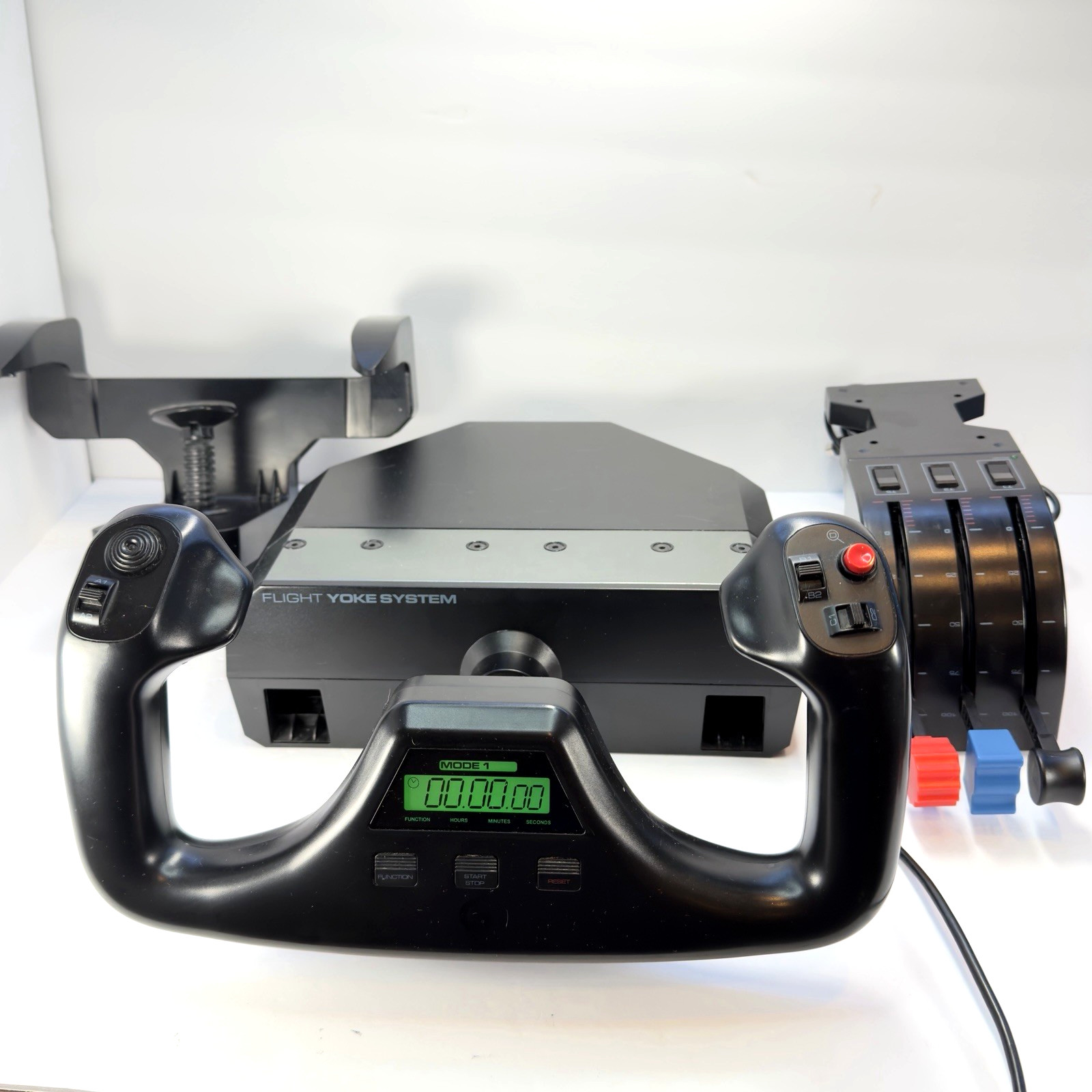
The Logitech G Pro Flight Yoke System J-U0004 Throttle Quadrant PC Tested Working brings the main control pieces together: a flight yoke, a 3-lever throttle quadrant, desk mounting hardware, and a wired USB setup for PC flight simulation. Programmable controls, an LCD stopwatch/timer, and an integrated USB hub give the system several built-in functions. Compatibility is stated for Microsoft Flight Simulator, X-Plane, Prepar3D, and more, making it the practical choice when the goal is to fly rather than rearrange existing hardware. The limitation is its used condition, so it is not the same kind of new accessory purchase as the Lune Constructs adapter. Its USD 109.99 price also puts it $75 above the adapter.
Dual 45 Degree Tilt Adapter For Saitek/Logitech Flight Sim Throttle Quadrant
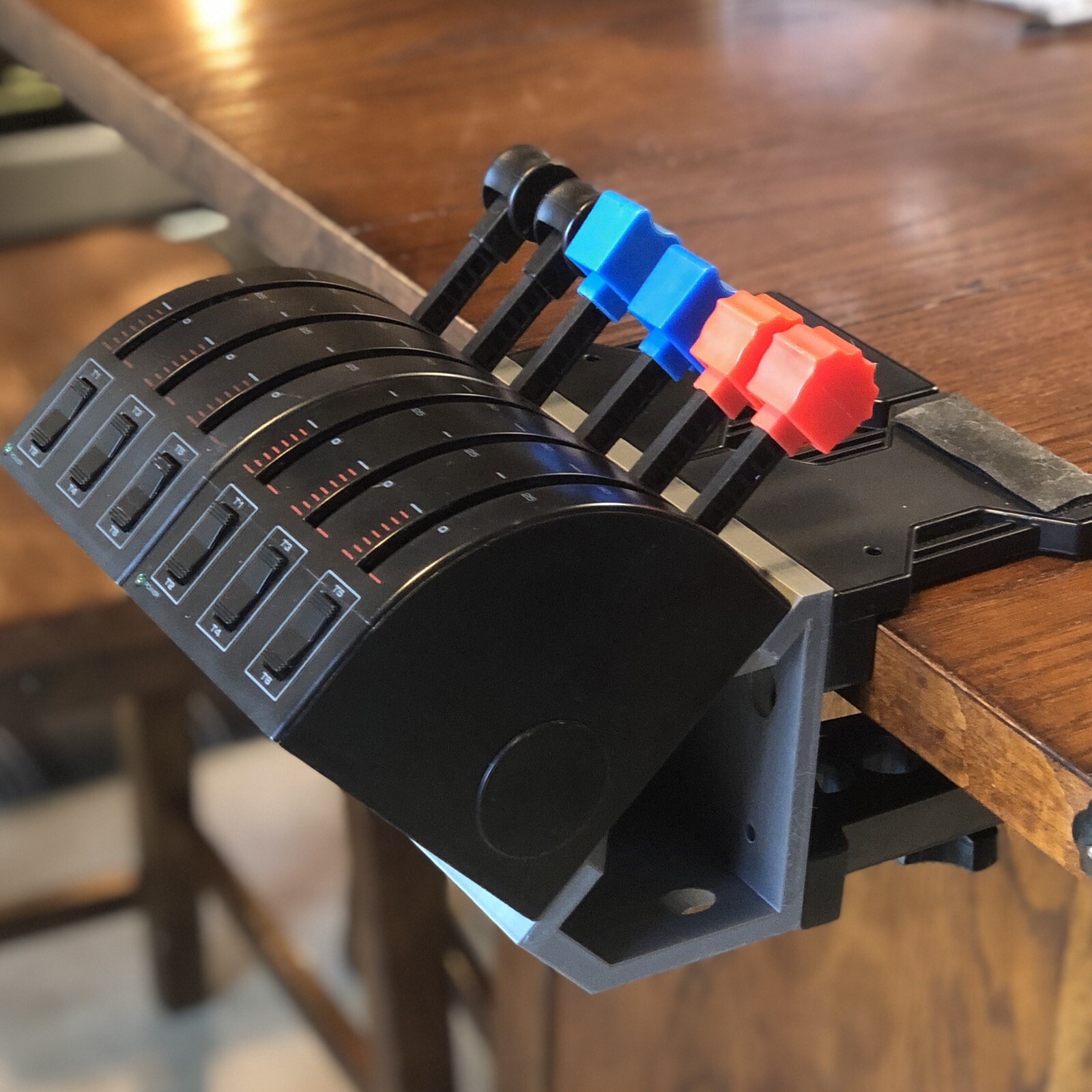
The Dual 45 Degree Tilt Adapter For Saitek/Logitech Flight Sim Throttle Quadrant addresses a narrower setup need. Its stated purpose is to mount two throttle quadrants at a 45-degree angle to the original table mounts, and the package includes the adapter, screws, and hex nuts. That makes it the relevant pick for a cockpit arrangement built around two compatible Saitek/Logitech quadrants. The important limitation is explicit: throttle quadrants are not included, so the adapter cannot replace a yoke-and-throttle system. It is identified as a plastic external attachment with controller-attachment connectivity, keeping its role focused on mounting rather than adding flight controls. At USD 34.99, it suits a setup that already has the necessary quadrants.
Final choice by use case
- For a PC flight-simulation control set: Choose the Logitech G Pro Flight Yoke System J-U0004 Throttle Quadrant PC Tested Working. The yoke, 3-lever quadrant, wired USB connection, and stated game compatibility address the need for flight controls in one system.
- For arranging two existing throttle quadrants: Choose the Dual 45 Degree Tilt Adapter For Saitek/Logitech Flight Sim Throttle Quadrant. Its 45-degree mounting function is the deciding attribute, with the no-quadrants-included limitation in mind.
- For comparing them as direct substitutes: Treat them as different purchase types. Logitech supplies control hardware; the Dual 45 Degree Tilt Adapter changes the position of compatible throttle hardware. The better choice follows from that distinction, not from the price alone.
