Choosing among flight sim yokes & throttles can feel like a comparison until you notice the central split: one option is a control yoke, while the other is an adapter for positioning throttles. The right pick depends on whether you need to add hands-on flight input or change the layout of hardware you already own. Here's the fast call: Logitech for yoke control; the Dual adapter for a 45-degree throttle arrangement.
Quick verdict
Pick the Logitech J-U0004 Flight Yoke if your priority is direct yoke control on a PC. Pick the Dual 45-Degree Tilt Adapter if you are arranging compatible throttle hardware rather than adding a new control surface. The Logitech is $60.00 and the adapter is $35.49, a $24.51 difference, but these are not like-for-like alternatives: they solve different setup jobs.
Listed comparison
| Product | Listed price | Format | PC fit | Condition |
|---|---|---|---|---|
| Logitech J-U0004 Flight Yoke; No Clamp | $60.00 | Flight yoke; wired USB | For PC | Used |
| Dual 45-Degree Tilt Adapter for Saitek/Logitech Flight Sim Throttle Quadrant | $35.49 | Controller attachment | For PC | New |
Where each product wins
- Logitech J-U0004 Flight Yoke: The stronger fit when you specifically need a flight yoke, with wired USB connectivity and controller compatibility.
- Dual 45-Degree Tilt Adapter: The better match for changing the angle and placement of a Saitek or Logitech throttle setup.
Product notes
Logitech J-U0004 Flight Yoke; No Clamp
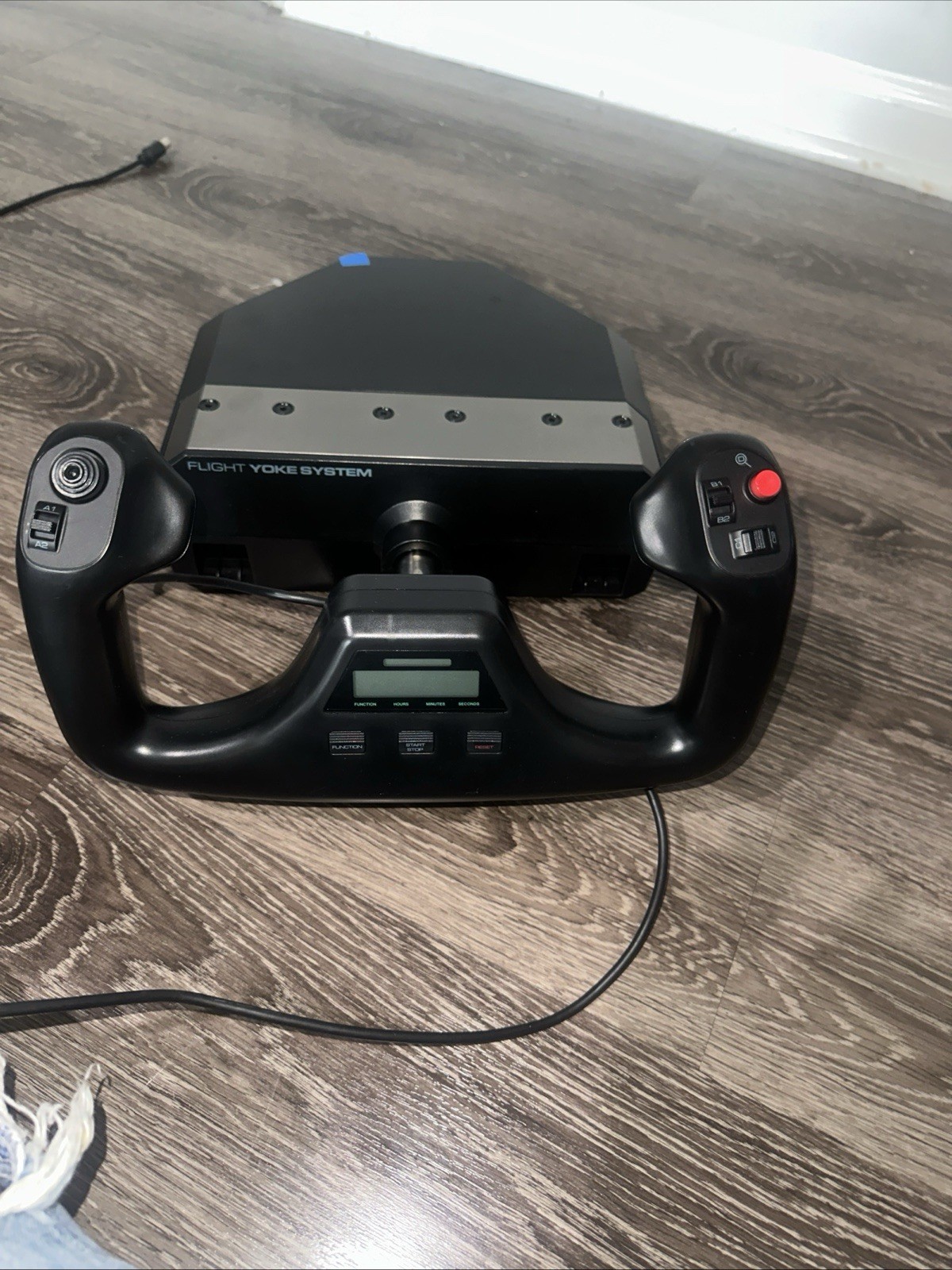
The Logitech J-U0004 Flight Yoke is the direct fit for someone whose priority is a physical yoke for PC gaming. It brings together a wired USB connection, a 1.8m cable, controller compatibility, and an ergonomic glossy finish, so the setup brief is clear: add yoke-style input rather than reposition existing throttle hardware. Its concrete drawback is the title's "No Clamp" wording, and the unit is marked used. That matters if your setup depends on a clamp or if you want a new-condition item. The title also identifies a flight yoke, not a throttle-quadrant mounting accessory, so it cannot serve the adapter's layout-focused role. Choose it for the control surface itself while accepting those condition and mounting limitations.
Dual 45-Degree Tilt Adapter for Saitek/Logitech Flight Sim Throttle Quadrant
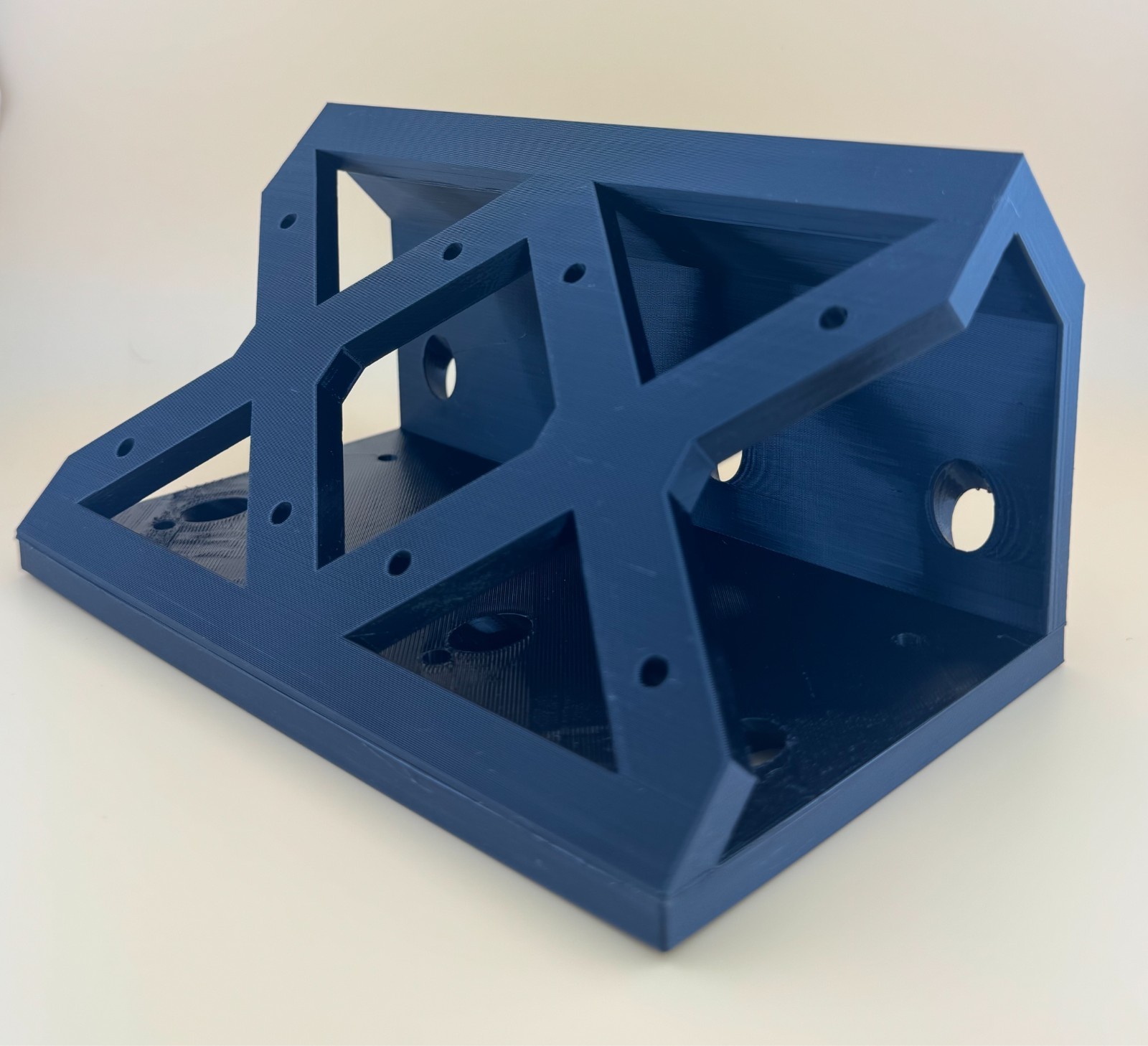
The Dual 45-Degree Tilt Adapter is the focused choice for a throttle-based setup built around Saitek or Logitech quadrants. It is designed to mount two quadrants at a 45-degree angle to the original table mounts, with the stated goal of improving access and comfort. Its black plastic construction and controller-attachment format keep its role clear: this is a positioning accessory, not a replacement control unit. The limitation is practical and explicit: throttle quadrants and screws are not included. It also does not provide the yoke input named in the Logitech title. Choose it when changing the arrangement is the job and the required throttle hardware is already part of your plan.
Final choice by use case
- For a yoke-first setup: Choose the Logitech J-U0004 Flight Yoke; No Clamp. Its product type, wired USB connection, and PC compatibility align with adding direct flight-control input.
- For a throttle-layout project: Choose the Dual 45-Degree Tilt Adapter. Its Saitek/Logitech wording and stated mounting purpose fit shoppers changing how their throttle controls sit.
- For deciding between them: Start with the hardware task, not the price. A flight yoke and a throttle adapter are complementary categories, so the correct choice follows the control you need to add or the arrangement you need to change.
