Choosing flight sim yokes & throttles comes down to control breadth versus a more focused setup. One listing combines a yoke, throttle quadrant, rudder pedals, and X3D Pro joystick at $130, while the other pairs a Pro Flight yoke with rudder pedals at $200. Both list black, wired USB hardware for PC, so the useful question is which package better matches your simulator plans.
Quick verdict
The Logitech G Flight Simulator Yoke, Throttle Quadrant, Rudder Pedals, & X3D Pro is the more direct fit for a shopper who wants several named controls in one package. The Logitech G Pro Flight Yoke System + Pro Flight Rudder Pedal System suits someone who specifically wants a yoke-and-pedal pairing and does not need the broader control set called out by the other title.
The $70 listed-price spread reflects that difference in package scope. The first bundle also has a more significant functional caveat, while the second has a clear PC-focused compatibility boundary.
Compact comparison
| Product | Listed price | Compatibility and connection | Condition |
|---|---|---|---|
| Logitech G Flight Simulator Yoke, Throttle Quadrant, Rudder Pedals, & X3D Pro | $130 | For PC; wired USB | Used |
| Logitech G Pro Flight Yoke System + Pro Flight Rudder Pedal System | $200 | For PC; wired USB; 4ft cable | Open box |
Where each product wins
- Logitech G Flight Simulator Yoke, Throttle Quadrant, Rudder Pedals, & X3D Pro: It wins on the broader control scope explicitly named in its title, making it the clearer match for a PC cockpit built around multiple physical inputs.
- Logitech G Pro Flight Yoke System + Pro Flight Rudder Pedal System: It wins for a more focused yoke-and-pedal plan. Its 4ft cable length is also a concrete setup detail for shoppers planning where the controls will sit.
Product notes
Logitech G Flight Simulator Yoke, Throttle Quadrant, Rudder Pedals, & X3D Pro
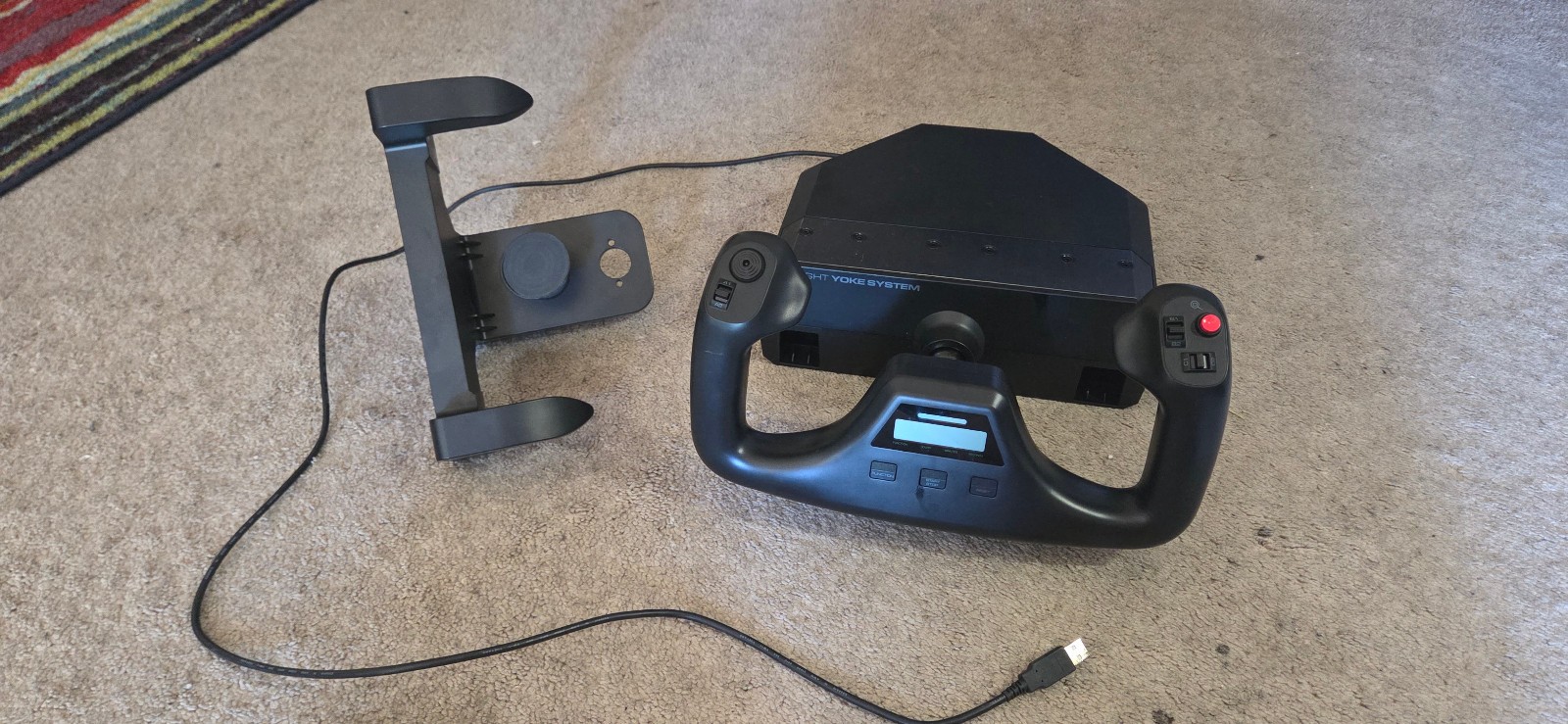
This bundle makes sense when the control layout matters more than having a pristine display. Its description specifies a three-lever throttle with six programmable toggle switches, plus a yoke USB hub with pass-through ports for other equipment. Those details give a PC flight-sim setup more ways to assign controls without relying only on the yoke. The limitation is the used condition and the yoke's trim/mode LCD: modes and time do not display correctly. The description characterizes that issue as cosmetic and says it does not affect yoke input, buttons, or axis functionality in the simulator. Choose it for the included control breadth; skip it if a fully functioning LCD is important to your cockpit experience.
Logitech G Pro Flight Yoke System + Pro Flight Rudder Pedal System
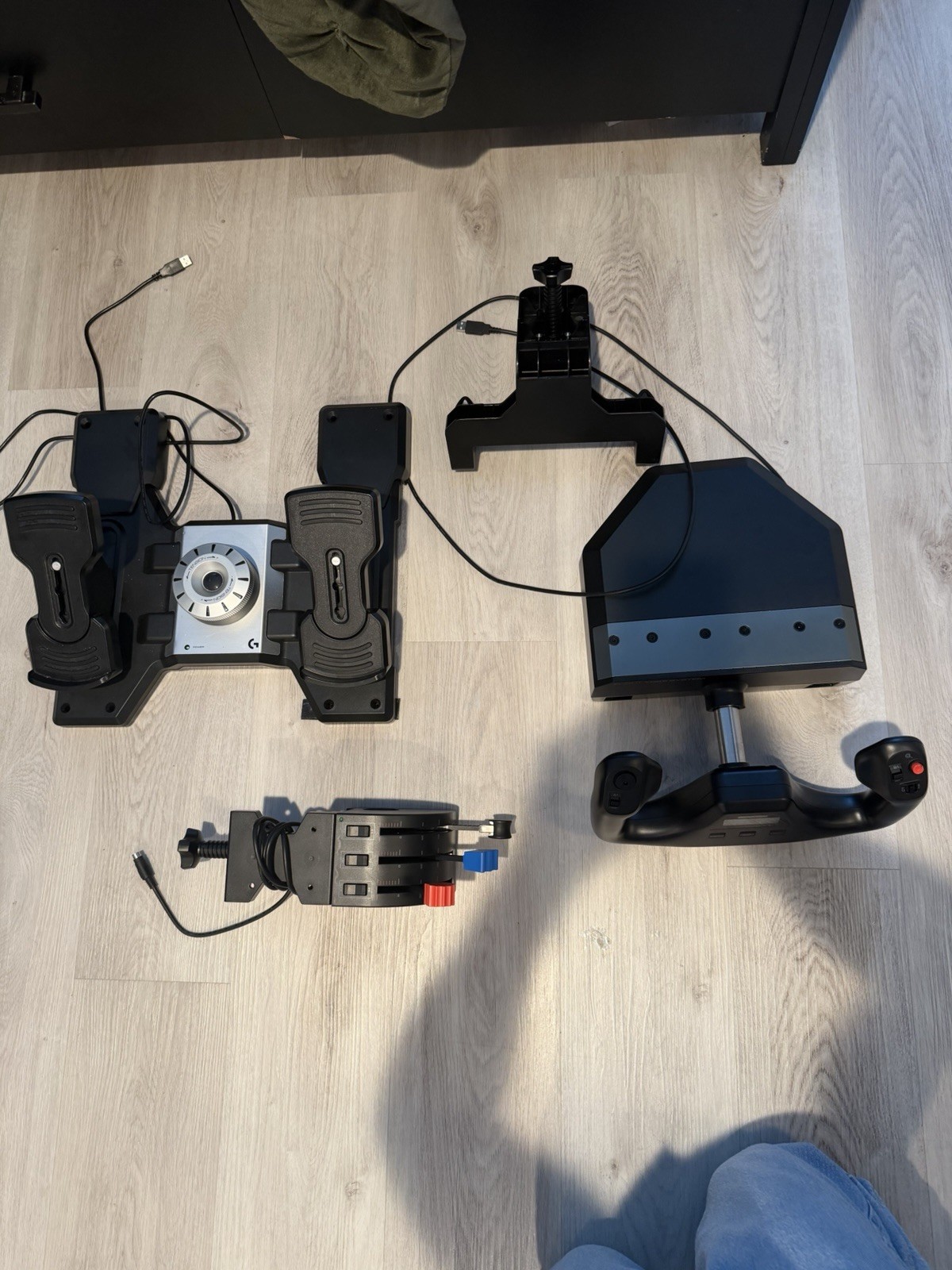
The Pro Flight pairing is a straightforward choice for a PC setup centered on yoke and rudder control. Its listed 4ft cable length adds a practical planning detail, while wired USB connectivity and PC compatibility clearly define the intended platform. The main limitation is that it is listed as open box, and the accompanying description specifically says an Xbox connection was not compatible. That makes it a poor fit for an Xbox-first setup, regardless of how well the yoke-and-pedal pairing matches your preferred controls. For PC shoppers who want this focused combination and do not need the throttle quadrant or X3D Pro joystick named in the broader bundle, it presents the cleaner match.
Final choice by use case
- Choose the Logitech G Flight Simulator Yoke, Throttle Quadrant, Rudder Pedals, & X3D Pro for a PC flight-sim cockpit where the four-item scope, programmable throttle switches, and USB pass-through are the main priorities. Accept the used condition and partially functioning trim/mode LCD.
- Choose the Logitech G Pro Flight Yoke System + Pro Flight Rudder Pedal System when a focused yoke-and-pedal arrangement, 4ft cable, and open-box condition fit your setup. It is the better match only for PC use, since the description rules out the attempted Xbox connection.
The decision is therefore simple: take the broader control package with the $70 lower listed price, or choose the more focused Pro Flight pairing when its narrower scope is exactly what you need.
