The first decision in a handheld LCD upgrade is not brightness or color filter-it is which console you have. In the gaming replacement parts modding space, two kits sit at opposite ends of that choice: one is a no-welding drop-in mod built for the Game Boy Advance, and the other is a no-soldering IPS kit built for the Game Boy Color. Their listed prices are close, $50.30 for the GBA mod and $45.89 for the GBC kit, so the real separation is compatibility and where you want to put your installation effort.
Quick verdict
If you are modding a Game Boy Advance, start with the Drop in V5 Pre-Laminated LCD Mod + Printed Cut-free Zelda Shell. It pairs a console-specific drop-in assembly with a printed shell and skips the welding step. If you are modding a Game Boy Color, start with the 22 Colors IPS Full Size 8 Colorful Backlight LCD Mod Kit & Pre-cut Shell. It leans on a pre-cut shell and a no-soldering install, so you can spend less time on cutting and more time on screen options.
Comparison table
| Product | Listed price | Console match | Installation approach |
|---|---|---|---|
| Drop in V5 Pre-Laminated LCD Mod+Printed Cut-free Zelda Shell No Welding For GBA | USD 50.30 | Nintendo Game Boy Advance | Pre-laminated drop-in; no welding |
| 22 Colors IPS Full Size 8 Colorful Backlight LCD Mod Kit & Pre-cut Shell For GBC | USD 45.89 | Nintendo Game Boy Color | Pre-cut shell; no soldering |
Where each wins
The GBA V5 drop-in wins for anyone who wants a sharper retro image: it targets 720x480 HD output with integer scaling, a 178-degree viewing angle, 15 brightness levels, and an OSD menu. The pre-laminated glass keeps the lens and screen as one unit, and the Zelda-style printed shell means you can skip the shell-cutting step.
The GBC IPS kit wins for Game Boy Color owners who want a complete shell-and-screen combo. It keeps the original display area, offers an 8-color palette, 10 brightness levels, and touch brightness adjustment. With a pre-cut shell and a no-soldering install, it is aimed at the person who wants a cleaner, more contained GBC refresh. The stronger deciding factor is which console is sitting on your desk.
Drop in V5 Pre-Laminated LCD Mod + Printed Cut-free Zelda Shell No Welding for GBA
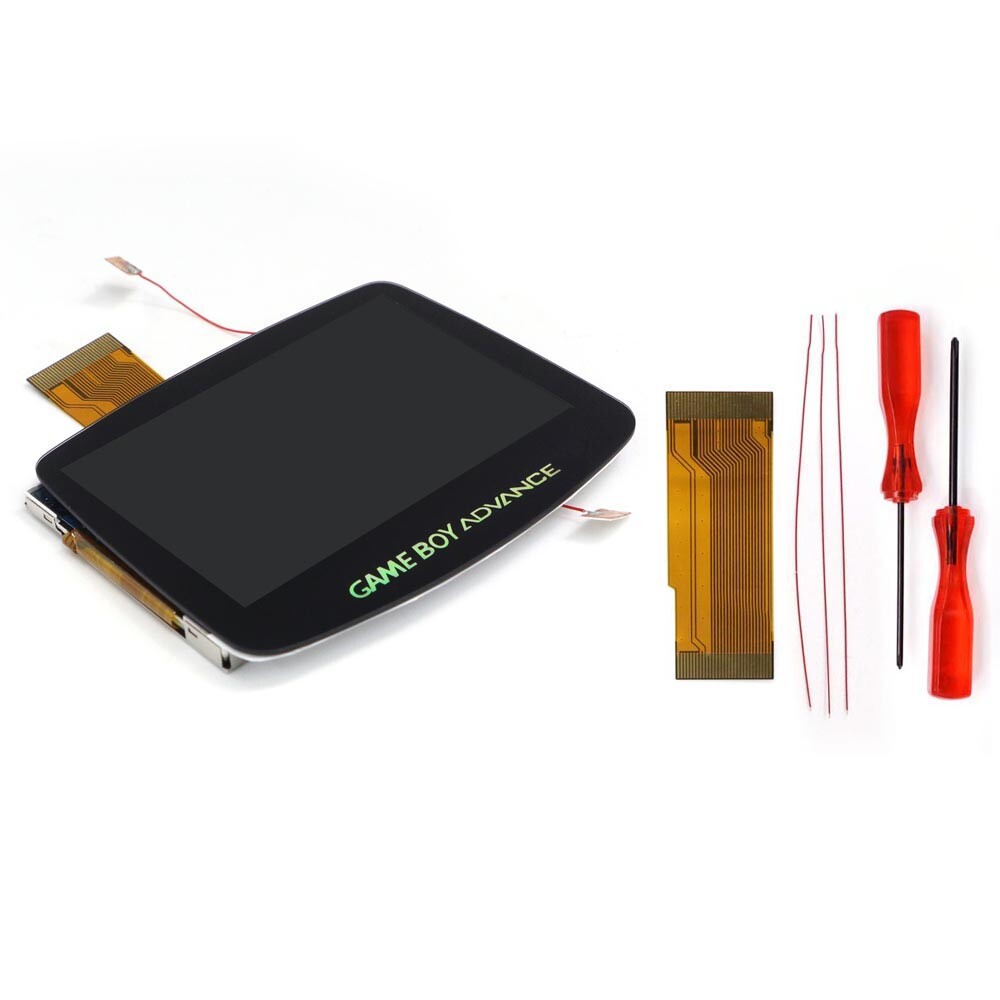
This option makes the most sense when the handheld in your hand is a Game Boy Advance. The V5 assembly is pre-laminated, so the glass lens is already combined with the LCD, and the kit comes with a printed cut-free Zelda shell. The retro-pixel effects in the product description add scanline-style looks on top of the standard 720x480 integer-scaled image. The practical limitation is that this is a GBA-specific kit; it will not help a Game Boy Color build. Also, the cut-free convenience applies to the shell in this kit; if you use a different shell, you would need to cut it yourself. If your project is a GBA and you want a drop-in display with a themed shell, this is the pick.
22 Colors IPS Full Size 8 Colorful Backlight LCD Mod Kit & Pre-cut Shell for GBC
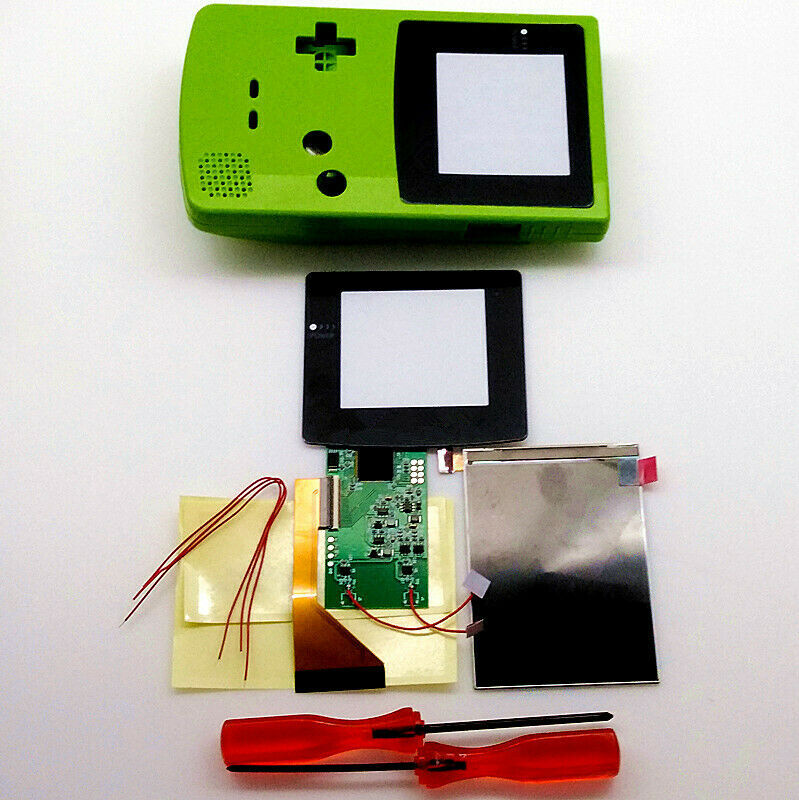
For a Game Boy Color, this kit brings the shell and screen together: the title pairs a full-size IPS display with a pre-cut shell, which avoids the long shell-cutting step associated with GBC screen swaps. The display uses touch control for brightness, with 10 levels and an 8-color palette, and it does not need soldering. The limitation is compatibility: this is a GBC kit, not a GBA kit, so it cannot stand in for the V5 drop-in if your target is a Game Boy Advance. It also frames the upgrade around color modes rather than the higher 720x480 resolution of the GBA V5, so it is the better match when you want to stay closer to the original display area while expanding your palette.
Final choice by use case
If you have a Game Boy Advance and want the higher-resolution V5 drop-in with a Zelda shell, choose the GBA mod. If you have a Game Boy Color and prefer a pre-cut shell and color-palette options, choose the GBC IPS kit. The console on your workbench is the deciding factor.
