Retro handheld screens fade, and a backlit LCD mod is a popular route in the gaming replacement parts modding world. But you have to commit to a platform first: one kit is for the Game Boy Advance, the other for the Game Boy Color. Their listed prices sit within a couple of dollars, so the real decision becomes console fit and the type of screen control you want. A bright screen changes how a retro handheld feels in the hand, so this is a worthwhile upgrade if the original display is too dim. There is no single winner for every project; the right choice depends on which console is already on your workbench. As mod kits, both assume you are comfortable opening the shell and connecting wires. This head-to-head sorts out which kit belongs in what project.
Quick Verdict
If you are upgrading a Game Boy Advance, the Replacement IPS Screen MOD LCD Backlight Kit is the one to start with. If your project is a Game Boy Color, the GBC Q5 IPS OSD Backlight Backlit LCD Mod Kit is the stronger pick.
At a Glance
| Product | Listed Price | Bar | Differentiator |
|---|---|---|---|
| Replacement IPS Screen MOD LCD Backlight Kit for GBA | $55.97 | 32/40-pin support, 8 brightness levels, pre-soldered cables | |
| GBC Q5 IPS OSD Backlight Backlit LCD Mod Kit | $53.50 | OSD menu, 15% larger display, touchpad controls |
Where Each Wins
- GBA kit: Choose it when you want a compatibility safety net and the least wiring fuss.
- GBC kit: Choose it when you want maximum display control.
That split matters more than the small price difference.
Product Notes
Replacement IPS Screen MOD LCD Backlight Kit for GBA
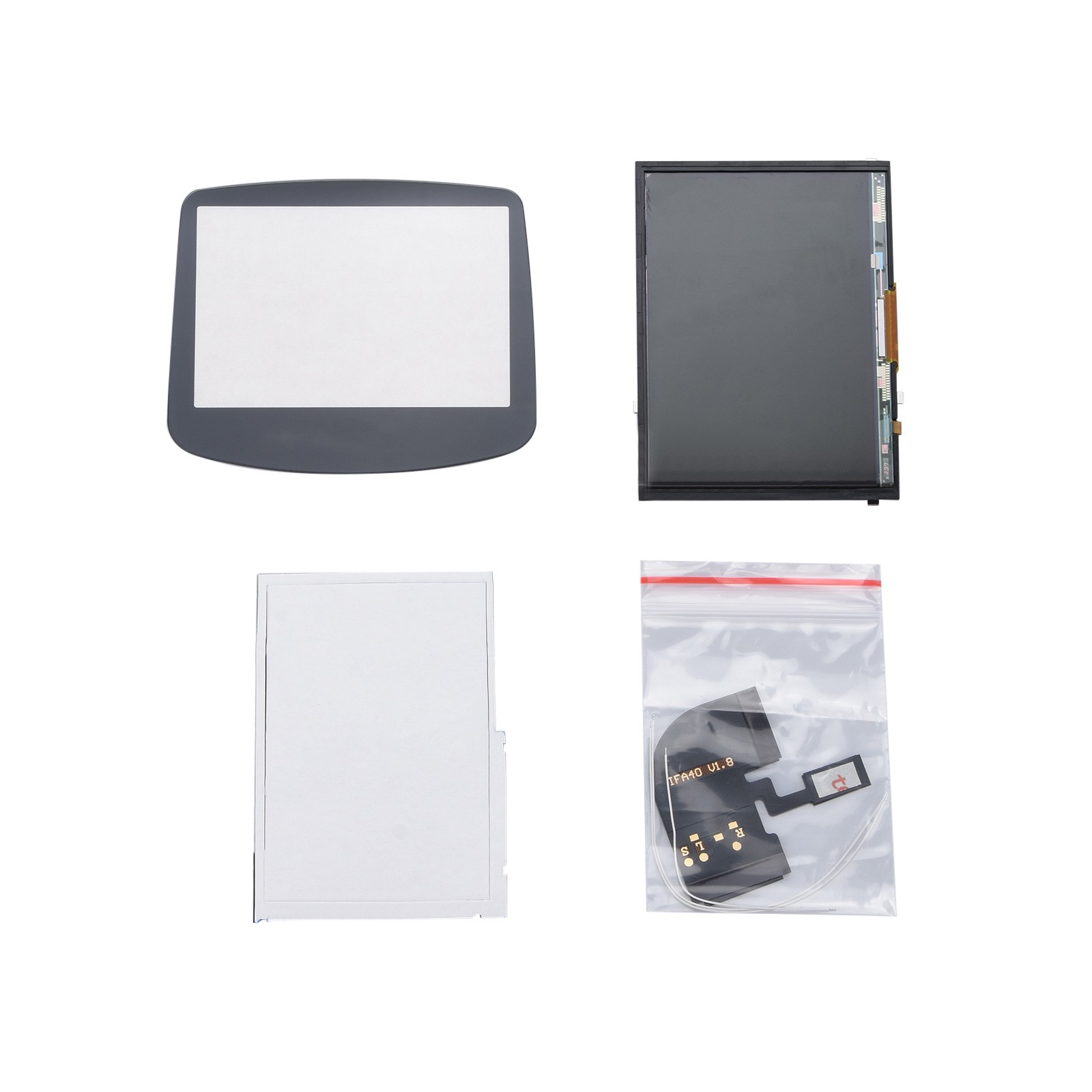
This kit is built around ease of install for the Game Boy Advance. No shell cutting is needed, and the cables come pre-soldered; the main step is soldering the power wire to the motherboard. It works with both 32-pin and 40-pin GBA boards, which removes a compatibility question during the mod. The backlight has eight brightness levels, so you can tune the screen to the room. The limitation is platform: it is a GBA kit, not a Game Boy Color kit. The IPS display is the core component, and the package includes the screen setup. If your handheld is a Game Boy Advance, this is the direct route.
GBC Q5 IPS OSD Backlight Backlit LCD Mod Kit
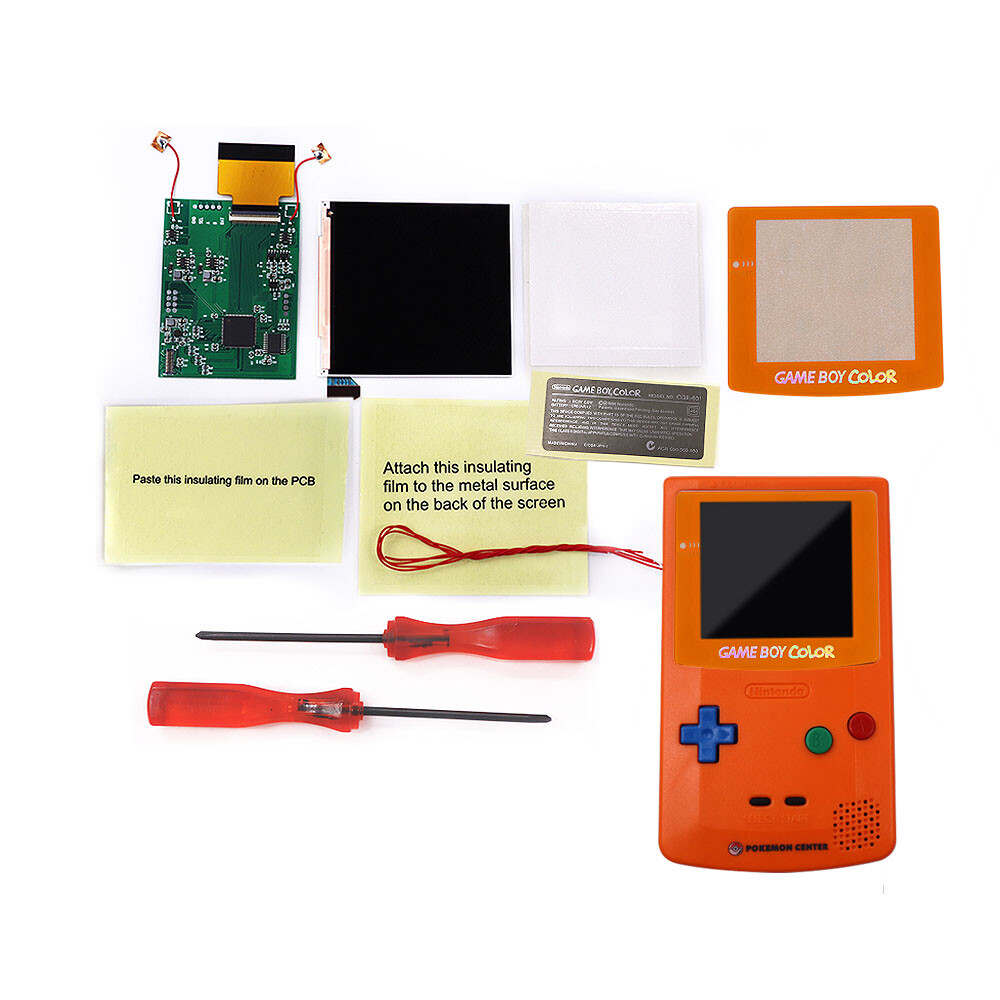
This kit is aimed at the Game Boy Color and brings a long list of display adjustments. The on-screen menu lets you position the image, turn the retro-pixel effect on or off, and set the battery-level display on or off. The display area is 15% larger than the original, and the viewing angle reaches 178 degrees. A key install note is that controlling the OSD menu requires soldering three wires, but if you skip the OSD, the touchpad can handle brightness and display modes instead. The kit comes with the backlight LCD, a PCB, and cables. Its restriction is that it is built for the Game Boy Color, not the Game Boy Advance.
Final Choice by Use Case
If your build is a Game Boy Color, the GBC Q5 IPS OSD kit is the better fit. If your build is a Game Boy Advance, the Replacement IPS Screen MOD kit wins. The listed price gap is $2.47, so the console in your hand should decide it. Neither kit is a bad fit for the console it was made for; just match the kit to the board you plan to restore.
