Upgrading a retro handheld's screen is one of the best ways to bring an old Game Boy back to life, but the right kit depends on which console you actually own. If you're holding a Game Boy Advance, the Drop in V5 Pre-Laminated LCD Mod with a printed Cut-free Zelda Shell is ready to go with no welding. If you're carrying a Game Boy Color, the GBC Q5 IPS OSD Backlight Kit offers a larger display and adjustable positioning. Both sit within a few dollars of each other, so the real question is which console you want to upgrade and how much fiddling you're prepared to do.
Quick verdict
For a Game Boy Advance owner who wants a complete visual refresh with minimal effort, the Drop in V5 kit pairs a 720x480 pre-laminated LCD with a printed Zelda shell, and no soldering is required. For Game Boy Color owners, the Q5 IPS kit adds a 15% larger display and image position adjustment. If you don't mind soldering three wires for the on-screen menu, it also gives you full OSD control; otherwise the touchpad still handles brightness, color modes, and retro pixel effects.
Comparison at a glance
| Feature | GBA V5 Drop-In Kit | GBC Q5 IPS Kit |
|---|---|---|
| Price | USD 50.30 | USD 53.50 |
| Console | Game Boy Advance | Game Boy Color |
| Installation | No welding required | Touchpad control without soldering; 3 wires for OSD |
| Screen | 720x480 integer-scaled, pre-laminated glass | 15% larger display area, glass screen included |
| Effects | Retro pixel, scanline, 15 brightness levels, 8 color modes | Retro pixel on/off, brightness and color via touchpad |
| Kit contents | Printed Zelda shell + LCD + glass screen | LCD + PCB + cables + glass screen |
Where each kit wins
The GBA V5 kit wins on convenience. The pre-laminated screen is already bonded to a metal shell, the Zelda shell needs no cutting, and there's zero soldering. It also offers a wider range of visual filters, including two scanline modes, and a 1-year manufacturer warranty.
The GBC Q5 kit wins on modern display traits. The viewing area is 15% larger than the original screen, and you can adjust the image position to fix misalignment. The battery level display is a handy addition, and the touchpad lets you skip soldering entirely for basic adjustments.
Drop in V5 Pre-Laminated LCD Mod+Printed Cut-free Zelda Shell No Welding For GBA
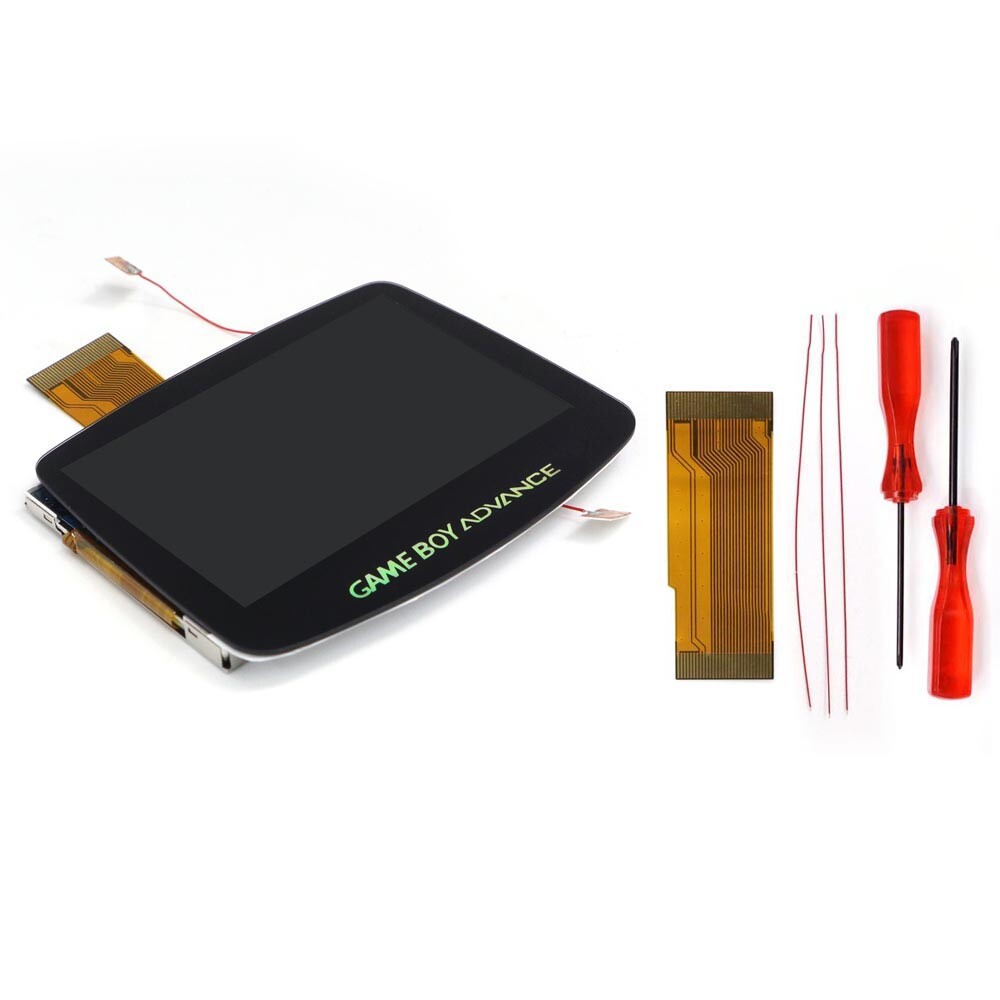
This is the pick for GBA owners who want a complete refresh without touching a soldering iron. The kit bundles a printed cut-free Zelda shell, so you don't have to cut anything yourself as long as you use the included shell. The 720x480 LCD uses integer scaling to avoid distortion, and the screen is pre-laminated with glass, so there's no separate lens to align. You get 15 brightness levels, 8 color modes, and four retro pixel/scanline effects. The main trade-off is the Zelda print: if a plain shell is more your style, you're paying for specifically themed artwork. Otherwise, this kit delivers a clean, drop-in upgrade for a Game Boy Advance at $50.30.
GBC Q5 IPS OSD Backlight Backlit LCD Mod Kit For Game Boy Color GBC Housing
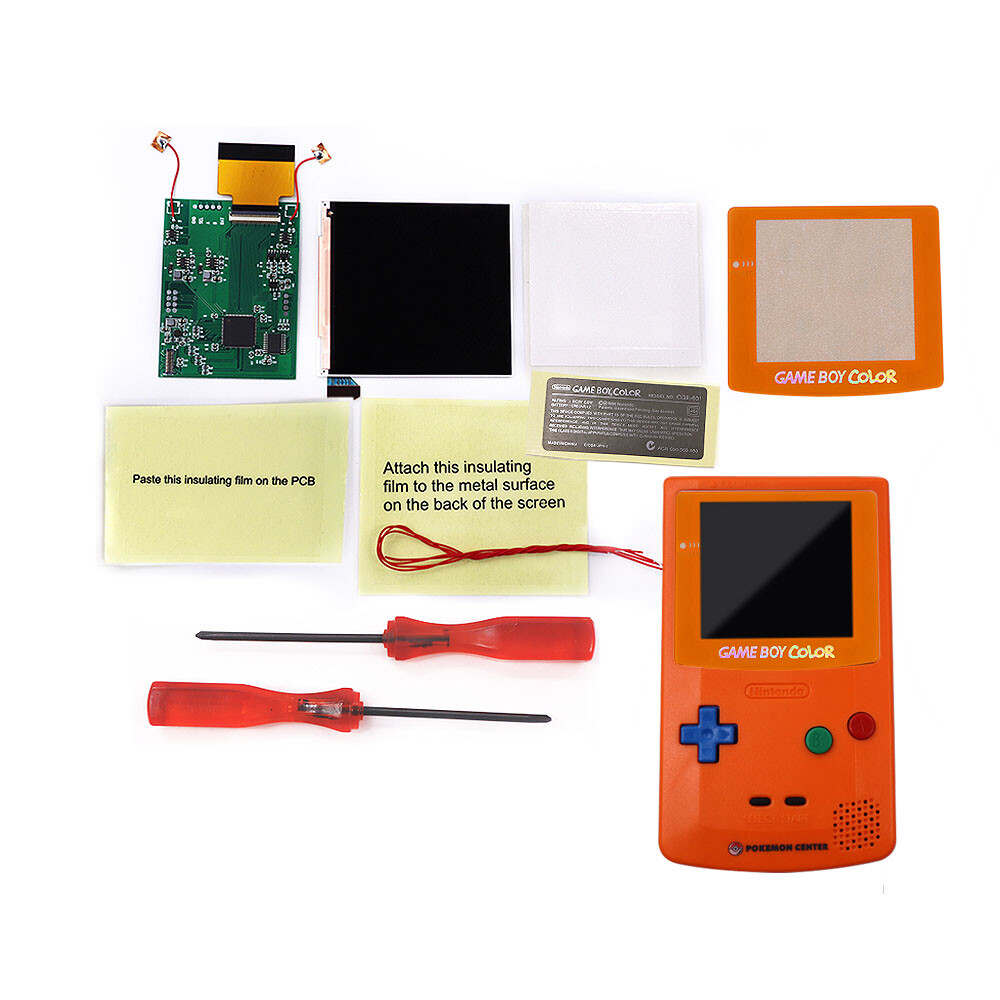
If you're upgrading a Game Boy Color, this Q5 IPS kit brings a larger, adjustable screen. The display area is 15% larger than the original, and the image position is adjustable, so you can nudge it into place without worrying about misalignment. You can control brightness, color modes, and retro pixel effects through a touchpad, with no soldering required; only if you want the OSD menu do you need to solder three wires. The package includes the backlight LCD, PCB, cables, and glass screen, and the kit is designed to work with your original GBC housing. The trade-off is that full OSD control demands those three solder points, and the kit costs $53.50, slightly more than the GBA option.
Final choice by use case
Choose the GBA V5 Drop-In kit if you own a Game Boy Advance, want a drop-in install with a themed shell, and prefer zero soldering. Choose the GBC Q5 IPS kit if you own a Game Boy Color and want a larger, adjustable display with the option to solder only if you want the OSD menu. With just over three dollars separating the two, your console and your tolerance for soldering should drive the decision.
