Shopping for retro legacy video games often means choosing between two very different ways to play: a compact plug-and-play stick with storage for a broad library, and a classic console that comes with built-in games and AV outputs. The right choice depends on the TV you are connecting to and how much setup you want.
Quick verdict
Choose the G36PRO when your TV has a modern input and you want a compact, wireless setup. Choose the classic console when you want the lower-priced option and plan to connect through older analog AV inputs. Both are new units, so your decision is about connection, controller style, and budget.
The biggest fork in the road is the TV itself. If your display is modern and you want the least cabling, the G36PRO is the natural fit. If your setup is older and still uses analog video connections, the classic console is simpler. The second fork is budget: the classic console carries a lower price, and the G36PRO carries a higher one.
At a glance
| Product | Price | Key specs |
| G36PRO 128GB HDMI TV Video Game Stick | USD 88.99 | 128GB storage, two wireless controllers, HDMI |
| Retro Gaming Console with 620 Built-in Games | USD 34.95 | 620 built-in games, Component RCA, 480p, gray |
Where each product wins
- The G36PRO is the stronger choice for a modern TV setup and a smoother plug-and-play experience. The stick form factor keeps the console out of the way and makes a clean living-room arrangement.
- The classic console is the stronger choice for a tighter budget and a traditional AV connection. It plugs into the kind of analog inputs that older televisions use, and it skips the need to build your own library.
G36PRO 128GB HDMI TV Video Game Stick
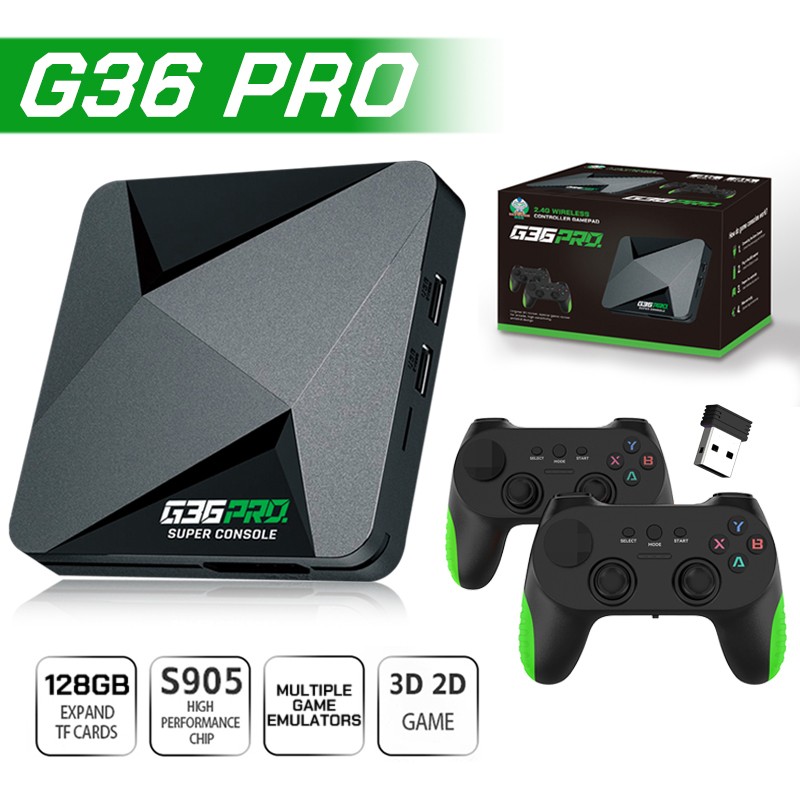
The G36PRO is built for quick setup on a modern TV. It connects over HDMI, so there is no need to fiddle with older AV ports, and the stick design keeps things compact. The console includes two wireless controllers, which makes it easy to jump into two-player games. With 128GB of built-in storage, you have space for a broad game library without swapping cartridges or discs. The main limitation is that the setup depends on an HDMI-compatible TV, so it will not be the natural fit for a display that only has older AV inputs. If you want a tidy, modern living-room setup, this is the option to choose.
Retro Gaming Console with 620 Built-in Games
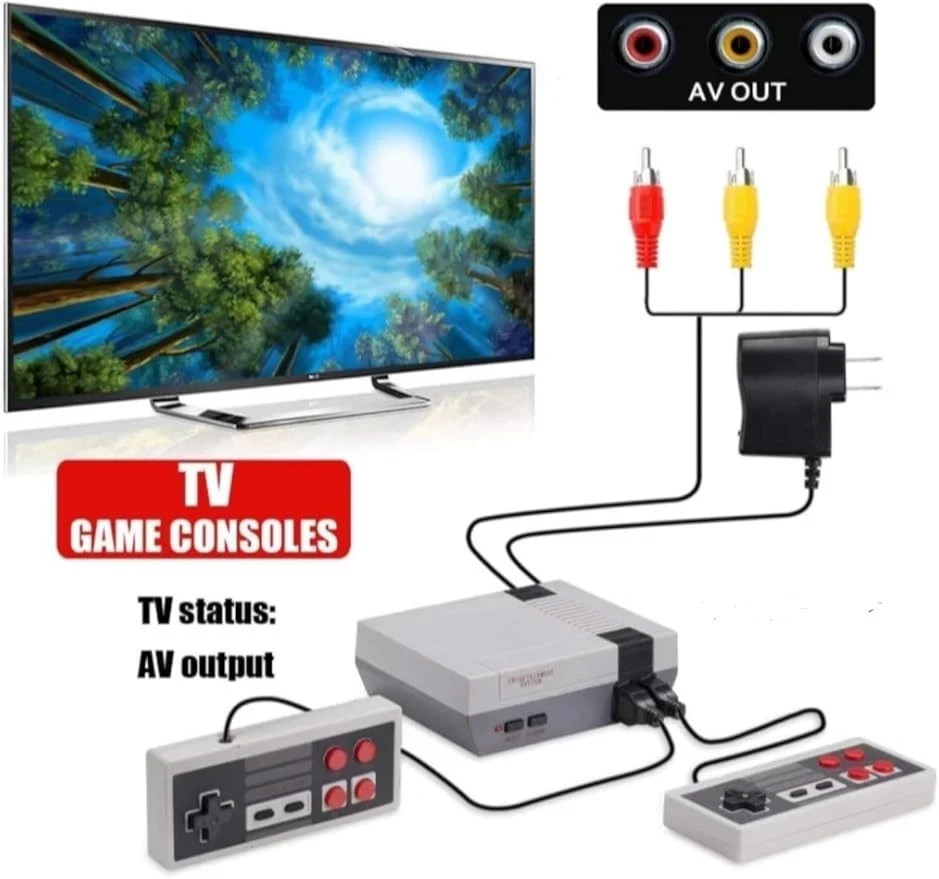
The Retro Gaming Console takes a simpler, lower-cost path. Its built-in library includes 620 games, so you can start playing immediately without downloading or adding files. The console connects through Component RCA and outputs at 480p, which pairs well with older TVs that still use analog inputs. A charger is included, and the console is region-free, so it is ready to go out of the box. The limitation is that the game library is the 620 included titles, and the RCA/480p connection is less convenient for a modern TV without analog inputs. If you have a classic display or want a no-fuss retro setup, this one is a solid fit.
Final choice by use case
- For a modern TV, quick setup, and storage for a broad library, go with the G36PRO HDMI TV Video Game Stick.
- For a tighter budget and an older TV with analog inputs, choose the classic Retro Gaming Console.
