Choosing flight sim yokes & throttles is less about adding controls and more about matching the setup to your simulator, platform, and preferred cockpit layout. The FSW Flight Yoke focuses on dedicated aviation controls and named simulator software, while Turtle Beach's VelocityOne combines a yoke and throttle with PC and Xbox compatibility. Here's the practical split.
Quick verdict
The listed prices are USD 340 for Turtle Beach and USD 500 for FSW, a $160 gap. Choose the FSW when its Cessna-style controls, onboard trim and clock, and compatibility with X-Plane, Microsoft Flight Simulator, and Prepar3D match your computer-based setup. Choose Turtle Beach when Xbox support and a combined yoke-and-throttle format matter more.
Compact comparison
| Decision point | FSW Flight Yoke | Turtle Beach VelocityOne |
|---|---|---|
| Listed price | USD 500 | USD 340 |
| Main listed format | Flight yoke | Flight yoke and throttle |
| Named compatibility | X-Plane 10, 11, 12; MSFS 2020 and 2024; Prepar3D | PC; Xbox One; Xbox Series S and X |
Where each product wins
- FSW Flight Yoke wins for simulator-specific PC use. Its software list covers X-Plane, Microsoft Flight Simulator 2020 and 2024, and Prepar3D. The description also calls out standard HID communication and no-driver operation.
- Turtle Beach VelocityOne wins for console flexibility. Its compatibility names PC, Xbox One, Xbox Series S, and Xbox Series X, and its title explicitly includes both a flight yoke and throttle.
Product notes
FSW Flight Yoke - Flight Sim Wings
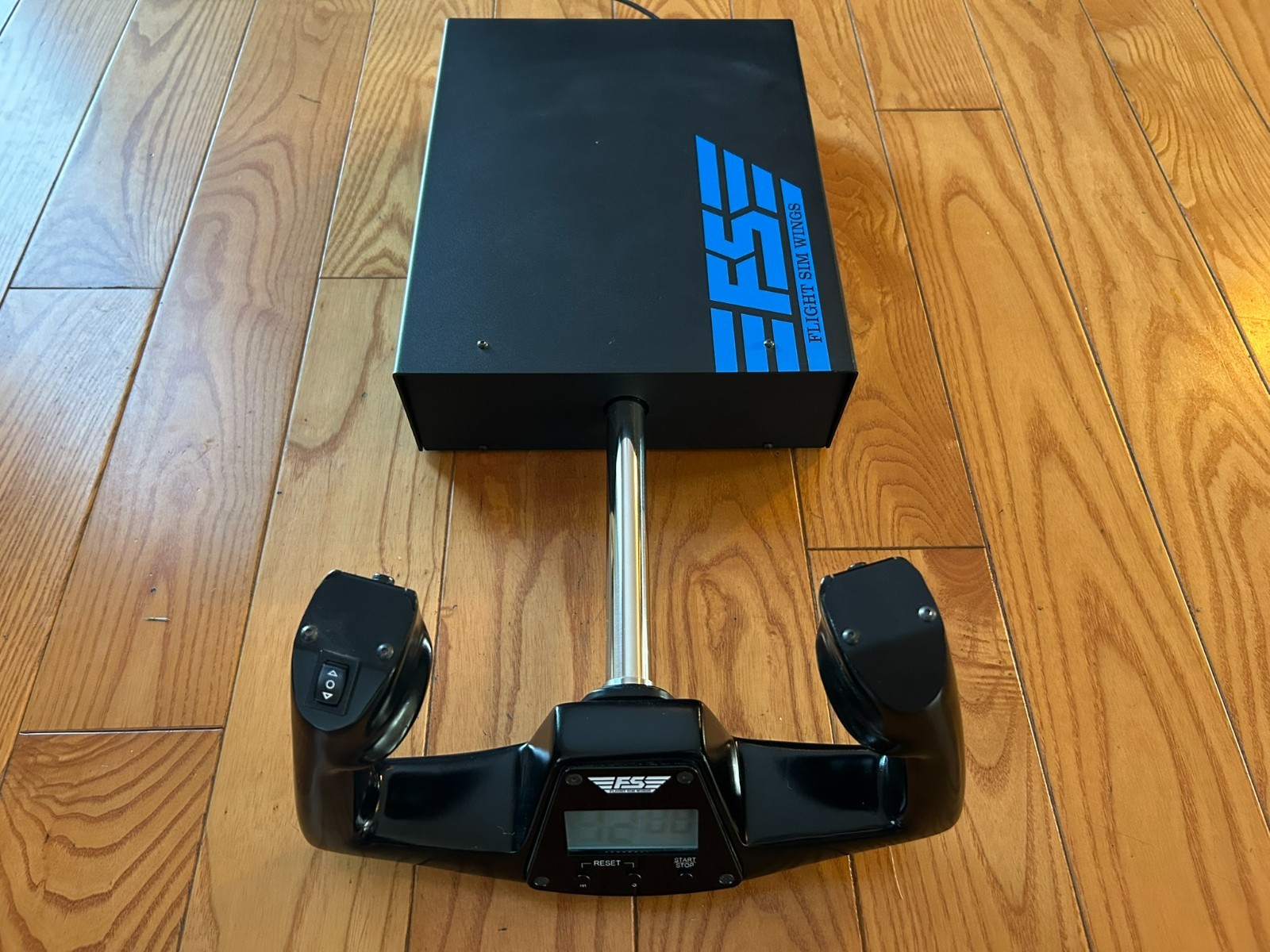
The FSW Flight Yoke is the better fit for a cockpit-minded computer simmer who wants controls beyond the main yoke movement. Its Cessna-style handle is paired with contact-less sensors for pitch and roll, an electric trim rocker, two momentary push buttons, and a USB-powered clock with timer. Standard USB HID communication is another practical reason to choose it: the description says it works as a plug-and-play game controller without drivers. The key limitation is the stated Used condition, which should be weighed carefully when comparing it with an open-box alternative. Its appeal comes from the dedicated control layout and aviation-oriented details, not from adding a broad range of platform features.
Turtle Beach VelocityOne Flight Yoke & Throttle
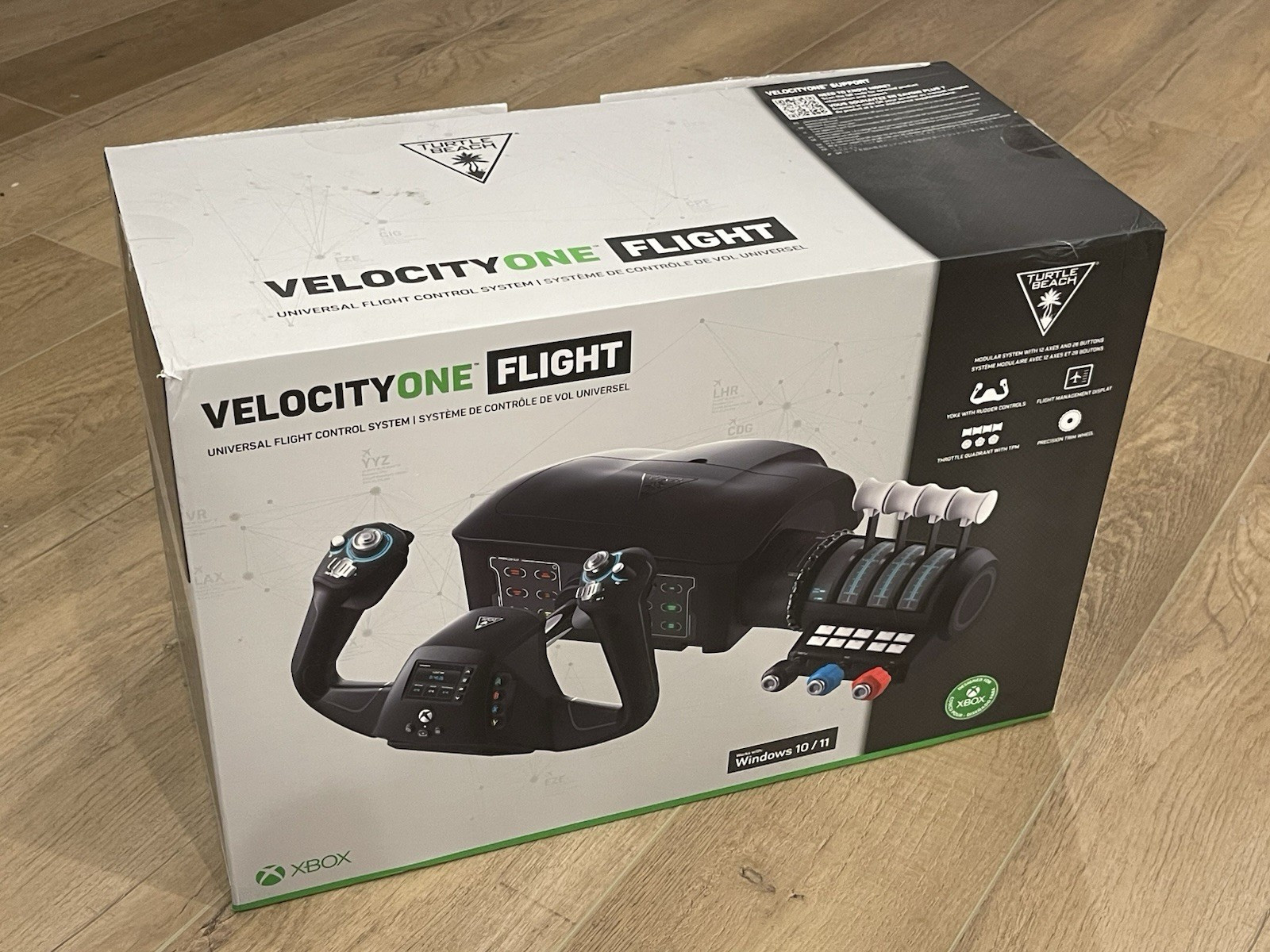
Turtle Beach's VelocityOne is the clearer choice for a shopper who wants a combined control setup with console reach. The title pairs the flight yoke with a throttle, and the attributes add a Flight Management Display, giving the unit a different cockpit emphasis from the FSW yoke. USB, wired, and USB-C connectivity are listed, while the 1.5m cable is a useful desk-planning detail. The main limitation is the stated Open box condition, so that qualification belongs in the buying decision. Choose the VelocityOne when PC and Xbox compatibility, an integrated display, and the yoke-and-throttle format are more useful to you than the FSW's dedicated trim, timer, and simulator-software focus.
Final choice by use case
Choose FSW Flight Yoke if your priority is named support for X-Plane, MSFS, and Prepar3D, along with a Cessna-style handle, trim rocker, timer, and driver-free USB HID operation. The Used condition is its clearest caveat.
Choose Turtle Beach VelocityOne Flight Yoke & Throttle if you want PC and Xbox coverage in a setup whose title includes both yoke and throttle, plus a Flight Management Display. Its Open box condition is the main qualification. For the simpler platform decision, Turtle Beach is the natural pick for Xbox; for the more aviation-specific computer setup, FSW is the stronger match.
