Choosing among flight sim yokes & throttles usually comes down to a clear trade-off: do you want a yoke with detailed cockpit controls and named simulator support, or a yoke-and-throttle bundle with a much lower upfront cost? FSW Flight Yoke and Saitek Pro Flight Yoke System w/throttle serve those different priorities. FSW is the feature-led choice, while Saitek is the lower-priced PC-focused route.
Quick verdict
Choose FSW when its built-in controls and explicitly named simulator compatibility justify the $415.01 price spread. Choose Saitek when the yoke-and-throttle format and lower listed price matter more than additional control details. Both units are marked used and wired, so the comparison is about features, format, and cost rather than wireless convenience.
Listed-price comparison
| Attribute | FSW Flight Yoke | Saitek Pro Flight Yoke System |
|---|---|---|
| Listed price | USD 500.00 | USD 84.99 |
| Condition | Used | Used |
| Connectivity | Wired, USB | Wired |
| Named compatibility | X-Plane 10, 11, 12; Microsoft Flight Simulator 2020 and 2024; Prepar3D | For PC |
Where each product wins
- FSW Flight Yoke wins for built-in control detail. The electric trim rocker, USB-powered clock with timer, and two momentary push buttons give it a more developed control layout on paper.
- Saitek Pro Flight Yoke System wins for the simpler bundle decision. Its title directly identifies a yoke system with a throttle, and its lower listed price makes the basic format easier to prioritize.
Product notes
FSW Flight Yoke
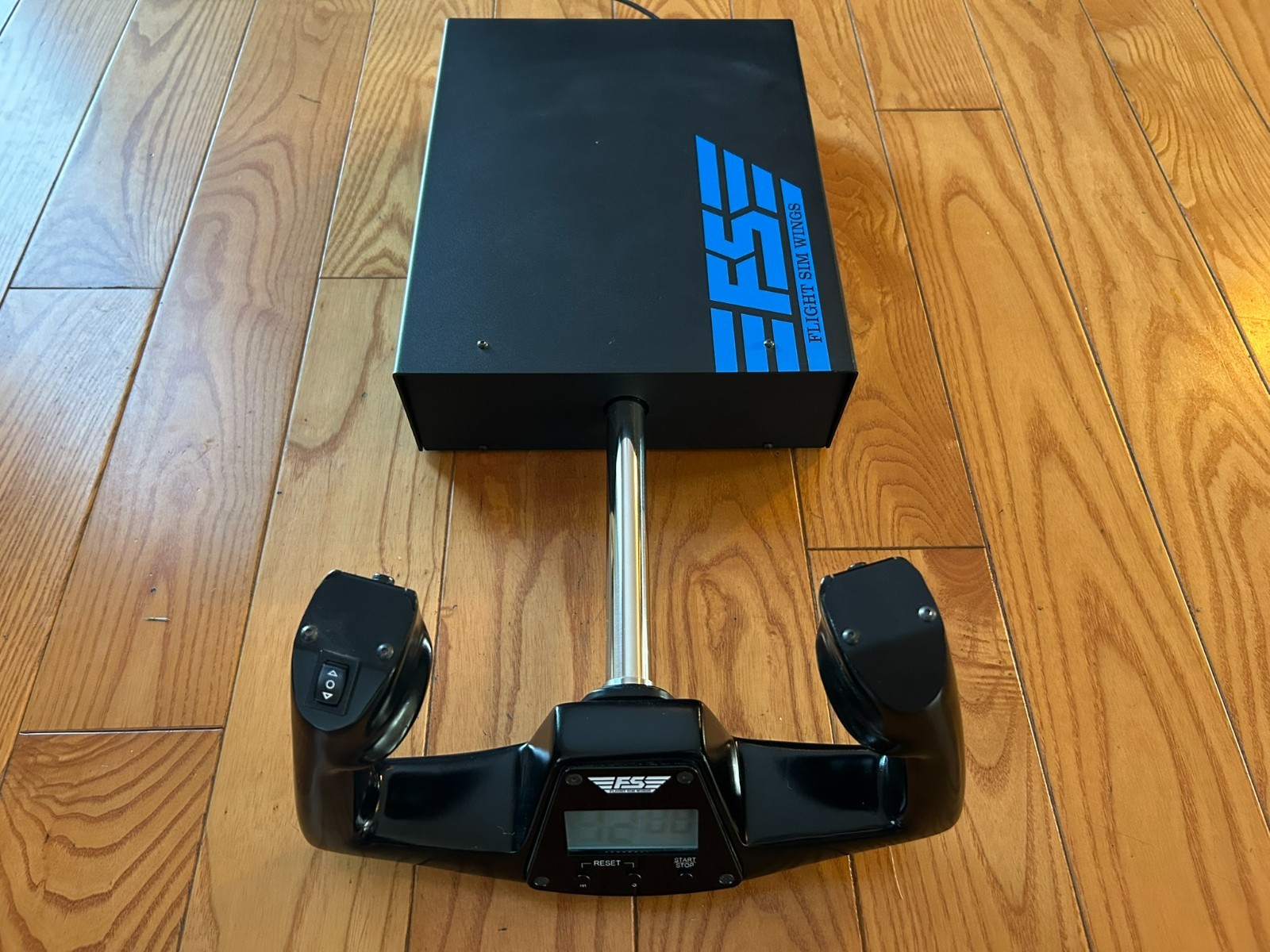
FSW Flight Yoke is the feature-led choice for shoppers who want clearly defined controls and software support. Its Cessna-style yoke handle, contact-less sensors for pitch and roll, standard HID protocols, and plug-and-play USB operation give the setup a specific character. The software fit is also spelled out for X-Plane 10, 11, and 12, Microsoft Flight Simulator 2020 and 2024, and Prepar3D. Those details are the concrete reason to choose it: the intended simulator environment and several control elements are clearly identified. The main limitation is its higher listed price relative to Saitek, along with the wired USB connection. FSW makes the most sense when those named controls matter more than keeping the initial cost low.
Saitek Pro Flight Yoke System with Throttle
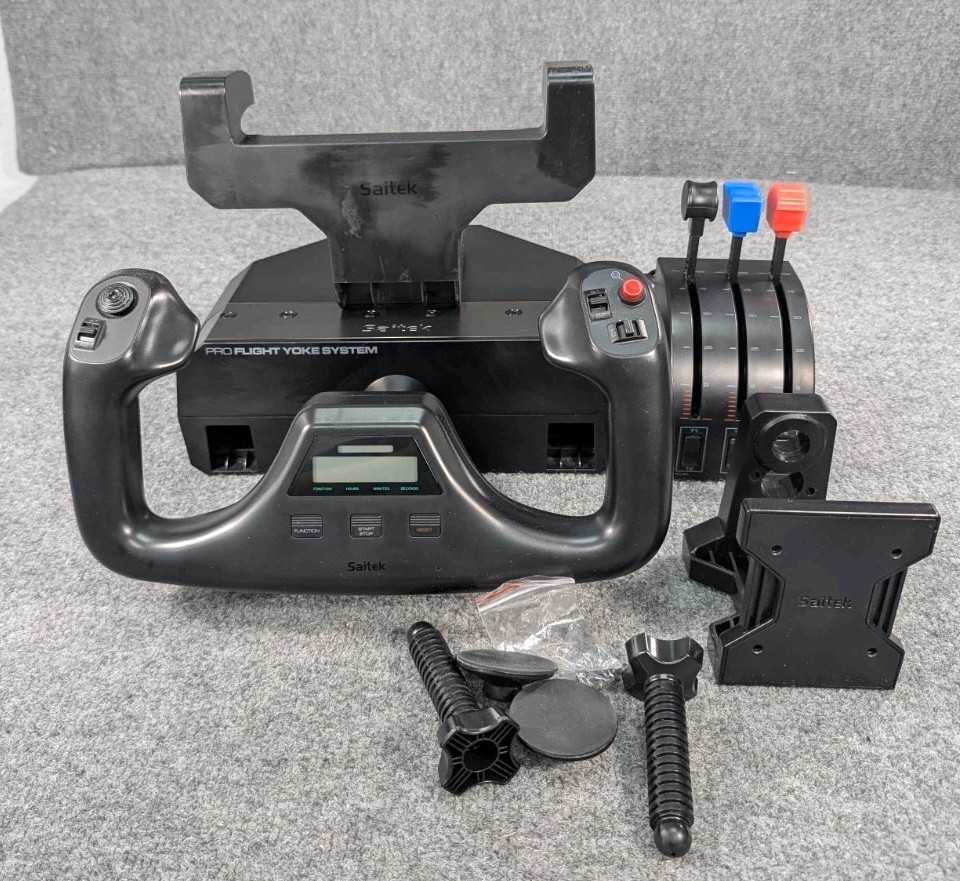
Saitek Pro Flight Yoke System with Throttle suits a PC flight-sim station where the bundle format takes priority. The title directly pairs a yoke system with a throttle, while the setup is identified for PC use and includes plastic material. That combination gives shoppers a straightforward route to the central yoke-and-throttle arrangement without paying for the more elaborate control package associated with FSW. Its limitations are the used condition, plastic material, and PC-focused compatibility; shoppers who need the FSW's specifically named simulator software support have a clearer match with FSW instead. Saitek is the better fit when a single-player PC setup calls for a basic wired control arrangement and the lower listed price is the deciding factor.
Final choice by use case
- For named cockpit controls: Choose FSW Flight Yoke if the integrated timer, trim rocker, and push buttons are the features that will shape your setup.
- For software-specific simulator support: FSW is the clearer choice when you use X-Plane, Microsoft Flight Simulator 2020 or 2024, or Prepar3D, since those platforms are explicitly identified.
- For a one-player PC station: Choose Saitek Pro Flight Yoke System with Throttle when PC compatibility and the yoke-and-throttle format are the practical requirements. Its lower listed price keeps the decision focused on the core controls rather than FSW's additional features.
