Choosing flight sim yokes & throttles is really a choice between a specialized yoke setup and a more complete control bundle. The FSW Flight Yoke names several simulator platforms and adds cockpit-style controls, while Logitech's package includes rudder pedals at a much lower listed price. The right pick depends on whether your priority is simulator support and yoke features or getting hand-and-foot controls together.
Quick verdict
FSW Flight Yoke is the better match for shoppers who want a Cessna-style handle, trim controls, a clock, and extra buttons in the yoke itself. Logitech G Pro Flight Yoke System + Pro Flight Rudder Pedal System makes more sense when the included pedals matter most. The listed prices are USD 500 and USD 200, creating a $300 spread. Both products specify wired USB connectivity, so that detail does not separate them.
Compact comparison
| Factor | FSW Flight Yoke | Logitech G Pro Flight Yoke + Rudder Pedals |
|---|---|---|
| Listed price | USD 500 | USD 200 |
| Package | Flight yoke | Flight yoke and rudder pedal system |
| Named compatibility | X-Plane, MSFS 2020 and 2024, Prepar3D | For PC |
| Listed condition | Used | Open box |
| Notable details | Cessna-style handle, trim rocker, clock with timer | 4-foot cable, controller attachment |
Where each product wins
- FSW Flight Yoke: Best aligned with the named X-Plane, Microsoft Flight Simulator 2020 and 2024, and Prepar3D software list, especially if cockpit-style controls are a priority.
- Logitech G Pro Flight Yoke System + Pro Flight Rudder Pedal System: The stronger fit when a yoke-and-pedal package for PC is more useful than additional yoke controls.
Product notes
FSW Flight Yoke
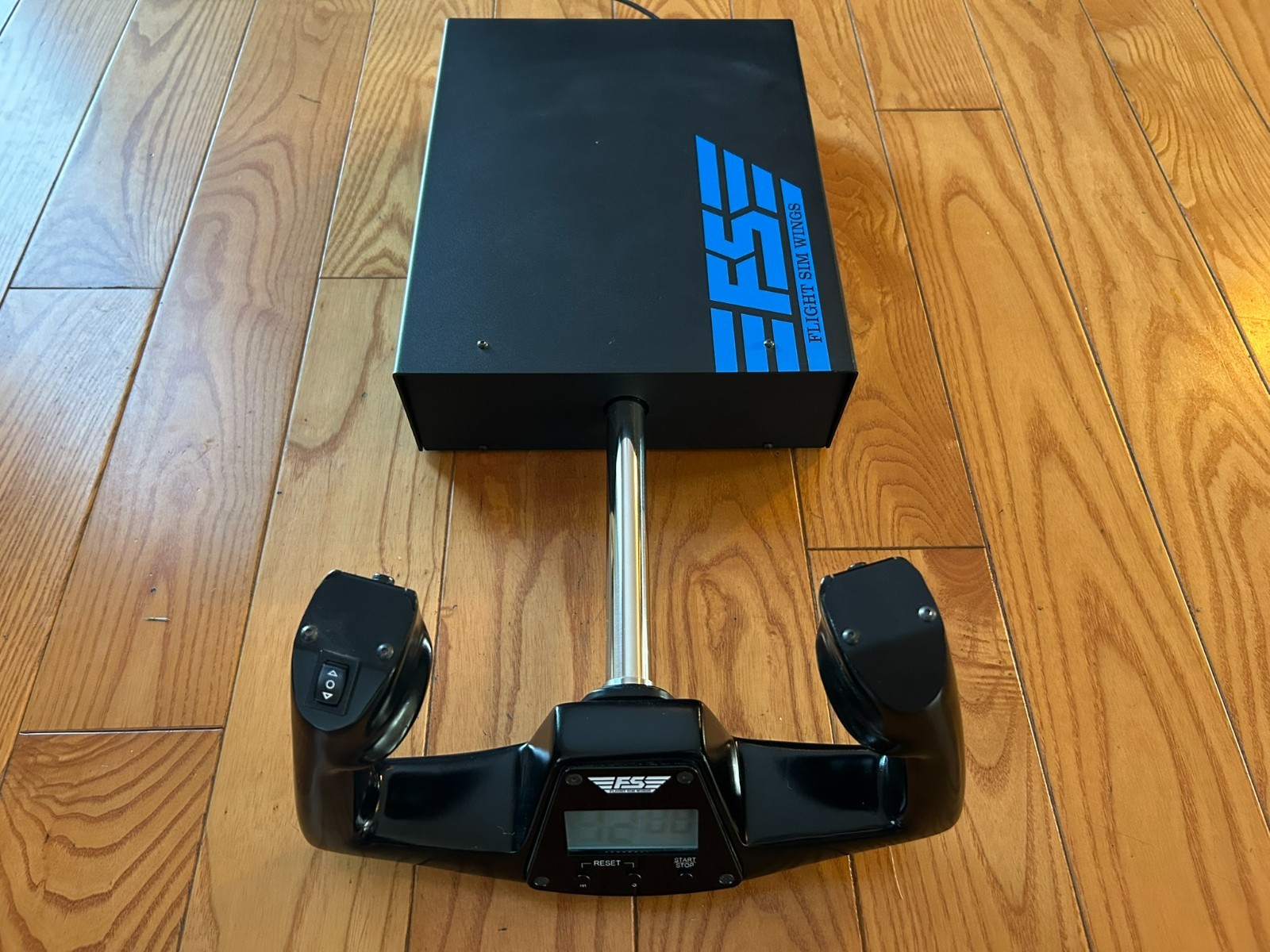
FSW Flight Yoke is the more detailed cockpit-style choice. Its Cessna-style handle, contact-less sensors for pitch and roll, electric trim rocker, clock with timer, and two momentary push buttons give the yoke several aviation-oriented controls beyond its primary axes. Standard HID protocols and no-driver plug-and-play operation are also specified, which can make computer setup more straightforward. The named compatibility with X-Plane, Microsoft Flight Simulator 2020 and 2024, and Prepar3D gives it a clear use case for those simulators. The limitation is its listed used condition, which may not suit shoppers specifically seeking an open-box package. Choose it when the trim, clock, and extra switches are meaningful parts of the experience.
Logitech G Pro Flight Yoke System + Pro Flight Rudder Pedal System
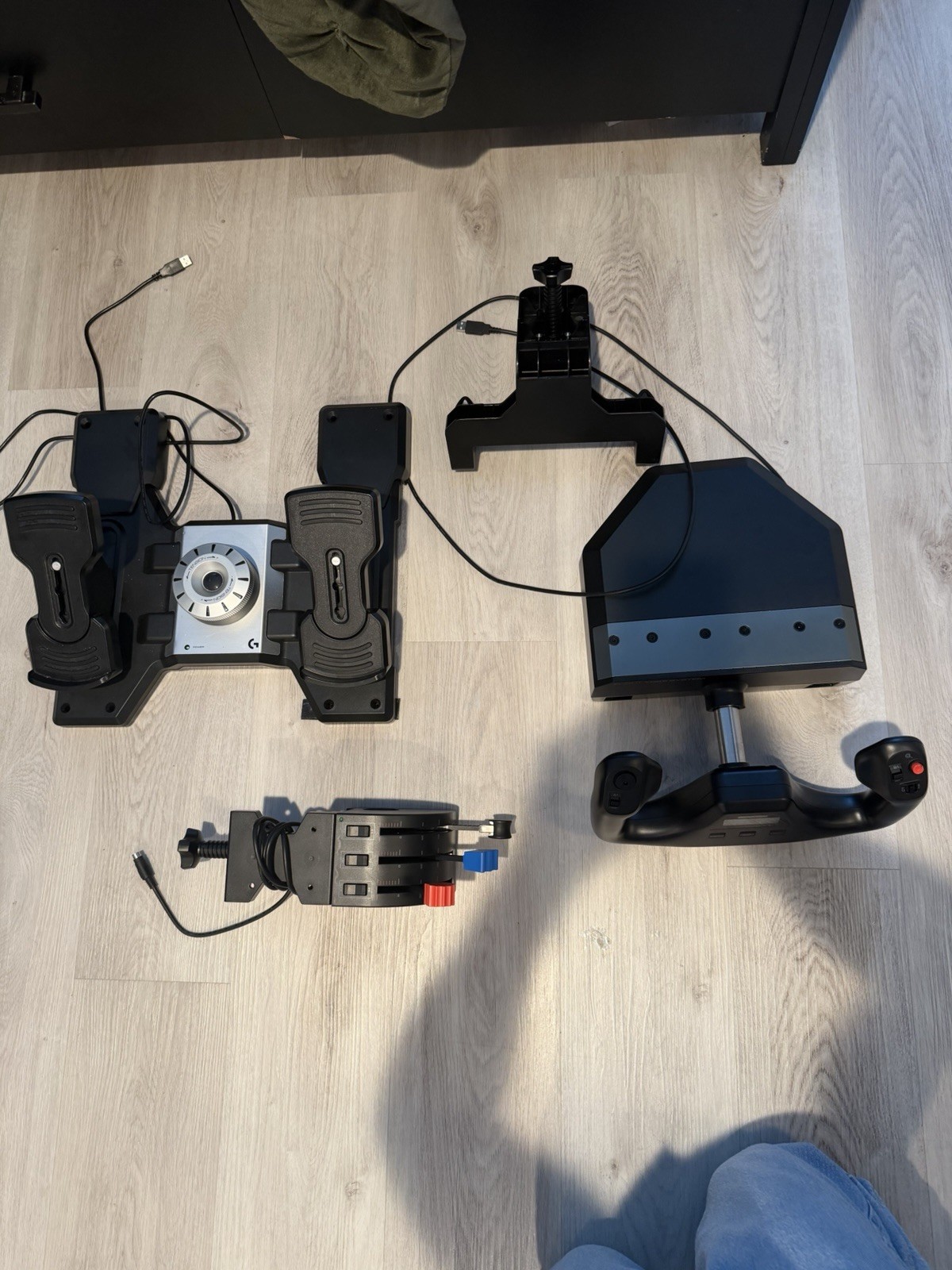
Logitech G Pro Flight Yoke System + Pro Flight Rudder Pedal System puts a yoke and rudder pedal system together in one package. That is the clearest reason to choose it: the product title directly identifies both hand and foot controls. The listed 4-foot cable is a useful fit detail, while wired USB and controller-attachment connectivity describe how the hardware connects. The limitation is explicit platform scope: the compatible-model attribute says For PC, and the description says an Xbox connection was not compatible. Choose this setup for PC flight simulation rather than an Xbox-centered arrangement. Its open-box condition is also worth weighing if the condition category matters to your purchase decision.
Final choice by use case
Choose FSW Flight Yoke if your simulator is X-Plane, MSFS 2020/2024, or Prepar3D and the Cessna-style handle, trim rocker, clock, and buttons match how you want to fly. Choose Logitech if you want the yoke-and-rudder-pedal package for PC and can work within the stated Xbox limitation. In short, FSW prioritizes named simulator support and cockpit controls, while Logitech prioritizes a bundled pedal setup.
