Choosing between flight sim yokes & throttles comes down to a practical trade-off: do you want a yoke with aviation-style controls, or a single package that also brings a throttle quadrant and rudder pedals? The FSW Flight Yoke and Logitech G Flight Yoke, Throttle and Pedals take different routes. One emphasizes yoke hardware and cockpit functions; the other combines three control components at a lower listed price.
Quick verdict
Choose the FSW Flight Yoke if a Cessna-style handle, electric trim rocker, clock with timer, and dedicated buttons are the features you care about most. Choose the Logitech G Flight Yoke, Throttle and Pedals if you want a yoke, throttle quadrant, and rudder pedals together, with PC compatibility and a lower entry price. The $300 spread is the central decision: FSW adds yoke-focused controls, while Logitech offers a broader control package.
At-a-glance comparison
| Detail | FSW Flight Yoke | Logitech G Flight Yoke, Throttle and Pedals |
|---|---|---|
| Listed price | USD 500.00 | USD 200.00 |
| Control package | Yoke with trim rocker, clock with timer, and two push buttons | Yoke system, throttle quadrant, and rudder pedals |
| Connection | Wired USB with standard HID operation | Wired with USB cables |
| Compatible software or model | X-Plane 10, 11, 12; Microsoft Flight Simulator 2020 and 2024; Prepar3D | Microsoft Flight Simulator, X-Plane, Prepar3D; compatible model listed as PC |
| Notable control detail | Contact-less sensors for pitch and roll | Smooth, precise control described for the complete setup |
Where each product wins
FSW wins for yoke-specific controls
The FSW setup is the more distinctive choice if your priority is the yoke itself. Its Cessna-style handle is paired with contact-less sensors for pitch and roll, an electric trim rocker, two momentary push buttons, and a USB-powered clock with timer. The standard HID approach also means the yoke is described as plug and play, with no drivers necessary. Those details give the FSW a clear reason to appeal to shoppers building around yoke interaction rather than simply adding the most control components.
Logitech wins for a broader control package
Logitech has the stronger fit when you want more than a yoke in one purchase. The package includes the Logitech G Flight Yoke System, Throttle Quadrant, and Flight Rudder Pedals, along with USB cables. Its lower USD 200.00 price makes that combination especially straightforward for someone starting with a complete set of primary flight controls. The listed 1.8 m cable length is another concrete specification, while the setup is identified for PC use.
Product notes
FSW Flight Yoke
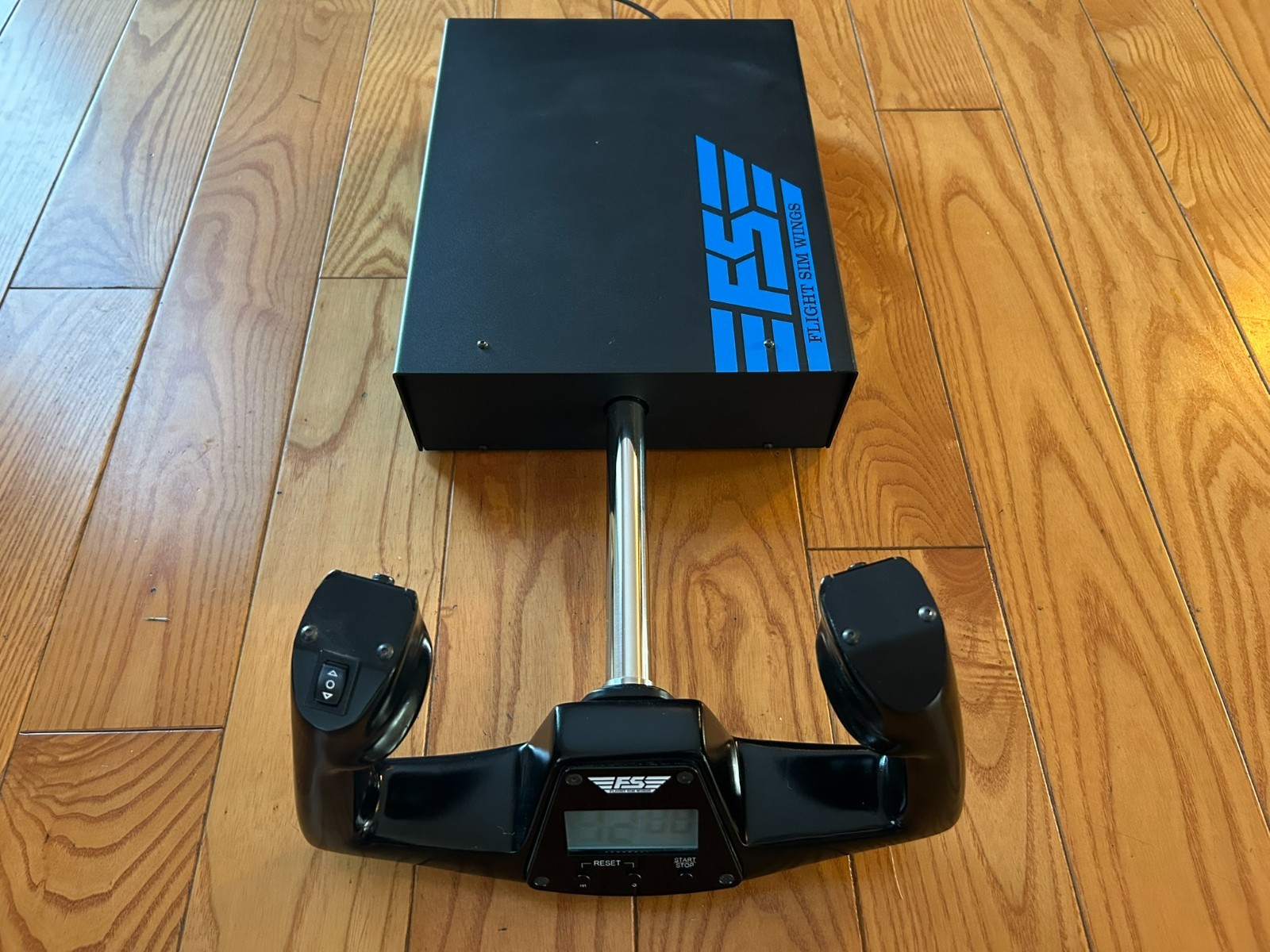
The FSW Flight Yoke suits shoppers who want aviation-style yoke features rather than a basic control wheel. Its Cessna-style handle, contact-less pitch and roll sensors, electric trim rocker, clock with timer, and two momentary buttons give the yoke several cockpit-oriented controls to work with. Compatibility is specifically named for X-Plane 10, 11, and 12, Microsoft Flight Simulator 2020 and 2024, and Prepar3D. Standard USB HID operation is also described as plug and play. The main limitation is its higher listed price than the Logitech setup, so its appeal depends on whether those dedicated yoke functions matter enough to justify choosing the more expensive route.
Logitech G Flight Yoke, Throttle and Pedals
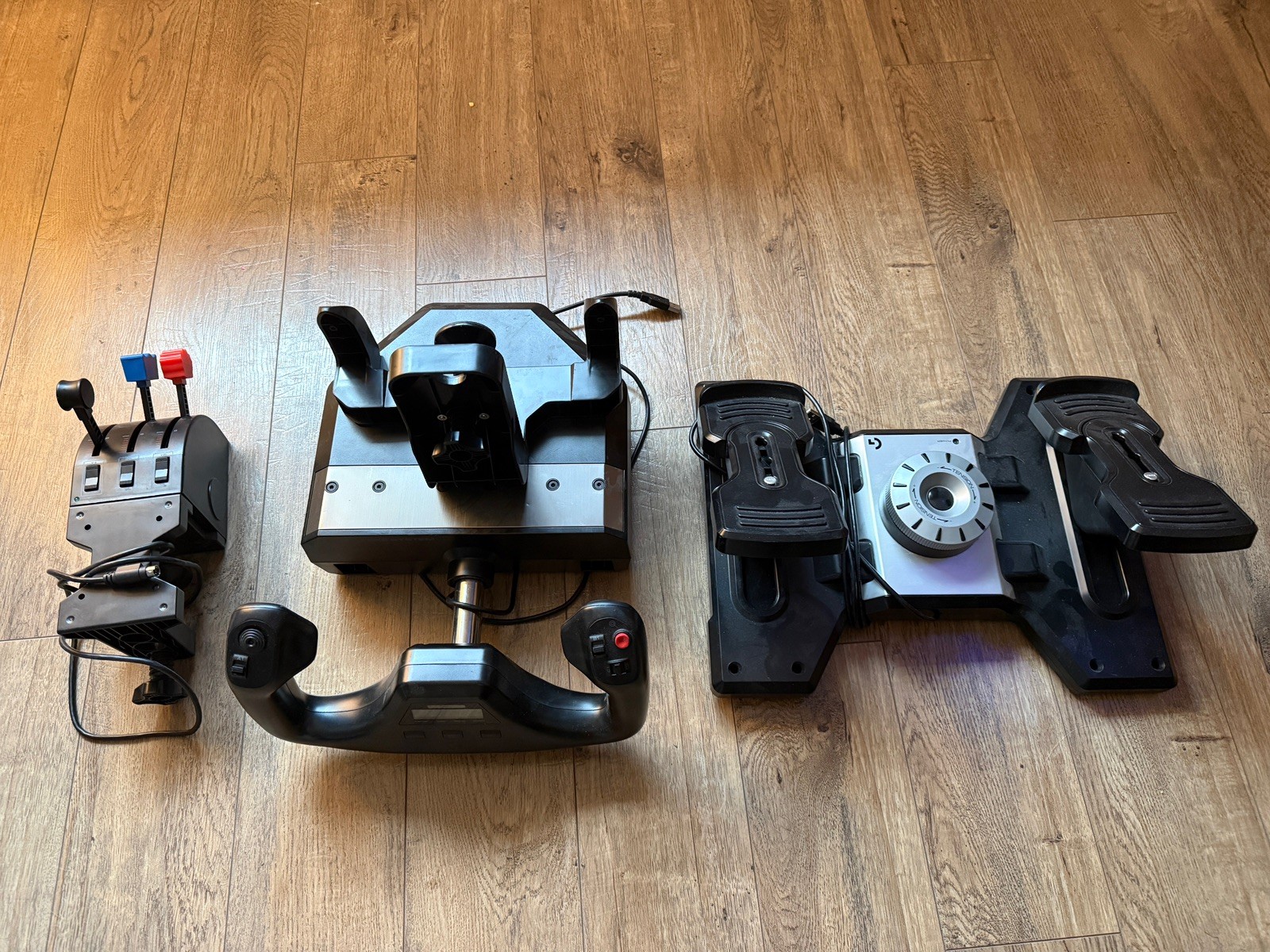
The Logitech G Flight Yoke, Throttle and Pedals is a fit for shoppers who want a complete three-piece control arrangement. It includes the yoke system, throttle quadrant, and rudder pedals, plus USB cables, and is described for Microsoft Flight Simulator, X-Plane, Prepar3D, and other flight simulation platforms. The 1.8 m cable length is a useful concrete specification, and the setup is described as providing smooth, precise control. Its clear limitation is compatibility wording: the compatible model is identified as PC, making it the narrower choice for someone shopping around a console setup. The package breadth remains its defining reason to choose it.
Final choice by use case
- Choose FSW for a yoke-centered setup with a Cessna-style handle, trim rocker, clock, buttons, and the listed X-Plane, Microsoft Flight Simulator, and Prepar3D support.
- Choose Logitech if you want the yoke, throttle quadrant, and rudder pedals together, especially for a PC flight simulator setup.
- Bottom line: FSW is the more feature-focused yoke choice; Logitech is the more complete control package. The right pick depends on whether dedicated yoke functions or having all three primary controls matters more.
