Choosing between a flight yoke with built-in cockpit controls and a straightforward yoke-only controller is the central decision in flight sim yokes & throttles. The FSW FLIGHT YOKE asks for a much larger outlay but adds trim, timer, buttons, and named simulator compatibility. The Logitech Flight Yoke System JU-0025 keeps the format simpler and the listed price far lower. The right choice depends less on their shared wired USB connectivity than on how much control you want built into the yoke itself.
Quick verdict
The FSW FLIGHT YOKE is the more appropriate choice for a cockpit-style setup that benefits from an integrated clock with timer, electric trim rocker, two momentary buttons, and contact-less pitch and roll sensors. Its stated compatibility covers X-Plane 10, 11, and 12, Microsoft Flight Simulator 2020 and 2024, and Prepar3D.
The Logitech Flight Yoke System JU-0025 is the clearer pick for a yoke-only format with PC compatibility. The listed-price spread between the two is $439.12, making the decision a substantial difference in scope as well as cost.
At a glance
| Product | Listed price | Connection | Key listed detail |
|---|---|---|---|
| FSW FLIGHT YOKE | USD 500.00 | Wired USB | Cessna-style handle, timer, trim rocker, and two buttons |
| Logitech Flight Yoke System JU-0025 | USD 60.88 | Wired USB | Yoke only; compatible with PC |
Both are listed as black, used, wired USB controllers. The meaningful split is the FSW's set of integrated controls and named software compatibility versus the Logitech's yoke-only presentation and PC model compatibility.
Where each yoke wins
FSW FLIGHT YOKE
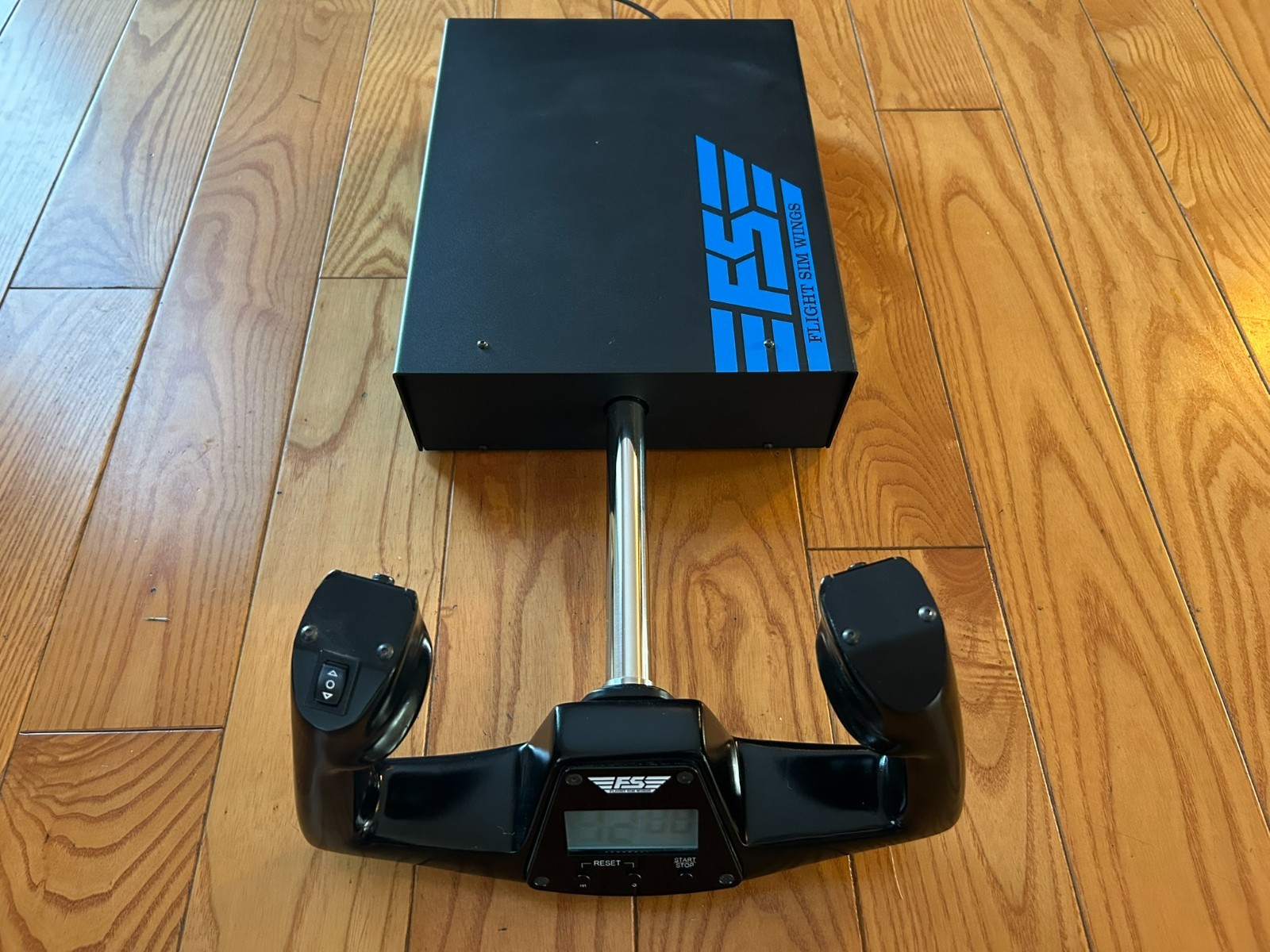
FSW wins for buyers who want more than the basic yoke interface. Contact-less sensors for pitch and roll, an integrated USB HID controller, a Cessna-style handle, electric trim rocker, timer, and two momentary buttons give the unit a broader control layout. The listed compatibility with X-Plane, Microsoft Flight Simulator, and Prepar3D also gives it a clear role in a dedicated simulator setup.
Logitech Flight Yoke System JU-0025
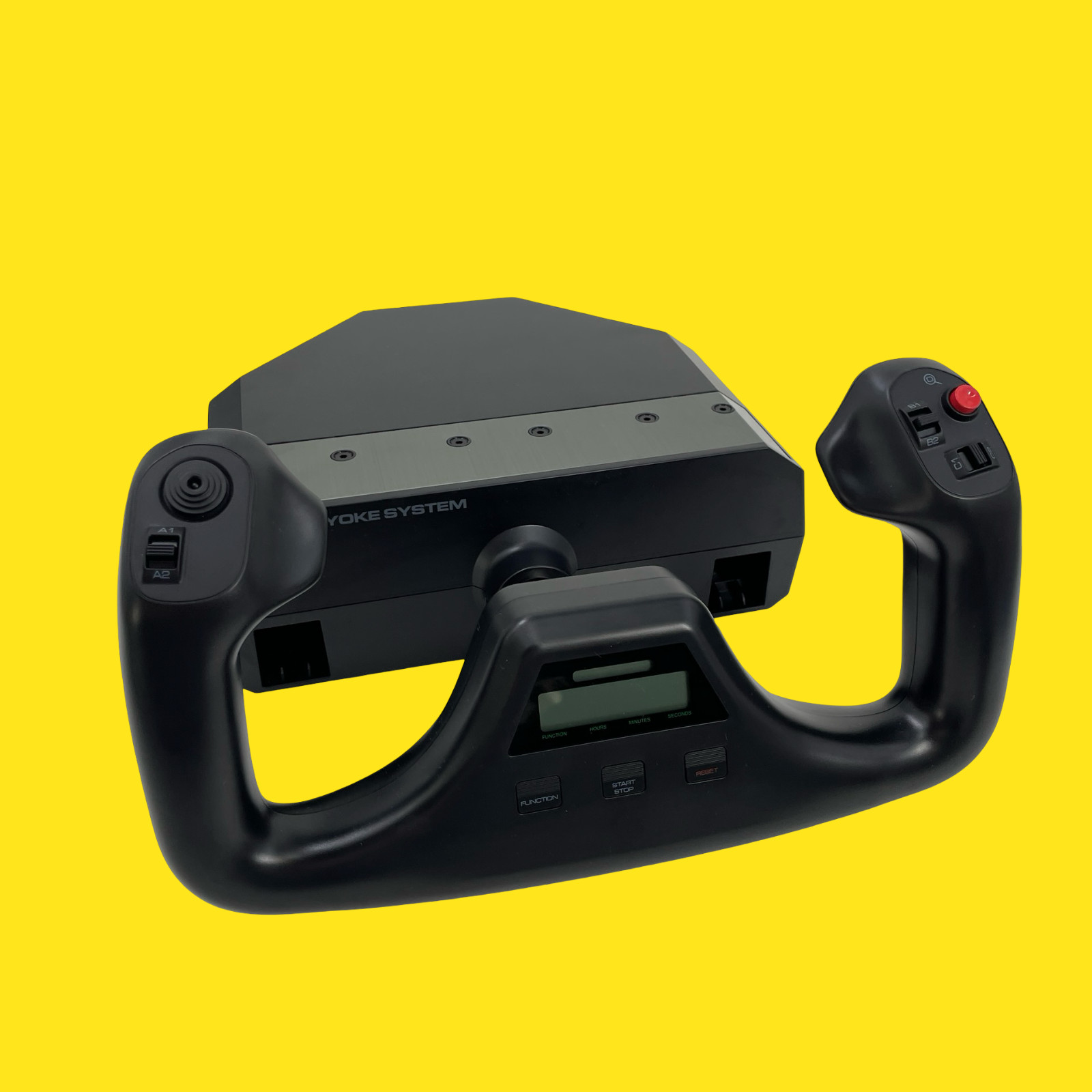
Logitech wins for buyers specifically seeking a yoke-only controller compatible with PC. Its wired USB connection keeps the interface familiar, while the much lower listed price makes it the straightforward route when the goal is to add a yoke without choosing the FSW's larger feature set.
Product notes
FSW Flight Yoke
The FSW FLIGHT YOKE combines a Cessna-style yoke handle with contact-less pitch and roll sensors, an integrated USB HID controller, a clock with timer, an electric trim rocker, and two momentary push buttons. Those controls make it a sensible choice for a simulator cockpit where trim and auxiliary inputs belong within reach of the yoke. Its named software compatibility includes X-Plane 10, 11, and 12, Microsoft Flight Simulator 2020 and 2024, and Prepar3D. The main limitation is the USD 500.00 price, which places it well above the Logitech. It is also listed as used, and its wired USB connection suits a cable-based desk setup rather than a wireless one.
Logitech Flight Yoke System
The Logitech Flight Yoke System JU-0025 is aimed at a simpler yoke-only setup. Its PC compatibility and wired USB connection make the intended computer-simulator use clear, while the USD 60.88 price gives it a very different entry point from the FSW. The trade-offs are in the unit's condition and package: it is listed as used, with some scuffs and marks, and the package is identified as yoke only without the original box, manual, cables, clamp, or additional accessories pictured. Plastic is also the listed material. Choose it when those package limitations are acceptable and the priority is a basic Logitech flight yoke rather than integrated timer, trim, and button controls.
Final choice by use case
- Choose the FSW FLIGHT YOKE for a more built-in cockpit control layout, contact-less pitch and roll sensing, trim access, and compatibility with the named flight simulators.
- Choose the Logitech Flight Yoke System JU-0025 for a PC-compatible, wired USB yoke-only format and a simpler setup centered on the controller itself.
In short, the FSW is the feature-led choice, while Logitech is the focused yoke-only choice. Their shared connection type means the deciding factors are the integrated controls, package scope, compatibility wording, and the $439.12 price spread.
