Choosing flight sim yokes & throttles comes down to a practical fork: do you need to reposition a throttle quadrant you already own, or are you looking for a yoke-and-throttle controller? Three choices here are external tilt adapters, while the Logitech Saitek entry is a used yoke system whose title also flags a missing clamp. The right pick depends more on the control you need than on the product name alone.
The short route is simple: choose the single adapter when one angled attachment and bundled hardware fit your setup; choose between the dual adapters when you need two quadrants; and consider the Logitech unit only when yoke input and throttle controls matter more than the missing clamp and used condition.
Quick take
- The three adapters are intended to change the position of an existing Saitek/Logitech flight sim throttle quadrant.
- The two dual-adapter entries share the same core purpose but differ in their included mounting hardware and wording around PC use.
- The Logitech Saitek Pro Flight Yoke System Throttle Simulator is a different type of purchase: a controller centered on a yoke and throttle rather than an external adapter.
Listed-price comparison
| Product | Listed price | Price bar | Role |
|---|---|---|---|
| 45 Degree Tilt Adapter For Saitek/Logitech Flight Sim Throttle Quadrant | $32.99 | Single tilt adapter | |
| Dual 45 Degree Tilt Adapter For Saitek/Logitech Flight Sim Throttle Quadrant | $34.99 | Dual adapter with included hardware | |
| Dual 45 Degree Tilt Adapter For Saitek/Logitech Flight Sim Throttle Quadrant - For PC | $35.49 | Dual adapter with screws excluded | |
| Logitech Saitek Pro Flight Yoke System Throttle Simulator - Missing Yoke Clamp | $74.95 | Yoke system and throttle simulator |
The three adapter prices are grouped closely, while the yoke-and-throttle entry is listed at the top of the range. That makes package contents and control type more useful decision points than price alone.
Decision matrix
- Already have a throttle quadrant: Focus on the three adapter titles rather than the Logitech yoke system.
- Need one angled attachment: The singular 45 Degree Tilt Adapter is the relevant format.
- Need two quadrants: Compare the two Dual 45 Degree Tilt Adapter entries by their hardware details.
- Need mounting pieces included: The first adapter and the Lune Constructs dual adapter describe included screws and hex nuts; the other dual adapter says screws are not included.
- Want a yoke controller: The Logitech Saitek title is the only one that names a yoke system, but its title also states that the yoke clamp is missing.
Product notes
45 Degree Tilt Adapter For Saitek/Logitech Flight Sim Throttle Quadrant
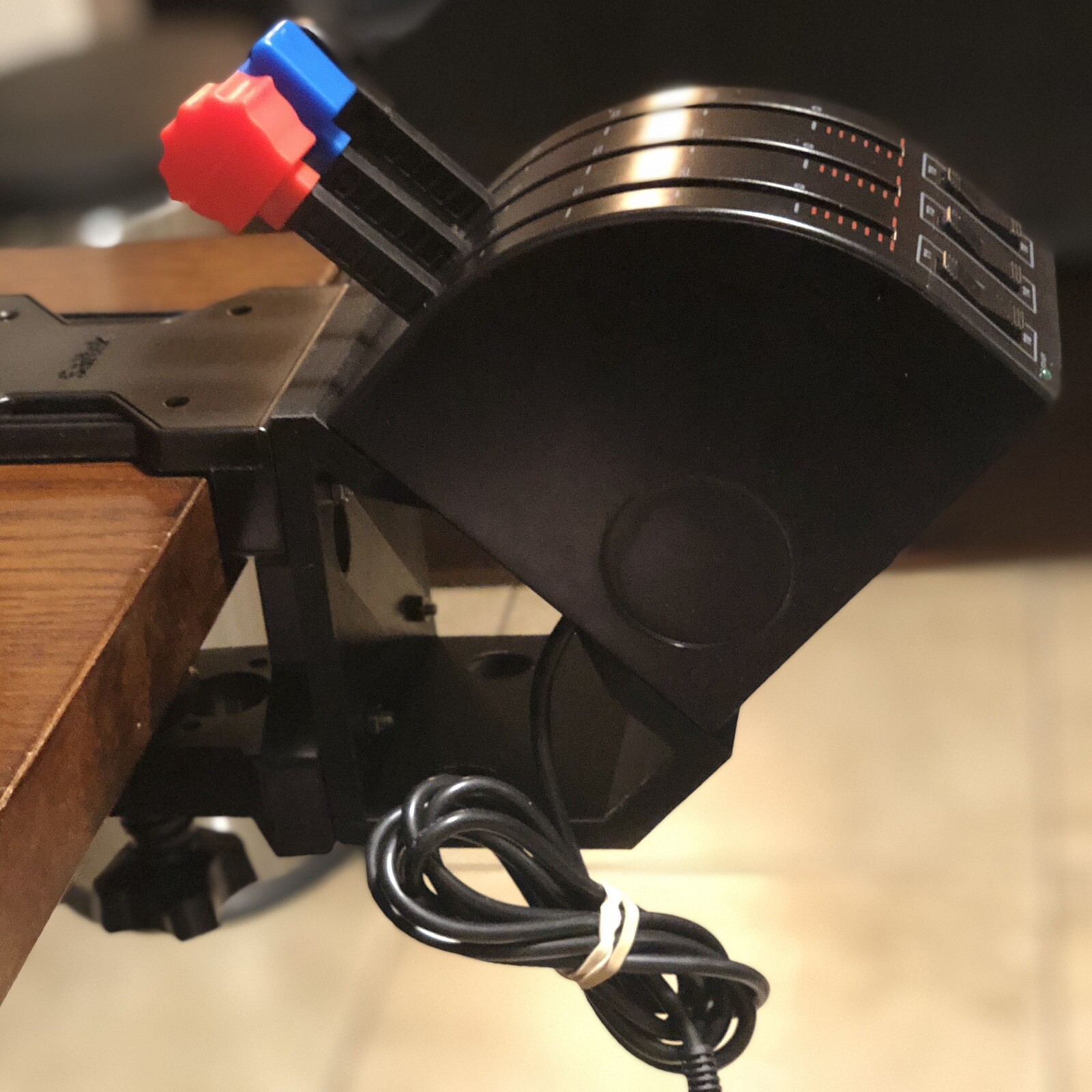
The 45 Degree Tilt Adapter For Saitek/Logitech Flight Sim Throttle Quadrant suits a setup that needs one angled external attachment. The package description includes the adapter, four M4-0.7 x 20mm screws, four SSM4 x 16mm screws, and four SS M4-0.7 hex nuts, giving you a concrete reason to choose it when bundled mounting hardware matters. The limitation is equally clear: the throttle is not included, so this is an add-on rather than a throttle control. It is described as a black plastic controller attachment and marked new. Choose it when the singular adapter format fits your existing quadrant.
Dual 45 Degree Tilt Adapter For Saitek/Logitech Flight Sim Throttle Quadrant
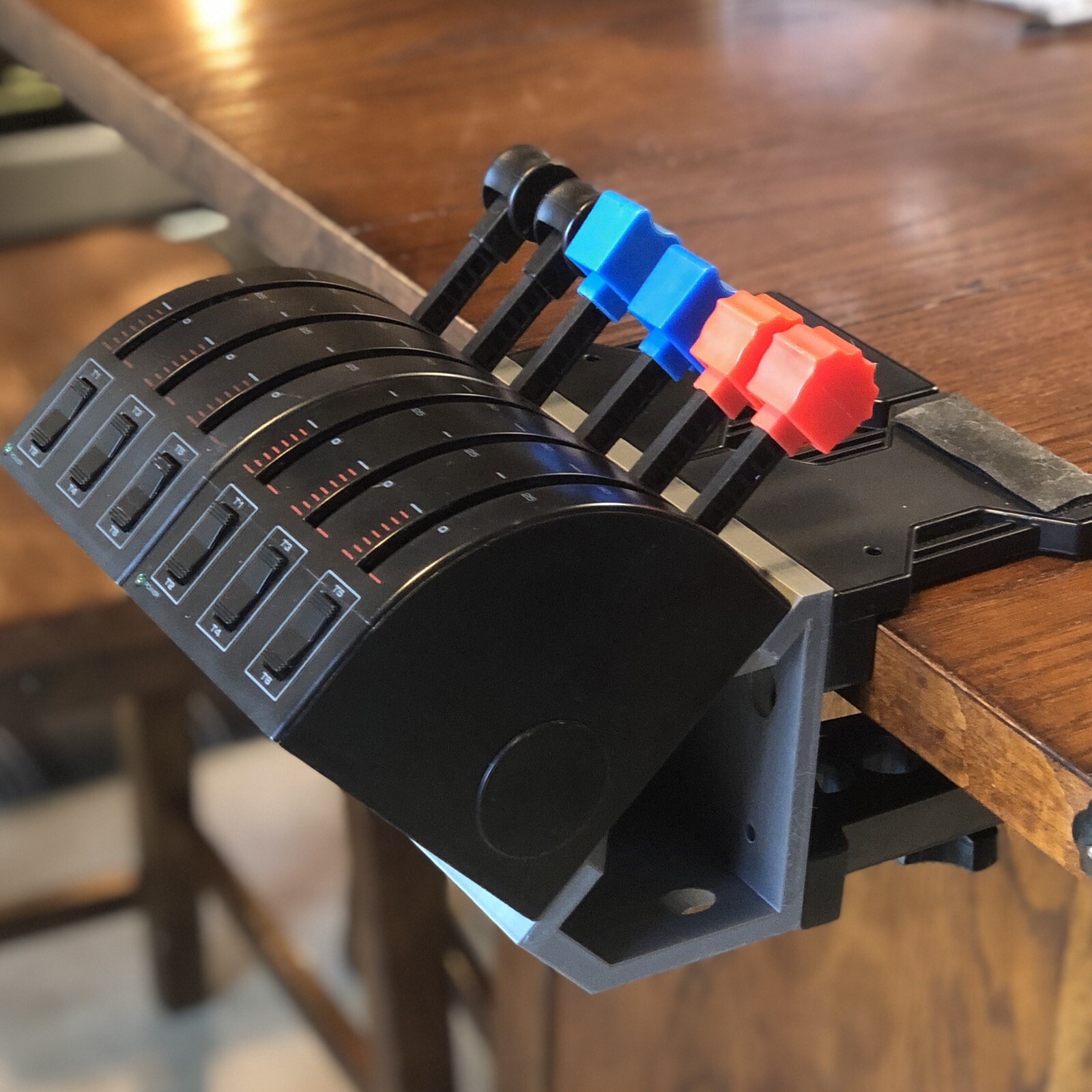
The Dual 45 Degree Tilt Adapter For Saitek/Logitech Flight Sim Throttle Quadrant is aimed at mounting two throttle quadrants at a 45-degree angle to the original table mounts. Its description includes eight M4-0.7 x 20mm screws, eight SSM4 x 16mm screws, and eight SS M4-0.7 hex nuts. That bundled hardware is the main reason to choose this entry over the dual adapter whose description excludes screws. The limitation is that the throttle quadrants themselves are not included. The black plastic controller attachment is marked new, and the title keeps the Saitek/Logitech throttle-quadrant fit prominent. It makes sense for a two-quadrant build where mounting pieces need to come with the adapter.
Dual 45 Degree Tilt Adapter For Saitek/Logitech Flight Sim Throttle Quadrant - For PC
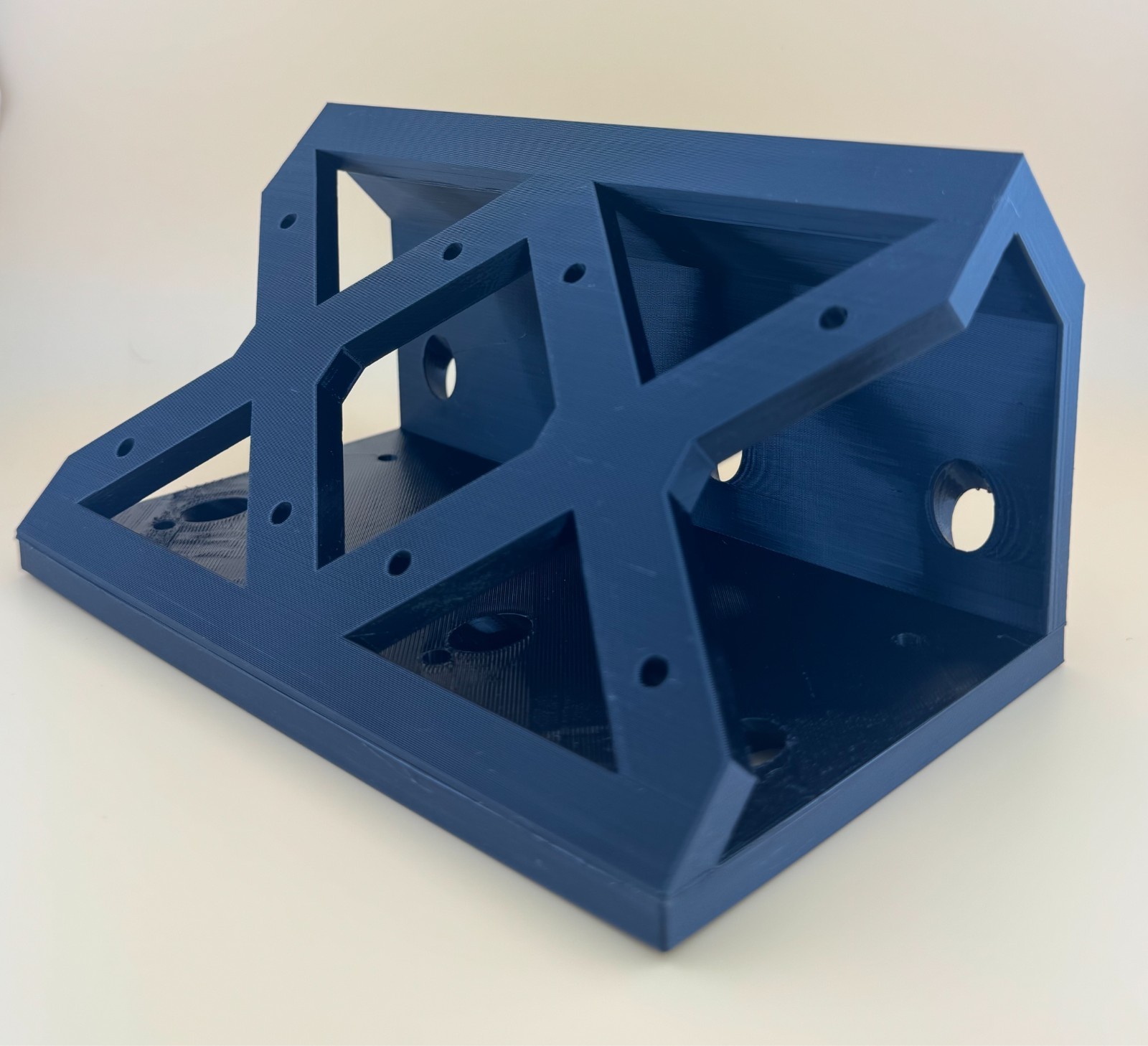
The second Dual 45 Degree Tilt Adapter For Saitek/Logitech Flight Sim Throttle Quadrant shares the two-quadrant, 45-degree format, but its description says screws are not included. That makes it a candidate when the required hardware is already on hand, while the For PC wording gives a concrete platform cue. Its description also identifies a black plastic controller attachment and says the throttle quadrants are not included. The limitation is therefore more than the separate throttle purchase: the mounting screws are separate as well. The near-matching price with the other dual adapter means package contents, not an assumed performance difference, should decide between the two.
Logitech Saitek Pro Flight Yoke System Throttle Simulator - Missing Yoke Clamp
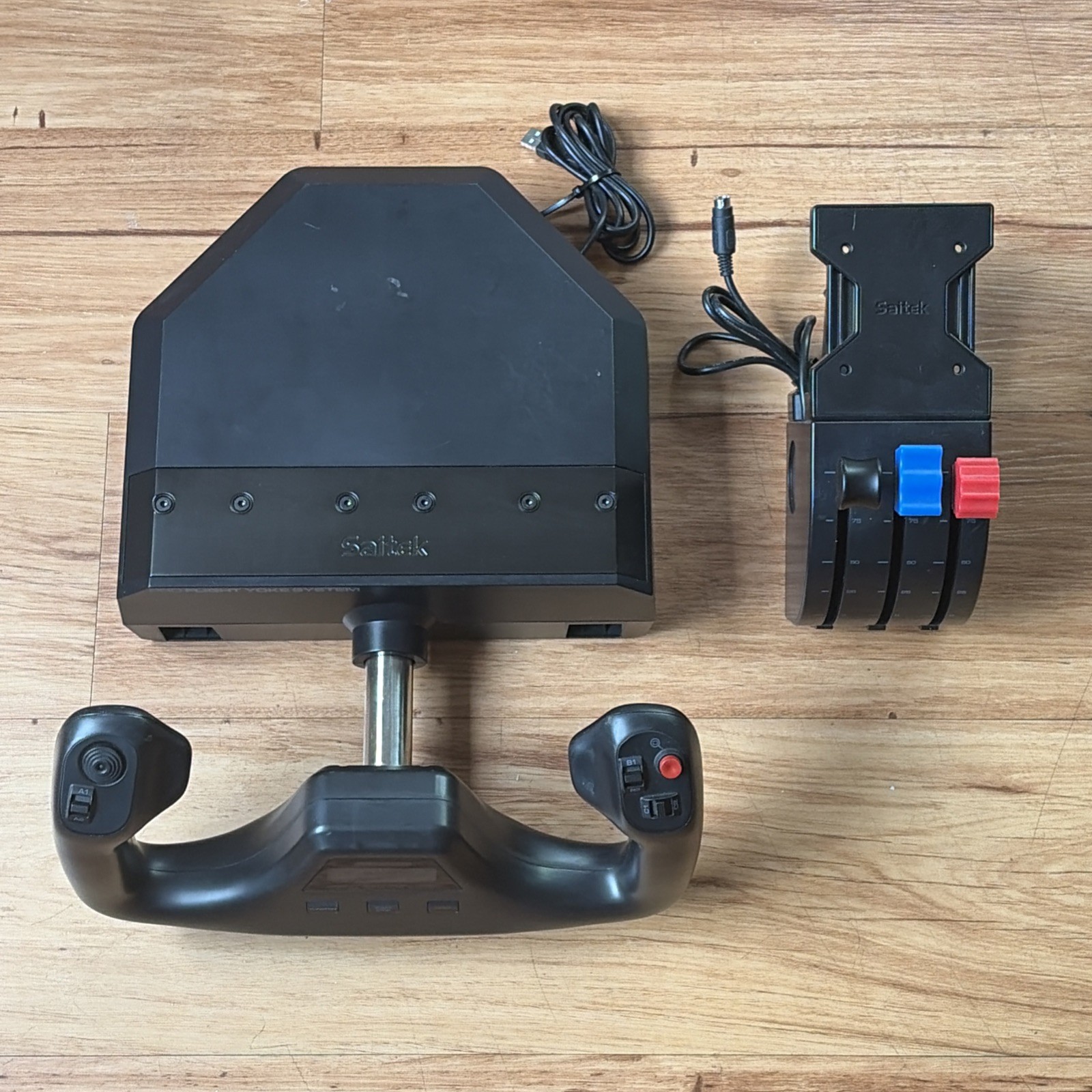
The Logitech Saitek Pro Flight Yoke System Throttle Simulator is the only entry built around a yoke-and-throttle control rather than a tilt adapter. Its description identifies a black plastic controller attachment with wired functionality, while the product details specify USB connectivity and a 4ft. cable. Those details give it the clearest role for someone shopping for an aviation control yoke and throttle instead of a way to reposition an existing quadrant. The important limitation is in the name: the yoke clamp is missing. It is also marked used, and its listed price is the highest here. Choose it only if that condition and clamp situation fit the planned setup.
Final recommendation by use case
- Lowest listed price: Choose the 45 Degree Tilt Adapter For Saitek/Logitech Flight Sim Throttle Quadrant at $32.99 when one adapter and included hardware suit the setup.
- Two quadrants with bundled mounting hardware: Choose the Dual 45 Degree Tilt Adapter For Saitek/Logitech Flight Sim Throttle Quadrant at $34.99.
- Dual adapter for the For PC path: Choose the second Dual 45 Degree Tilt Adapter For Saitek/Logitech Flight Sim Throttle Quadrant at $35.49 when screws are already on hand.
- Yoke and throttle control: Choose the Logitech Saitek Pro Flight Yoke System Throttle Simulator at $74.95 only if the used condition and missing yoke clamp are acceptable.
For an existing throttle-quadrant setup, the adapter titles are the relevant lane. For a yoke-centered control setup, the Logitech Saitek title is the only direct match, but the missing clamp should remain central to the decision.
