Choosing a flight sim joystick means resolving two practical questions before you focus on button count: will the connector suit your setup, and do you need a separate throttle as part of the experience? Control layout and condition then help narrow the choice. The Saitek X45 also has a specific scope limitation: the joystick portion is offered without its throttle controller. Start with the port, then compare the controls you will actually use.
Quick take
- USB setup: Focus on the Saitek X45, PXN-2103, or CH Products Flightstick Pro.
- PC Gameport setup: The Dexxa Logitech is the connector-specific choice.
- Separate throttle question: The Saitek X45 description explicitly covers the joystick portion without the throttle controller, which matters for HOTAS shoppers.
- Decision order: Connector fit comes first, followed by control layout and condition. The products span used USB sticks, a new Gameport controller, and different onboard control arrangements.
Listed-price comparison
The listed prices span $29.00 to $39.00, an absolute spread of $10.00. Because the gap is relatively narrow, connector fit should come before price when choosing a flight sim joystick.
| Model | Listed price | Price bar |
|---|---|---|
| Saitek X45 | USD 39.00 | |
| PXN-2103 | USD 29.00 | |
| CH Products Flightstick Pro | USD 39.00 | |
| Dexxa Logitech | USD 29.96 |
Decision matrix
Use this matrix to separate the choices without treating shared USB connectivity as an advantage for only one model.
| Model | Connection | Condition | Product form |
|---|---|---|---|
| Saitek X45 | USB | Used | Joystick controller |
| PXN-2103 | USB | Used | PC gaming controller |
| CH Products Flightstick Pro | USB | Used | Joystick |
| Dexxa Logitech | PC Gameport - DB15 (15-Pin) | New | PC controller |
Product notes
Saitek X45 Digital USB Flight Simulator Joystick Controller Tested Working
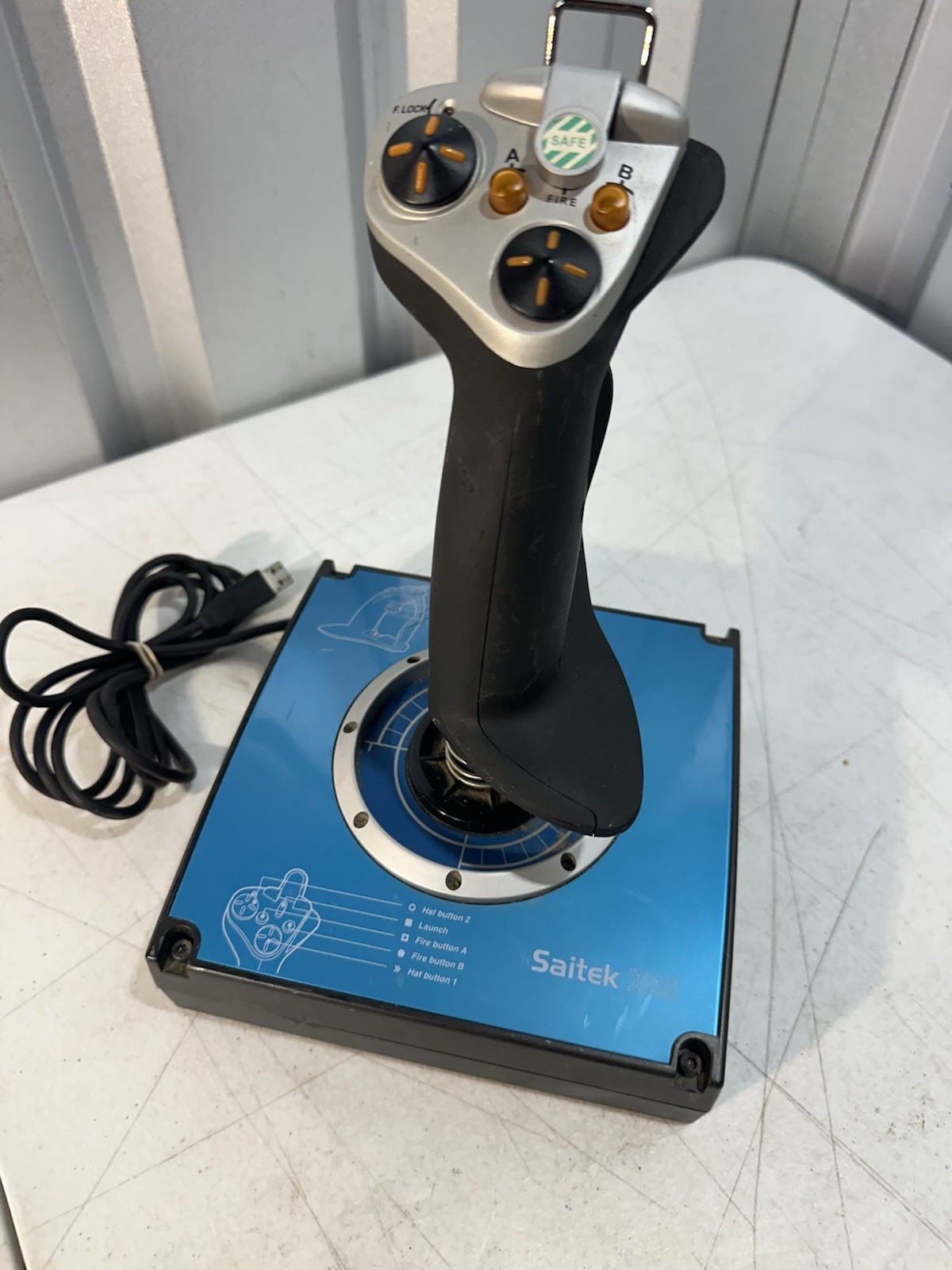
Saitek X45 is the fit for a USB-connected setup where dual hat controls, multiple fire buttons, and trigger controls matter. The attached USB cable keeps the connection straightforward, and the model is identified as Saitek X45. The key limitation for a HOTAS shopper is scope: the description specifies the joystick portion and explicitly excludes the throttle controller, software, and additional accessories. It is also used, with scratches, scuffs, and marks described as cosmetic wear. Pick the X45 when the joystick itself is the priority and that joystick-only scope suits your setup.
PXN-2103 USB Flight Simulator Joystick 12 Button PC Gaming Controller Tested
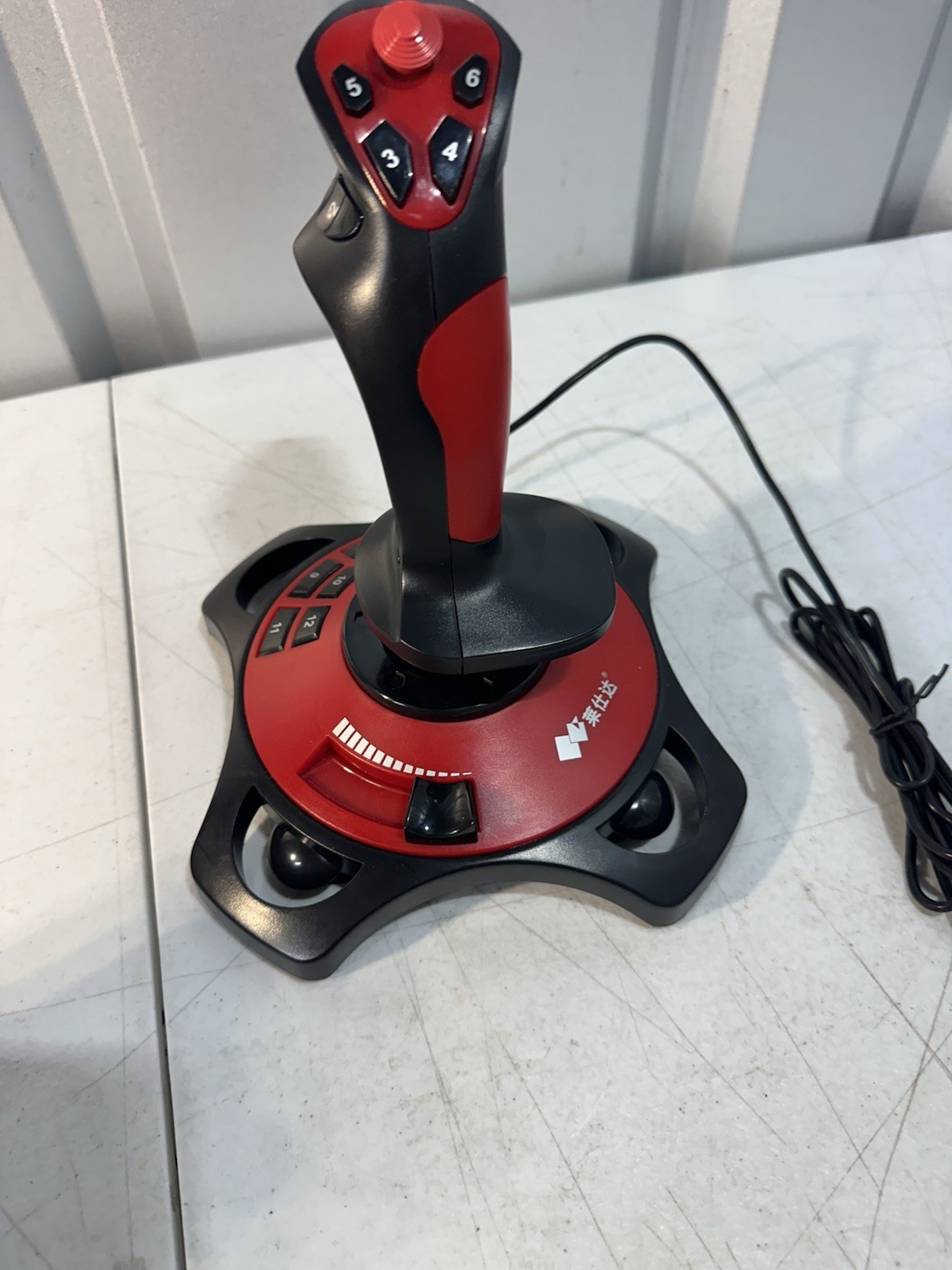
PXN-2103 brings a PC-focused USB connection and a clearly named 12-button layout, plus a top hat, trigger, throttle control, vibration on/off switch, and suction-cup base. That combination suits someone who wants several built-in controls on the stick. The limitation is the form factor: the throttle control is described on the joystick, not as a separate throttle controller. The unit is used and carries light scratches, scuffs, and marks from previous use. Choose it for a PC flight sim joystick with a dense control layout, especially if those onboard controls matter more than a separate throttle unit.
CH Products Flightstick Pro USB FSPUSB Flight Simulator Joystick Tested Working
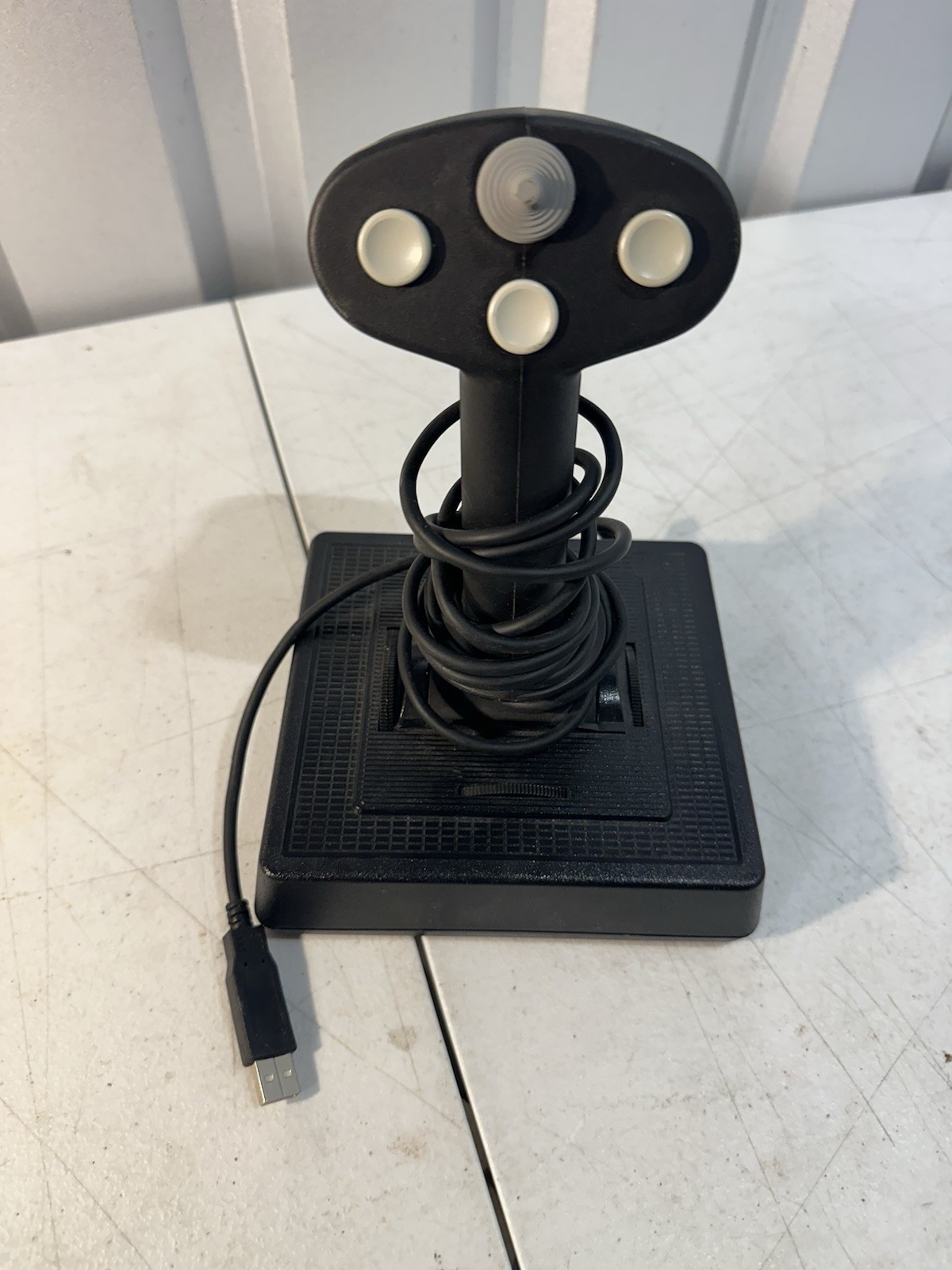
CH Products Flightstick Pro keeps the decision simple for a USB setup: multiple buttons, hat control, trigger, and adjustable controls on the base are all named. The Flightstick Pro model and attached USB cable give shoppers a clearly identified stick for flight simulation. Its limitation is the included scope: the description says the joystick comes with its attached cable but no additional accessories or software. It is also pre-owned with light scratches, scuffs, and marks from use. Choose it when adjustable base controls are the deciding feature and the included joystick-and-cable arrangement fits your needs.
Dexxa Logitech Flight Simulator Joystick Controller for PC Gameport DB15 sealed
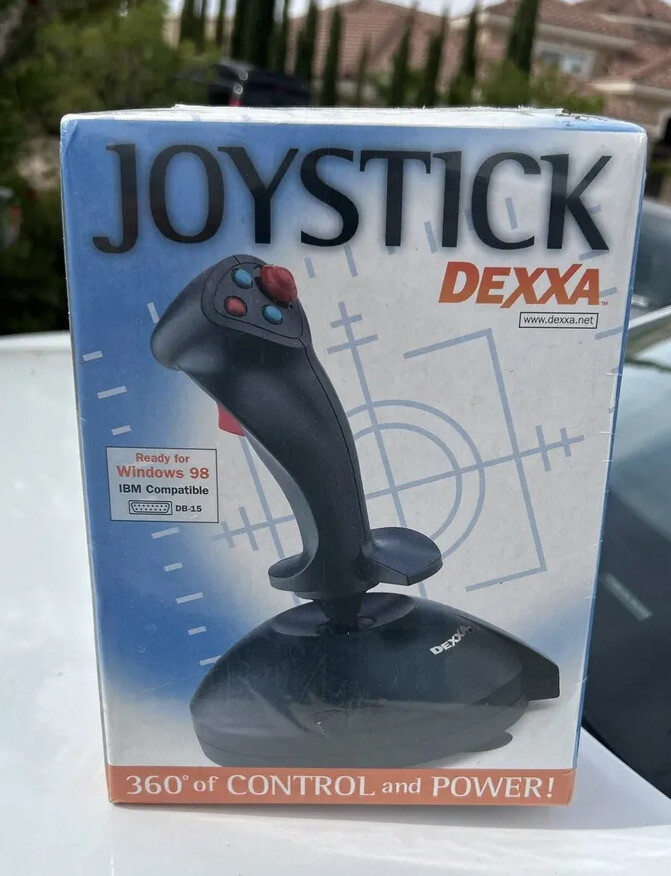
Dexxa Logitech stands apart by using a wired PC Gameport-DB15 (15-Pin) connection, with a black controller and directional-control joystick. That makes it the relevant match for a setup built around that connector, and its condition is marked new. The limitation is connectivity: the Gameport plug does not match the USB connection used by the Saitek X45, PXN-2103, and CH Products Flightstick Pro. The price therefore matters only after connector fit is settled. Choose it for a PC with the named Gameport connection; a USB-only setup points elsewhere.
Final recommendation by use case
- For a PC USB joystick with a 12-button label: Choose the PXN-2103. Its title identifies the PC gaming controller and 12-button layout, while the description adds throttle control, vibration switching, and a suction-cup base.
- For dual-hat and multiple fire-button controls: Choose the Saitek X45, provided the joystick-only scope works for you. Its title and description identify USB connectivity and the X45 model.
- For adjustable base controls: Choose the CH Products Flightstick Pro. The named base adjustments, hat control, trigger, and multiple buttons give this USB joystick a distinct control emphasis.
- For a PC Gameport controller: Choose the Dexxa Logitech. The title explicitly identifies the PC Gameport DB15 connector and the controller as a PC flight-simulation device.
The main takeaway is simple: match the connector first, then choose the control arrangement. The $10 price spread is secondary to whether the joystick fits the way your flight sim setup is built.
