Choosing between flight sim yokes & throttles can mean comparing two entirely different upgrades: a $34.99 attachment that changes how existing throttle hardware sits, or a $375.00 USB yoke that adds a new control input. The right choice depends on whether your setup already uses Saitek/Logitech quadrants or needs an aviation yoke for Apple and PC. Here is the useful split: the adapter is for throttle layout, while the Yoko is for yoke control.
Quick verdict
Choose the Dual 45 Degree Tilt Adapter if your goal is to reposition two compatible throttle quadrants at an angle. Choose the Yoko Flight Sim Yoke if you specifically need a metal USB control yoke. These are not interchangeable upgrades, so the control you are trying to add or rearrange matters more than the price comparison.
Compact comparison
| Product | Main role | Price | Connection or fit |
|---|---|---|---|
| Dual 45 Degree Tilt Adapter For Saitek/Logitech Flight Sim Throttle Quadrant | Dual-quadrant angle adapter | $34.99 | Controller attachment for Saitek/Logitech throttle hardware |
| Yoko Flight Sim Yoke | Metal flight control yoke | $375.00 | USB; compatible with Apple and PC models |
Where each product wins
- The Dual 45 Degree Tilt Adapter wins for a layout-focused change. Its stated purpose is to mount two throttle quadrants at a 45-degree angle to the original table mounts, making it the more direct fit for an existing throttle arrangement.
- The Yoko Flight Sim Yoke wins when the missing control is a yoke. Its metal construction, USB connection, and 6-foot cable give it a clearly different role from an attachment used to reposition throttle hardware.
- Price favors the adapter, but only within its narrower job. The difference between the two listed prices is $340.01. That gap is meaningful if you only need to change throttle positioning, but it does not make the adapter a substitute for a yoke.
Product notes
Dual 45 Degree Tilt Adapter For Saitek/Logitech Flight Sim Throttle Quadrant
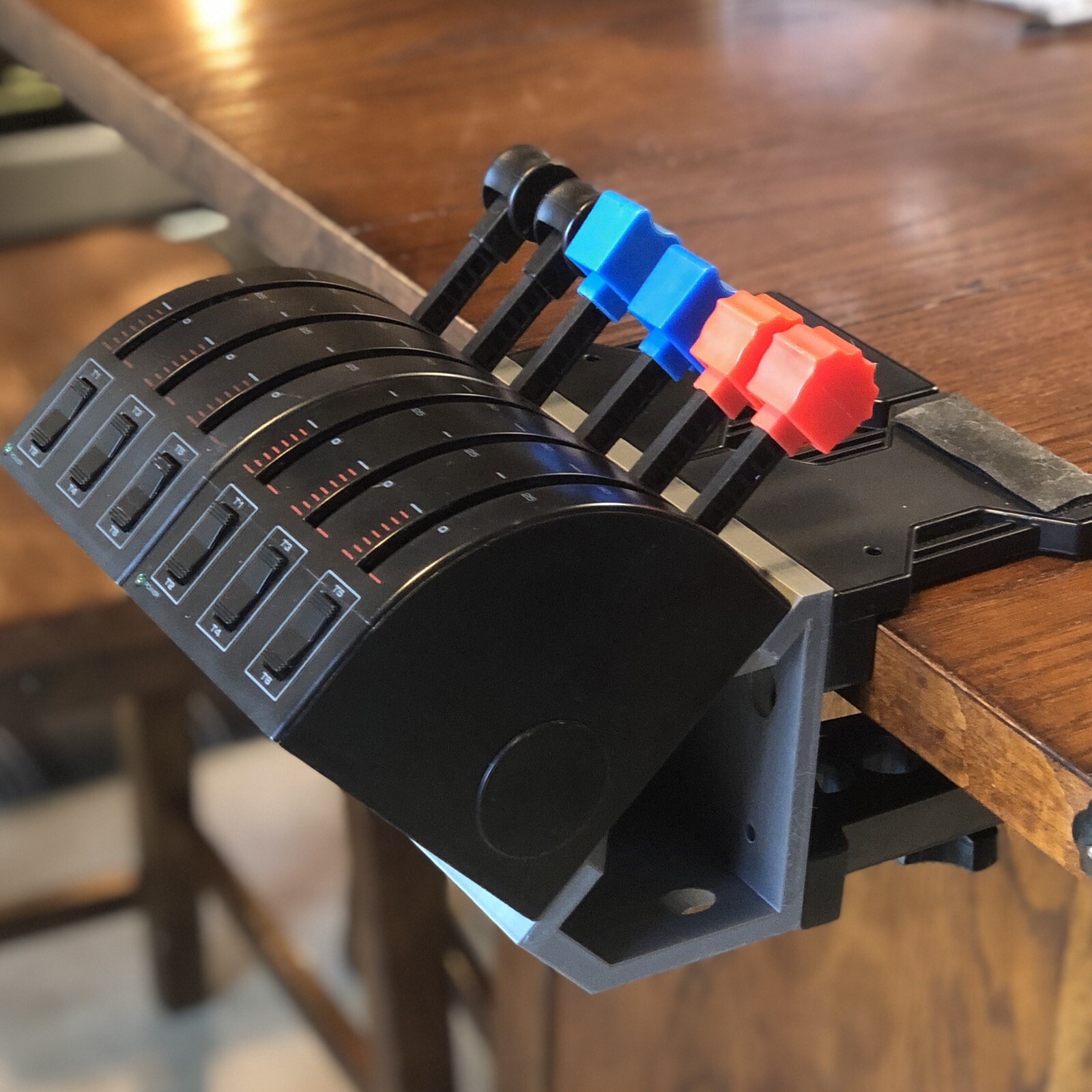
The Dual 45 Degree Tilt Adapter is the focused choice for a simulator setup built around two Saitek/Logitech throttle quadrants. Its description specifies a 45-degree angle for the quadrants at the original table mounts, and the package includes the adapter, M4 screws, SSM4 screws, and hex nuts. That makes the reason to choose it clear: it addresses physical positioning rather than replacing the controls themselves. The important limitation is that throttle quadrants are not included, so the adapter depends on having compatible quadrant hardware for the intended setup. It is also a plastic external attachment with controller-attachment connectivity, not a USB yoke or standalone flight control. Choose it for a defined mounting change, not for adding yoke input.
Yoko Flight Sim Yoke
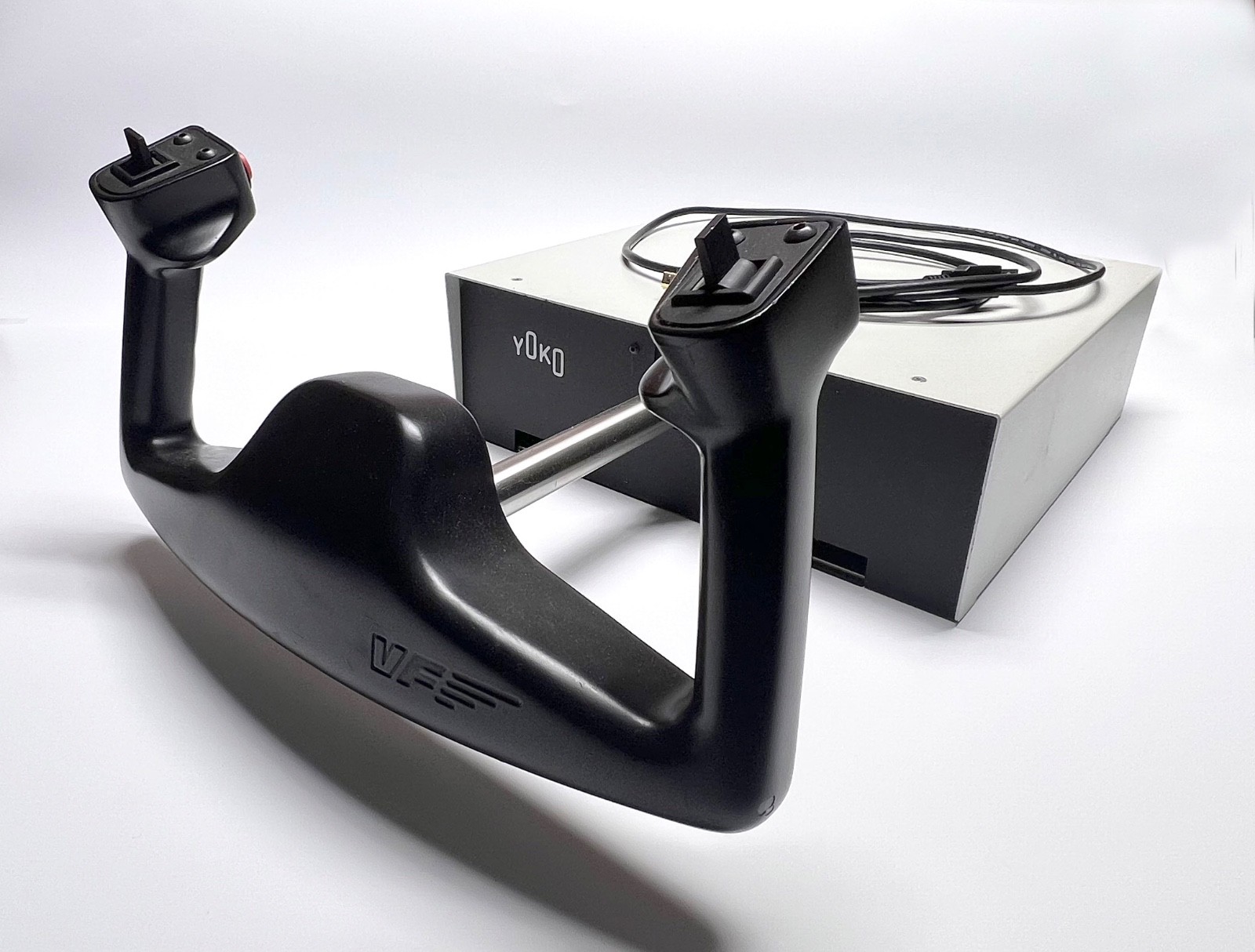
The Yoko Flight Sim Yoke is the direct match when actual yoke input is the priority. It is described as a metal control yoke with USB connectivity, a 6-foot cable, and compatibility with Apple and PC models. Those attributes give it a distinct purpose: it adds an aviation-style control device rather than changing the position of throttle hardware. The trade-off is its used condition and its maximum number of players being one, details that may matter when planning a shared simulator setup. It also does not perform the adapter's dual-quadrant mounting function. Choose Yoko when the control you need is a yoke connected by USB; skip it when your immediate project is limited to arranging existing throttle quadrants.
Final choice by use case
- For an existing throttle-quadrant arrangement: Pick the Dual 45 Degree Tilt Adapter. The product title directly identifies Saitek/Logitech throttle hardware, and its stated dual-angle purpose matches a layout change.
- For adding yoke input: Pick the Yoko Flight Sim Yoke. The product is explicitly a control yoke, with USB connectivity and Apple/PC compatibility.
- When the $340.01 difference decides the purchase: Choose the adapter only if its narrower mounting function solves the problem. Choose Yoko if buying an actual yoke is the purpose, because the two products address different parts of a flight simulator setup.
