When choosing flight sim yokes & throttles, the key decision is whether you are adjusting a control you already own or building around a fuller flight-control setup. The 45 Degree Tilt Adapter is a focused accessory for a Saitek/Logitech throttle quadrant, while the Logitech G Flight package brings together a yoke, throttle quadrant, and rudder pedals.
Quick verdict
Choose the 45 Degree Tilt Adapter for Saitek/Logitech Flight Sim Throttle Quadrant if the main goal is a 45-degree change in throttle-quadrant positioning. It is an external attachment, and the throttle itself is not included.
Choose the Logitech G Flight Yoke, Throttle and Pedals for Flight Simulator if you want a coordinated set of flight controls for a PC simulator. The package includes the yoke system, throttle quadrant, rudder pedals, and USB cables. The $167.01 listed-price gap frames this as an accessory-versus-complete-setup decision rather than a direct feature-for-feature matchup.
At a glance
| Product | Listed price | Stated role | Best fit |
|---|---|---|---|
| 45 Degree Tilt Adapter for Saitek/Logitech Flight Sim Throttle Quadrant | $32.99 | 45-degree external attachment; throttle not included | An existing compatible quadrant |
| Logitech G Flight Yoke, Throttle and Pedals for Flight Simulator | $200.00 | Yoke, throttle quadrant, pedals, and USB cables | A PC flight-simulation setup |
Where each product wins
- 45 Degree Tilt Adapter: The 45-degree angle and controller-attachment connectivity make it the more focused choice when quadrant orientation is the specific issue. Its black plastic construction also gives the accessory a defined, compact role within a compatible setup.
- Logitech G Flight Yoke: PC compatibility and wired connectivity make this the more suitable direction for a computer-based simulator. The named support for Microsoft Flight Simulator, X-Plane, and Prepar3D also gives the package a clearly stated software context.
Product notes
45 Degree Tilt Adapter for Saitek/Logitech Flight Sim Throttle Quadrant
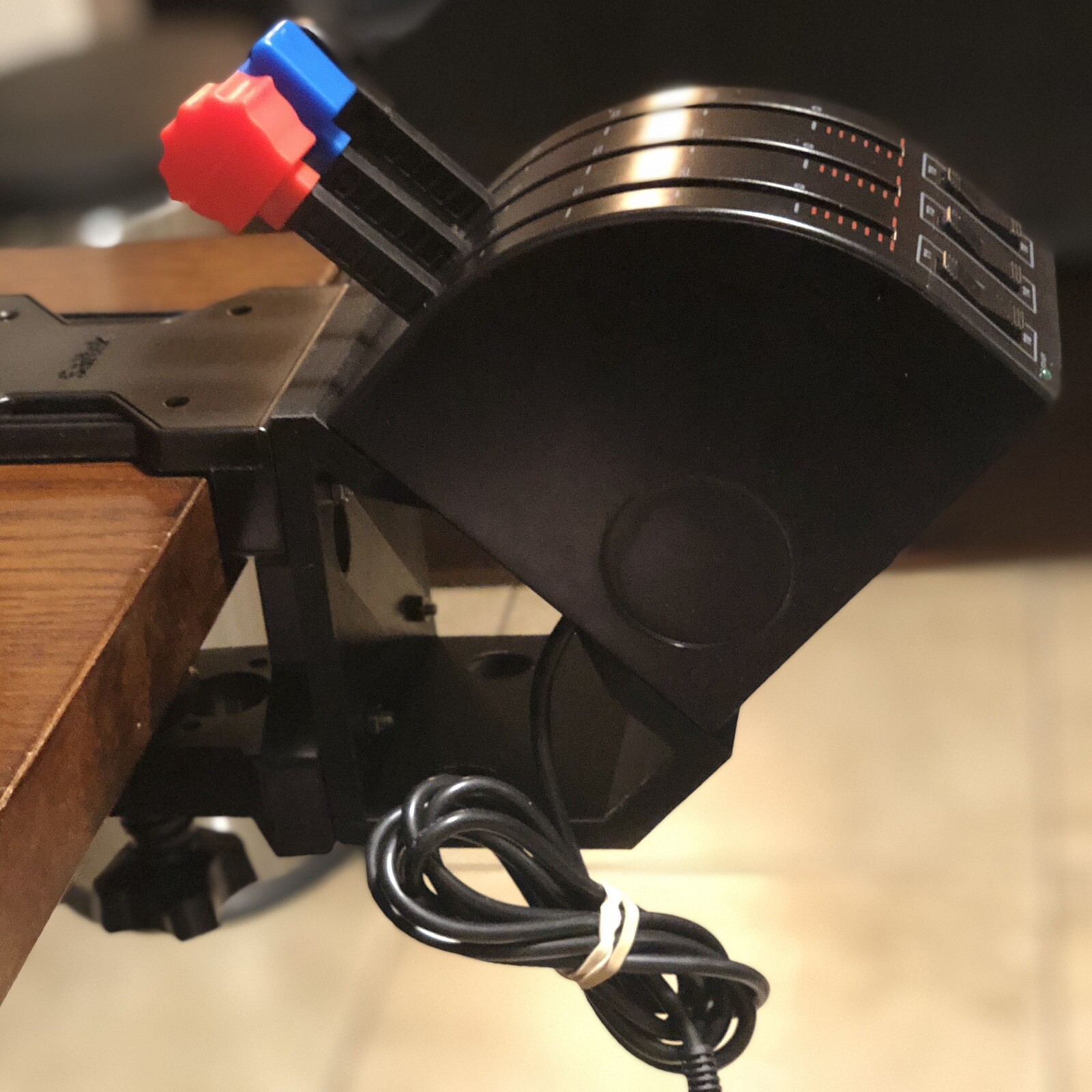
The 45 Degree Tilt Adapter for Saitek/Logitech Flight Sim Throttle Quadrant is the focused choice for changing the angle of a compatible throttle quadrant. Its title specifies the 45-degree tilt, while the attributes identify a black plastic external attachment with controller connectivity. The important limitation is explicit: the throttle is not included. That makes the adapter appropriate for someone whose Saitek/Logitech quadrant is already part of the setup, rather than for a shopper seeking a standalone flight sim throttle. The included adapter and M4 screws and hex nuts reinforce its role as an attachment accessory. Choose it when positioning is the priority and the rest of the throttle hardware is already covered.
Logitech G Flight Yoke, Throttle and Pedals for Flight Simulator
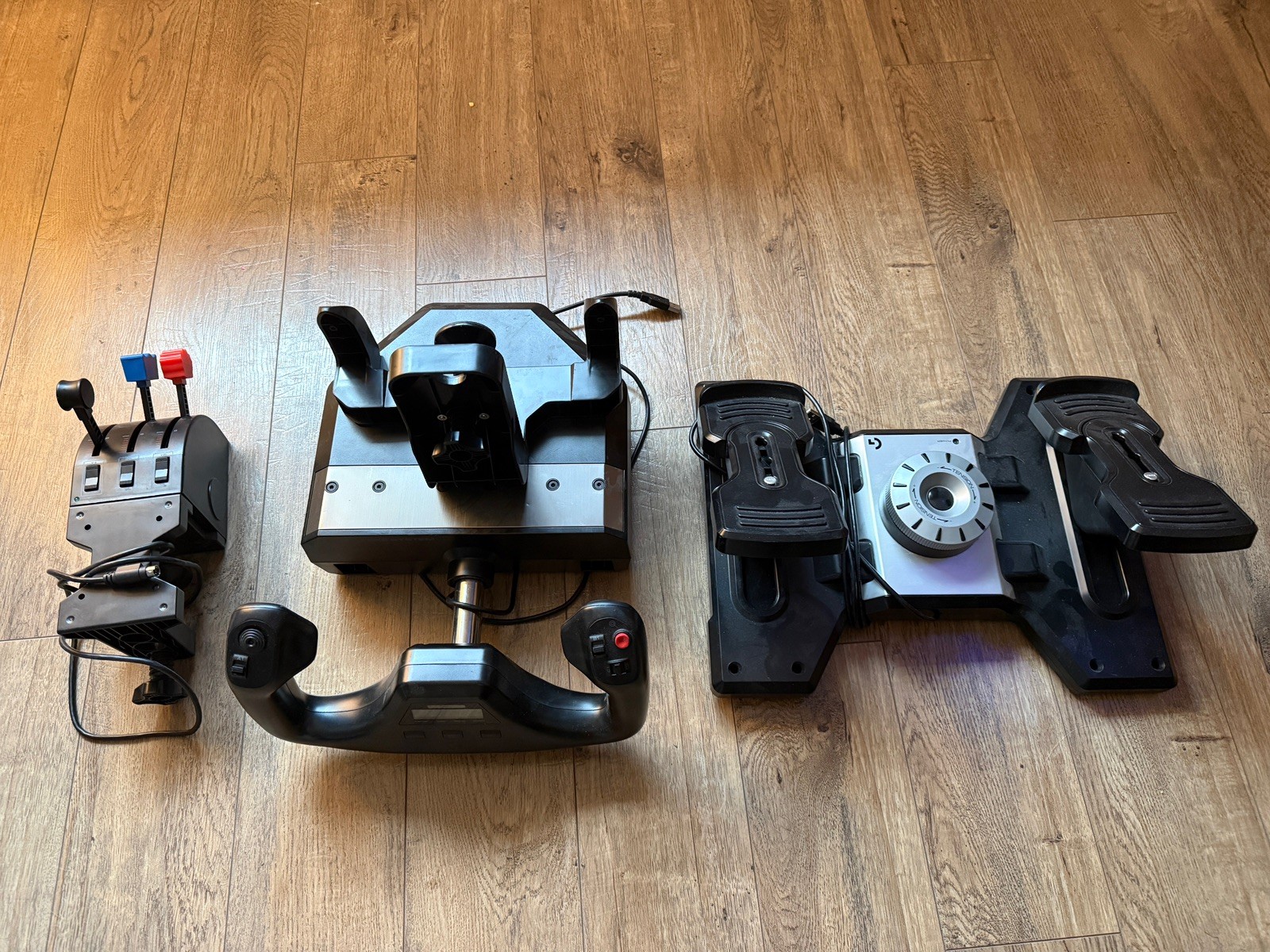
Logitech G Flight Yoke, Throttle and Pedals for Flight Simulator makes the complete-control case: the package includes a flight yoke system, throttle quadrant, rudder pedals, and USB cables. Its stated PC compatibility and wired connectivity fit a computer-based simulator, and the description names Microsoft Flight Simulator, X-Plane, and Prepar3D among the intended platforms. That combination gives it a clear role for someone building around coordinated controls rather than changing one accessory. The concrete limitation is its listed used condition. The 1.8m cable length, black color, and 9 lb item weight identify the package without changing that trade-off. Choose it when the goal is a ready collection of flight controls; the adapter is the more focused answer when only quadrant positioning needs attention.
Final choice by use case
- For changing an existing Saitek/Logitech throttle quadrant's angle: choose the 45 Degree Tilt Adapter. The 45-degree tilt and external-attachment format directly match that use case.
- For assembling a PC flight-simulation control set: choose the Logitech G Flight Yoke, Throttle and Pedals. Its included control components, wired connection, and stated PC compatibility make the intended setup clear.
- For the narrower accessory role: the adapter keeps the purchase focused, but remember that its description excludes the throttle itself.
- For the broader control package: Logitech is the direct fit, with the listed used condition as the main qualification to weigh.
