Choosing flight sim yokes & throttles is less about naming a single winner than matching the control to the job. Do you need to change the angle of a throttle quadrant you already use, or add a broader flight-simulation controller? These two choices serve different purposes, so the useful decision is whether your setup needs an attachment or a yoke-and-throttle system.
Quick verdict
Choose the 45 Degree Tilt Adapter for a targeted angle change on a Saitek/Logitech flight sim throttle quadrant. Choose the Logitech Flight Yoke System when you want a yoke and throttle quadrant together. The $87.00 price spread sits between those two scopes: an external attachment versus a wired simulation controller.
Listed-price and feature comparison
| Choice | Listed price | Main role | Key limitation |
|---|---|---|---|
| 45 Degree Tilt Adapter | USD 32.99 | External attachment for a Saitek/Logitech throttle quadrant | Throttle not included |
| Logitech Flight Yoke System | USD 119.99 | Yoke and throttle quadrant system | Open-box condition |
Where each product wins
- 45 Degree Tilt Adapter wins on focused modification. Its 45-degree format is named for a Saitek/Logitech flight sim throttle quadrant, and the included M4 screws and hex nuts fit an attachment-oriented purchase. Choose it when changing the quadrant's angle is the actual project and the throttle hardware is already part of your setup.
- Logitech Flight Yoke System wins on control coverage. It combines the yoke and throttle quadrant in one system, while PC compatibility, wired USB connectivity, a four-foot cable, and a matte/anti-glare feature define its setup. Choose it when you need both control types rather than an angle accessory.
Product notes
45 Degree Tilt Adapter For Saitek/Logitech Flight Sim Throttle Quadrant
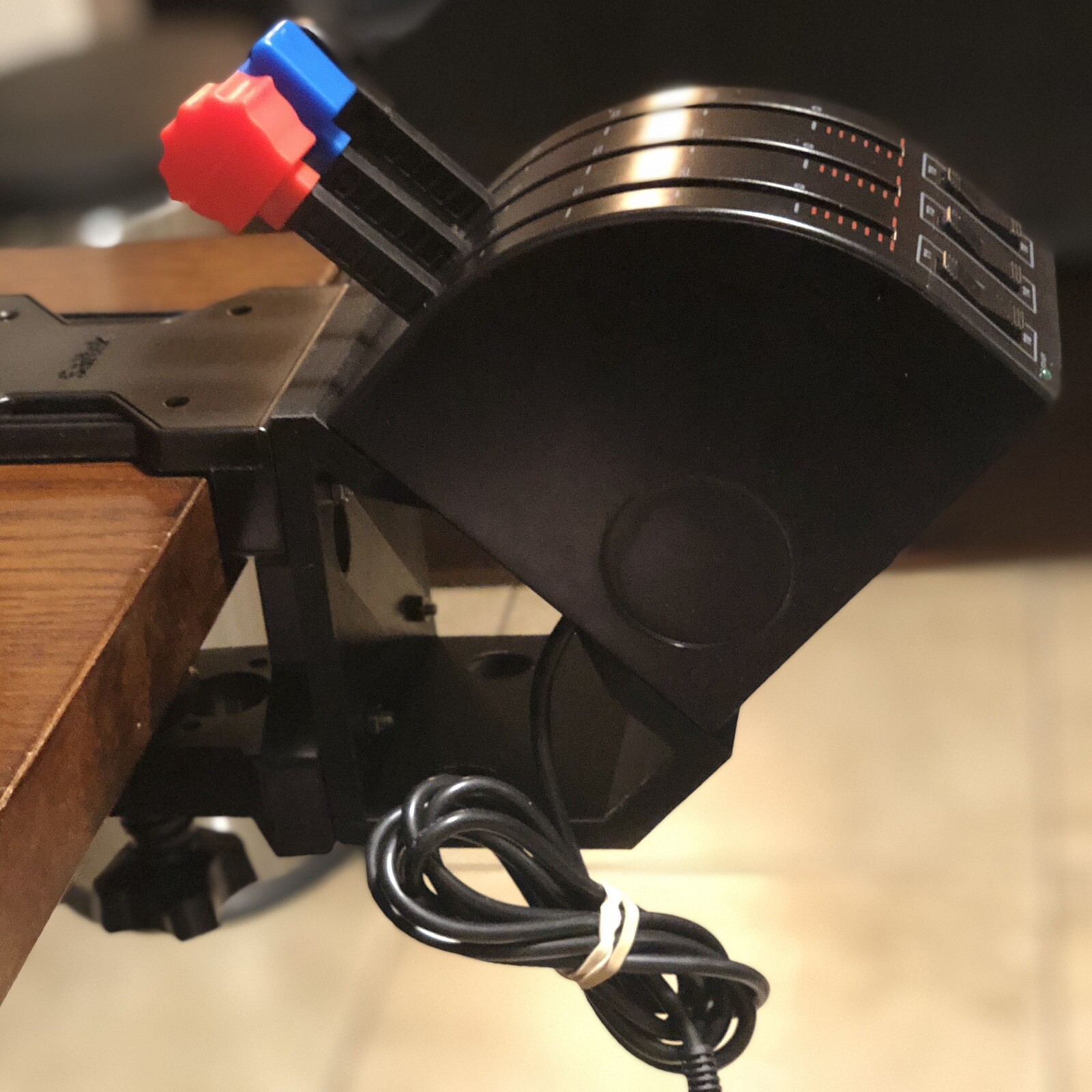
The 45 Degree Tilt Adapter is the focused choice for repositioning a Saitek/Logitech flight sim throttle quadrant. It comes with the adapter, four M4-0.7 x 20 mm screws, four SS M4 x 16 mm screws, and four SS M4-0.7 hex nuts, giving the purchase a clearly defined attachment role. That is the concrete reason to choose it: the title directly names a 45-degree tilt and the compatible quadrant family. The limitation is equally clear: the throttle is not included. It therefore suits someone modifying an existing control arrangement, not someone looking for a standalone yoke-and-throttle setup. Its black plastic construction and external-attachment format reinforce that narrow purpose.
Logitech Flight Yoke System Professional Simulation Yoke and Throttle Quadrant
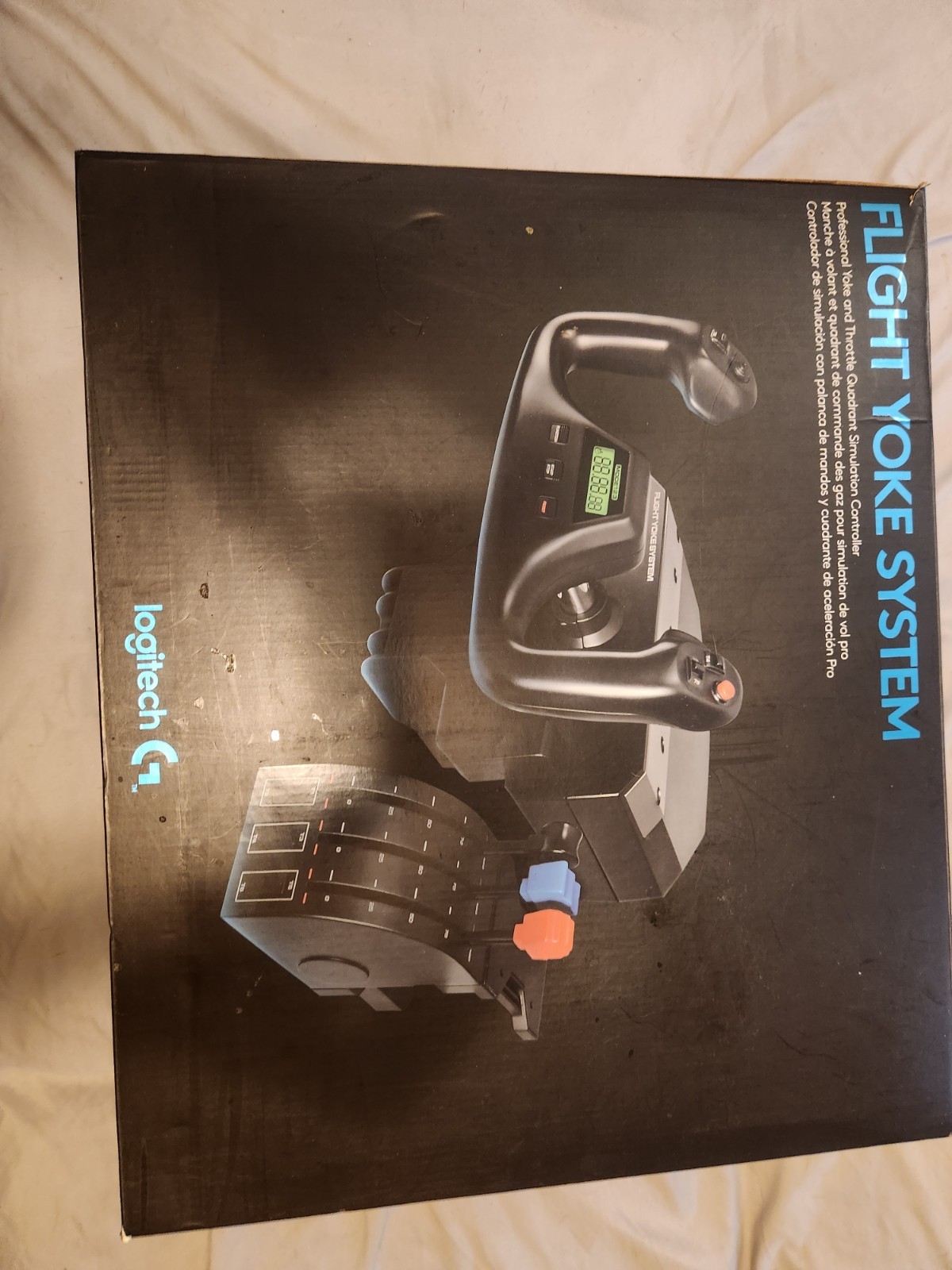
The Logitech Flight Yoke System Professional Simulation Yoke and Throttle Quadrant is the broader hardware choice because it includes both a yoke and a throttle quadrant in one system. Its black plastic control has wired USB connectivity, a four-foot cable, PC compatibility, and a matte/anti-glare feature. Those details make it a concrete fit for a PC flight-simulation setup built around a direct USB connection. The limitation is the open-box condition, which matters to shoppers specifically seeking a new item. Unlike the tilt adapter, this purchase is aimed at adding paired flight controls, so it makes more sense when the setup needs a yoke as well as throttle control.
Final choice by use case
- Choose the 45 Degree Tilt Adapter if your goal is a 45-degree positioning change for a Saitek/Logitech throttle quadrant. The included adapter hardware and New condition suit that narrow modification, but the throttle itself must come from elsewhere in your setup.
- Choose the Logitech Flight Yoke System if you want the yoke-and-throttle system, PC compatibility, and wired USB connection in one control. Its open-box condition is the key tradeoff to weigh.
- For an accessory-versus-controller decision, the adapter is the direct match for angle adjustment, while Logitech is the direct match for adding a wider set of flight-simulation controls.
