Choosing between flight sim yokes & throttles can be confusing because these two products solve different control problems. One changes the position of a throttle quadrant you may already own; the other is a yoke controller. The useful payoff is simple: match the purchase to the control you are missing, rather than choosing by price alone.
Quick verdict
The 45 Degree Tilt Adapter For Saitek/Logitech Flight Sim Throttle Quadrant is the focused pick for changing an existing quadrant's angle. The Logitech Flight Yoke System JU-0025 USB Controller Yoke Only is the better fit when the goal is yoke input on a PC. Neither is a general-purpose replacement for the other.
Price and fit at a glance
| Product | Listed price | Listed condition | Main role |
|---|---|---|---|
| 45 Degree Tilt Adapter For Saitek/Logitech Flight Sim Throttle Quadrant | USD 32.99 | New | 45-degree throttle-quadrant adapter |
| Logitech Flight Yoke System JU-0025 USB Controller Yoke Only | USD 60.88 | Used | Wired USB controller yoke |
Where each product wins
- 45 Degree Tilt Adapter: It has the lower listed price and a narrowly defined 45-degree tilt purpose, making it the more direct match for a quadrant-positioning project.
- Logitech Flight Yoke System JU-0025: It wins when the desired control is a yoke rather than a throttle adjustment, with listed wired USB connectivity and PC compatibility.
Product notes
45 Degree Tilt Adapter For Saitek/Logitech Flight Sim Throttle Quadrant
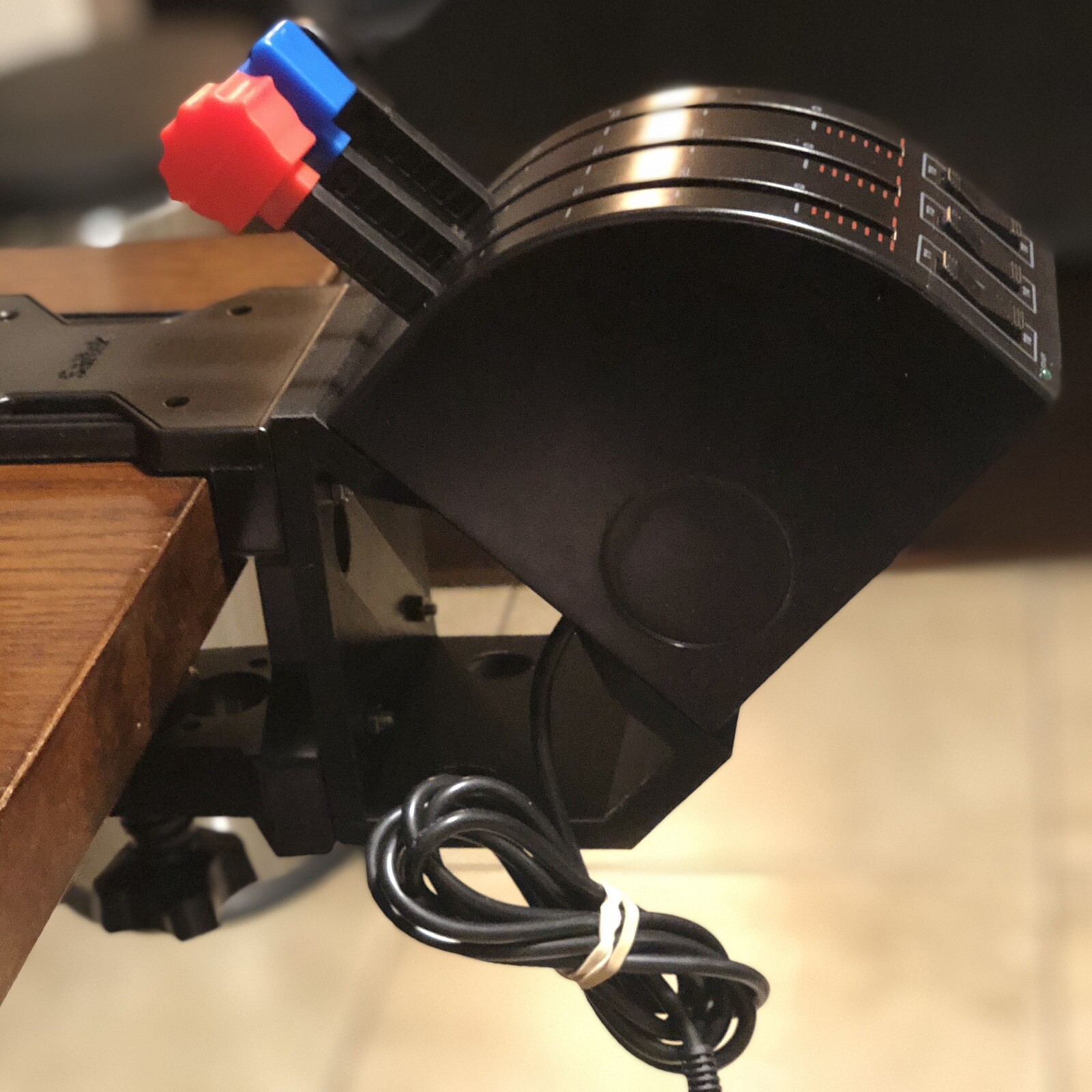
A concrete reason to choose this adapter is its listed 45-degree tilt function, along with included M4 screws and hex nuts for the attachment. That suits someone adjusting the position of an existing Saitek or Logitech flight sim throttle quadrant. Its black plastic material and controller-attachment connectivity keep the purchase centered on an accessory rather than a standalone control. The key limitation is equally clear: the throttle is not included. That makes the adapter unsuitable as a replacement for a complete throttle input, even though the title names a throttle quadrant. The new condition may matter to shoppers who want an attachment rather than a used control. Choose it when the hardware being repositioned is already part of the setup.
Logitech Flight Yoke System JU-0025 USB Controller Yoke Only
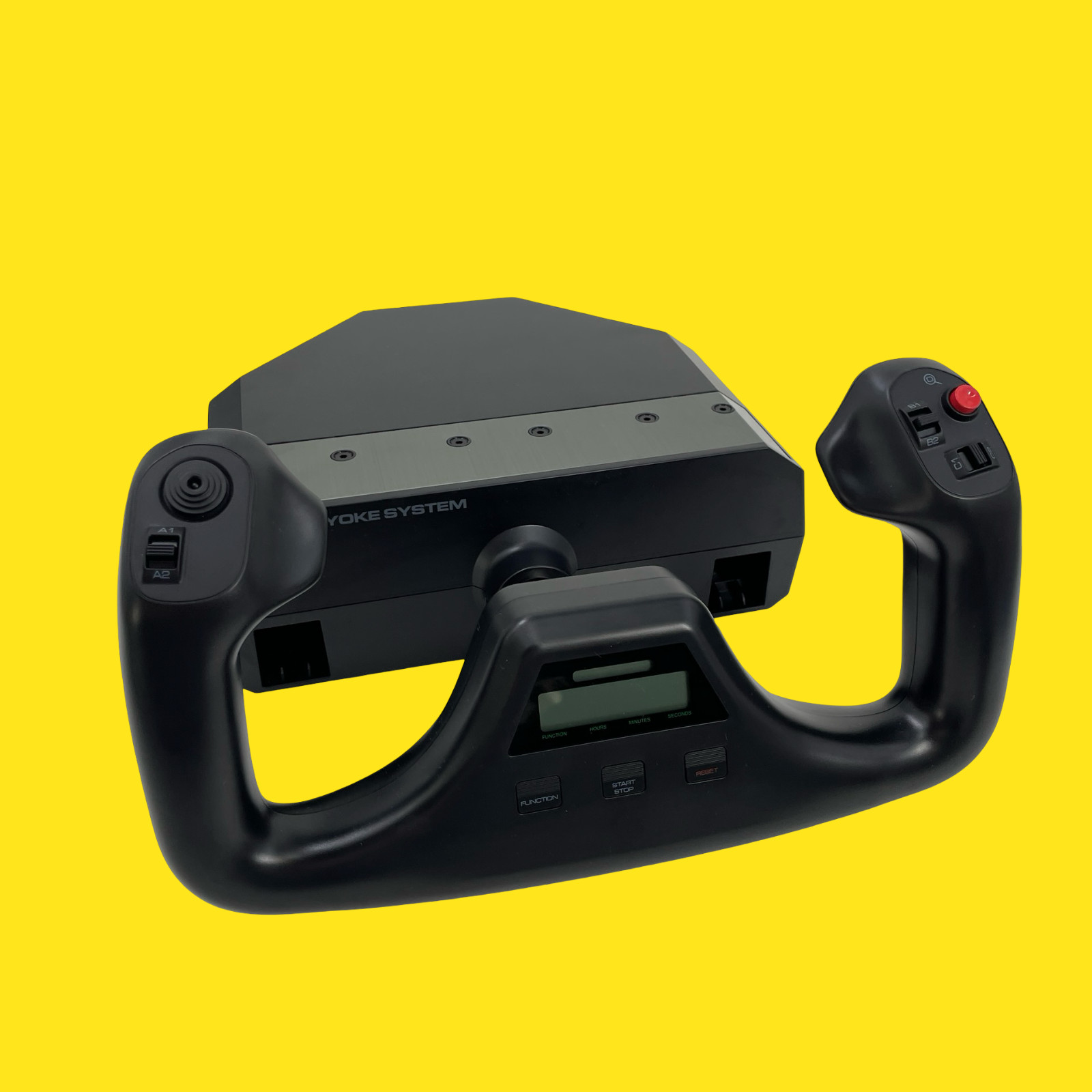
The Logitech JU-0025 makes sense when the main need is yoke input on a computer. Its wired USB connection and listed PC compatibility provide a straightforward route to connecting the controller, while the title's "Yoke Only" wording clearly defines the package's scope. The trade-off is its used condition, with scuffs and marks called out on the body. It is also described without the original box, manual, cables, clamp, or additional accessories not pictured. Those limitations matter if you need included cabling and mounting hardware alongside the controller. Choose this Logitech yoke for the listed USB connection and PC role; a throttle-focused setup calls for a different kind of purchase.
Final choice by use case
For an existing Saitek or Logitech quadrant that needs the listed 45-degree repositioning, choose the 45 Degree Tilt Adapter For Saitek/Logitech Flight Sim Throttle Quadrant. Its USD 32.99 price keeps the purchase focused on that single adjustment.
For adding yoke control to a PC through a wired USB connection, choose the Logitech Flight Yoke System JU-0025 USB Controller Yoke Only. Its USD 60.88 price reflects a different role: a controller yoke rather than a quadrant accessory. If your priority is a flight sim throttle quadrant, the adapter is the closer match; if your priority is yoke input, Logitech is the clearer fit.
