Choosing flight sim yokes & throttles often means choosing between two very different jobs: changing the angle of a throttle quadrant or sourcing replacement hardware for a Logitech yoke setup. The fastest way to decide is to match the purchase to that job, then use price and condition as tie-breakers.
Quick verdict
At $32.99, the 45 Degree Tilt Adapter For Saitek/Logitech Flight Sim Throttle Quadrant is the direct choice for an angle-adjustment project involving a compatible throttle quadrant. It is marked New, but the throttle itself is not included.
At $69.99, Logitech Flight Yoke System Professional Simulation - Replacement Parts is the better match when the purchase is centered on replacement hardware, wired USB connectivity, a 4ft cable, and Apple or PC compatibility. It is marked Used, so the two choices serve different needs rather than competing as interchangeable controls.
Compact comparison
| Choice | Listed price | Key distinction |
|---|---|---|
| 45 Degree Tilt Adapter For Saitek/Logitech Flight Sim Throttle Quadrant | USD 32.99 | 45-degree adapter for a Saitek/Logitech throttle quadrant; New |
| Logitech Flight Yoke System Professional Simulation - Replacement Parts | USD 69.99 | Replacement parts with wired USB connectivity; Used |
Where each choice wins
- Angle-adjustment job: The 45 Degree Tilt Adapter wins when the goal is specifically named in its title: changing the angle of a Saitek/Logitech throttle quadrant.
- Replacement-oriented computer setup: Logitech Flight Yoke Replacement Parts win when Apple or PC compatibility and wired USB connectivity are the deciding attributes.
- New-condition preference: The adapter is the clearer choice because it is marked New, while the Logitech parts are marked Used.
Product notes
45 Degree Tilt Adapter
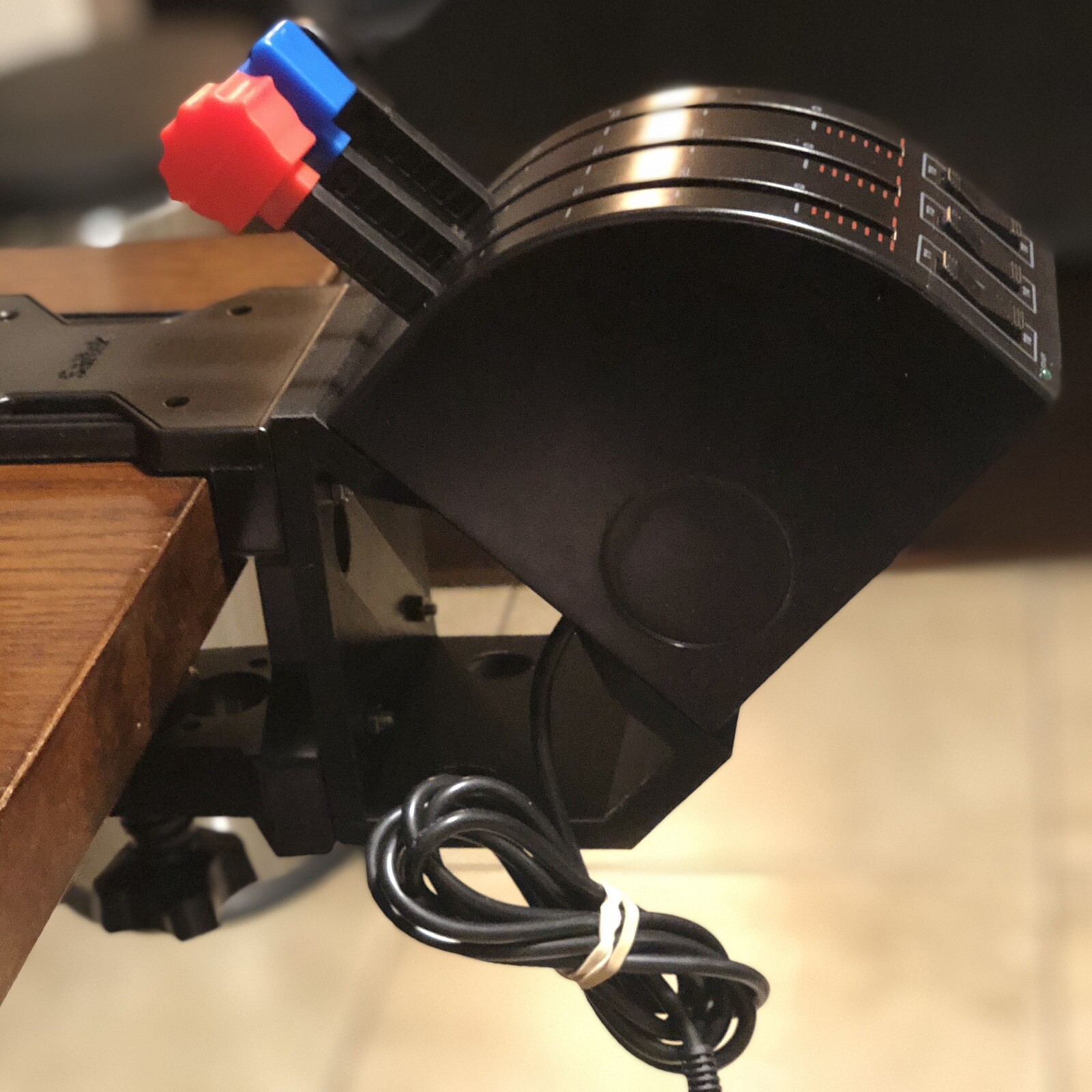
If the main goal is to alter the placement of a Saitek/Logitech throttle quadrant, the 45 Degree Tilt Adapter is the more direct match. It includes the adapter plus four M4-0.7 x 20mm screws, four SS M4 x 16mm screws, and four SS M4-0.7 hex nuts, giving the attachment job a clearly defined hardware set. Its black plastic construction and External Attachment type describe the intended format. The important limitation is direct: the throttle is not included. That makes the adapter a choice for changing an existing controller arrangement, not for buying a throttle alongside the attachment. The listed Controller Attachment connectivity also keeps its role focused on an add-on rather than a standalone control unit.
Logitech Flight Yoke Replacement Parts
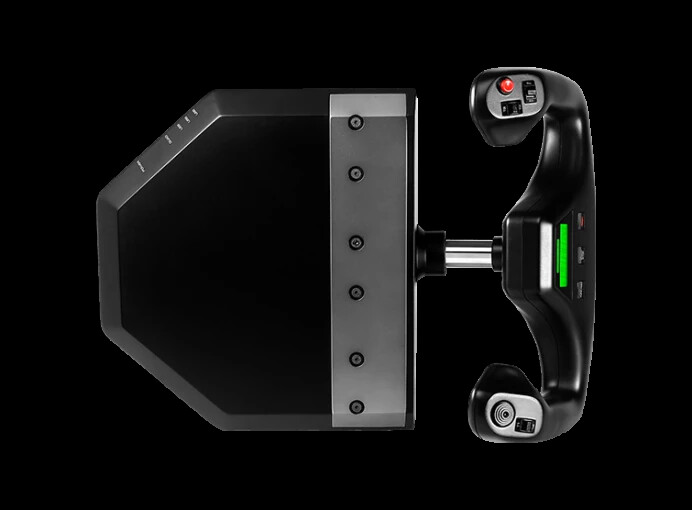
Logitech Flight Yoke Replacement Parts make more sense when the purchase is centered on replacement hardware rather than a tilt adapter. Wired USB connectivity, a 4ft cable, compatibility with Apple and PC models, and a matte/anti-glare feature give the choice several concrete setup attributes. Those details make it a reasonable match for a wired computer flight-simulation arrangement where the replacement-parts wording fits the task. The limitation is that the condition is Used, and the title identifies the item as Replacement Parts. That makes it less suitable for a shopper specifically seeking a new attachment or a clearly labeled angle adapter. The black plastic material is also listed, but it does not change the replacement-focused role.
Final choice by use case
- For changing throttle-quadrant angle: Choose the 45 Degree Tilt Adapter For Saitek/Logitech Flight Sim Throttle Quadrant. Its title and included fasteners align with that specific modification.
- For wired USB replacement hardware: Choose Logitech Flight Yoke System Professional Simulation - Replacement Parts, especially when the Apple or PC compatibility attributes fit the intended setup.
- For a new-condition purchase: Choose the adapter, which is marked New. The Logitech choice is marked Used.
The decision is therefore straightforward: pick the adapter for a focused physical adjustment, and choose the Logitech replacement parts when the need is replacement-oriented and the listed wired USB, cable, and computer compatibility details matter.
